

Sharing Chatbots
On this page
Sharing Chatbots
Share created chatbots with other users and teams while managing their access permissions.
- Click the Share icon.
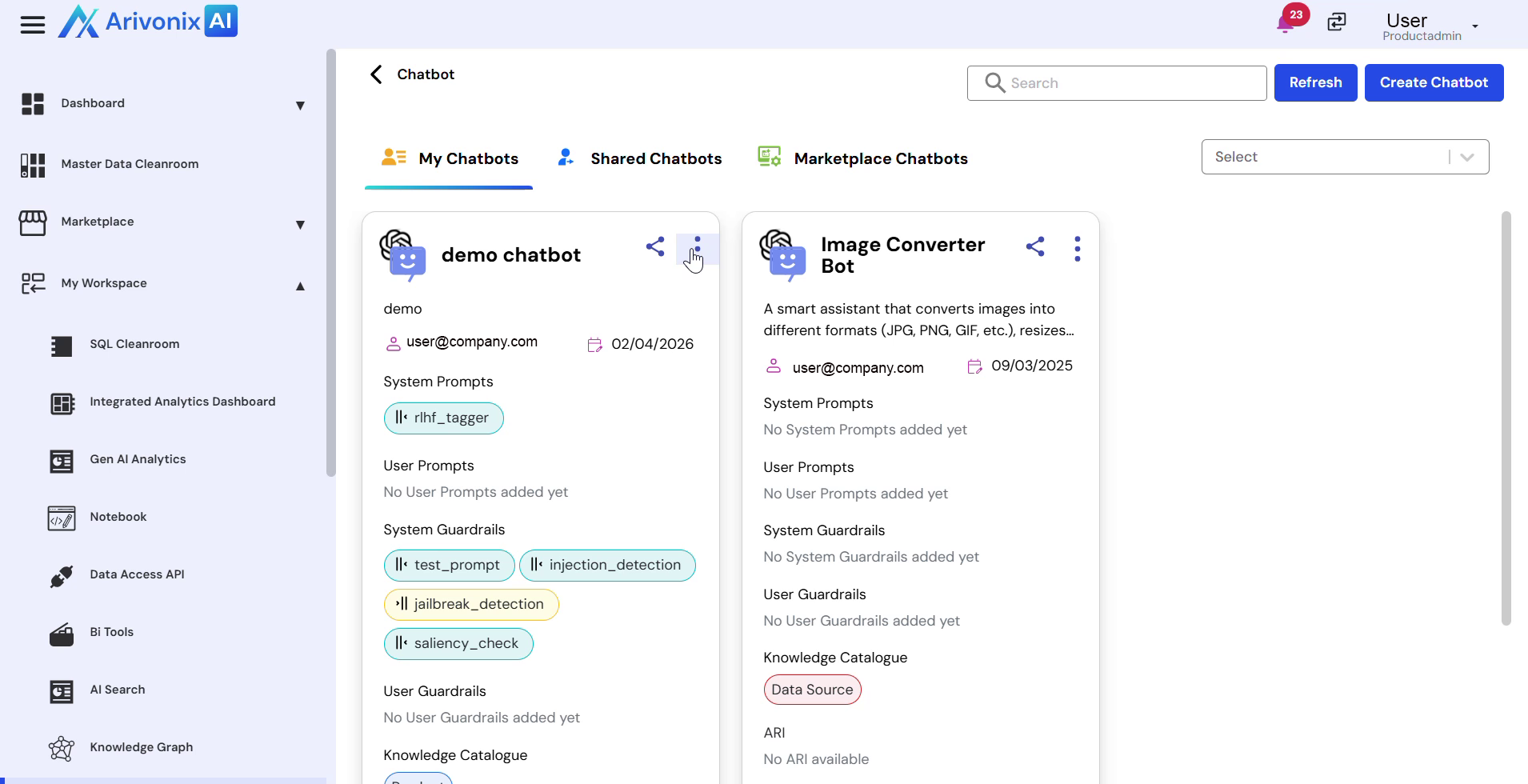
- In the sharing dialog:
- Select the users or teams to share with
- Configure access control settings:
- Choose between Grant or Deny permissions
- Set access level to Read, Write, or both
- You can select multiple users at a time
- Click the Share Access button in the bottom right corner to confirm.
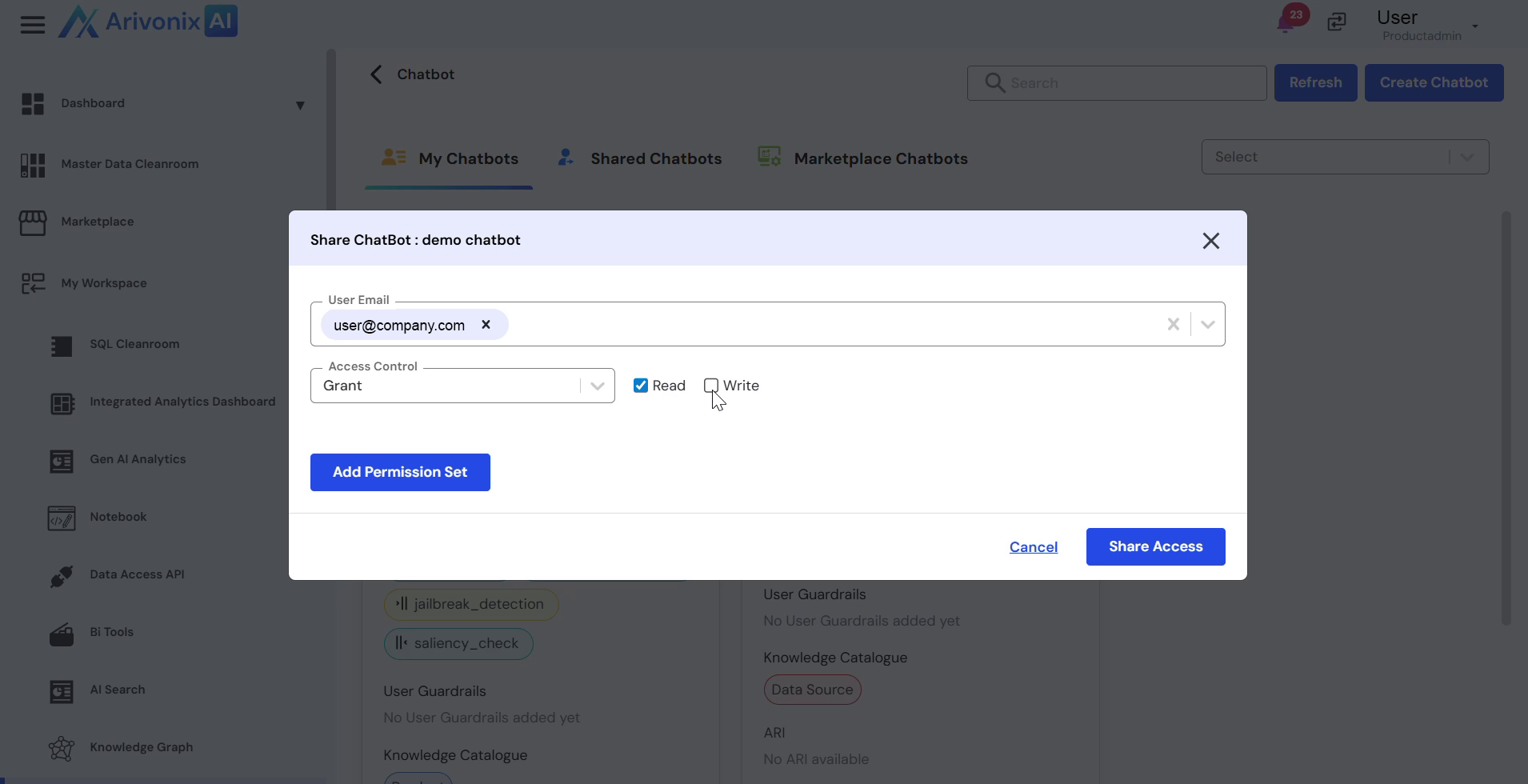
The chatbot will now be shared with the selected users according to the specified permissions.