

Combining Records
On this page
Combining Records
Configure and merge multiple data sources by defining transformation rules for combining records based on business requirements.
Configuring Combined Records
- Click the Plus icon and select Combine Records.
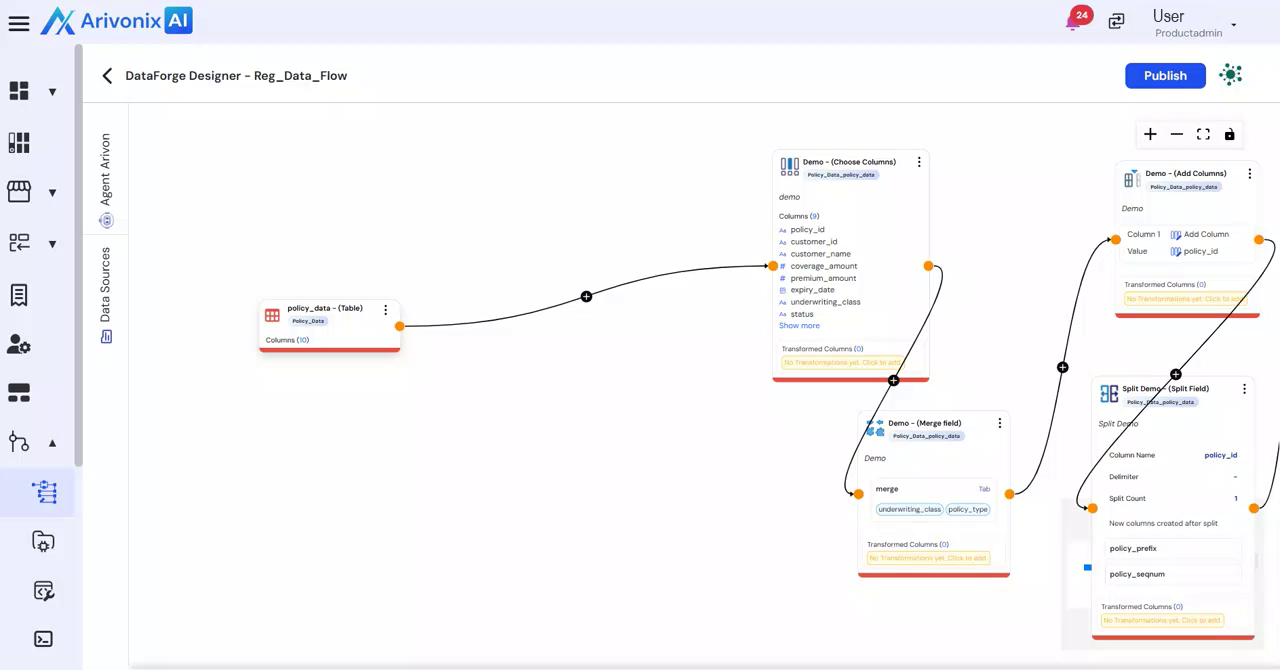
- Enter the required details:
- Transformation Name
- Description
- Configure the secondary data source:
- Select the Source Schema
- Select the Source Table
- After configuring all details, either:
- Click Save to store the transformation
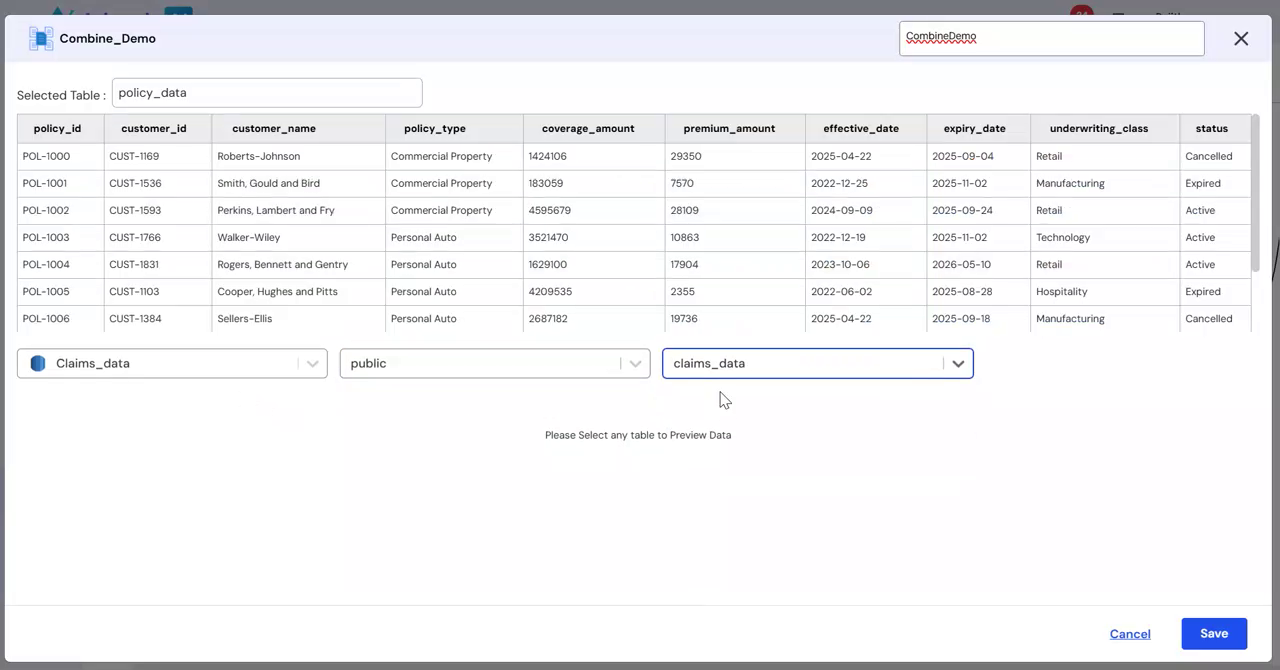
- Click Cancel to discard the changes
- Click Save to store the transformation
The secondary data set will be combined with the primary data set according to the defined merge rules and matching criteria specified for the business case.