

Sharing Data Rules
On this page
Sharing Data Rules
Share data rules with other users or teams by granting specific access permissions.
- On the Data Rule tab, locate the Share icon.
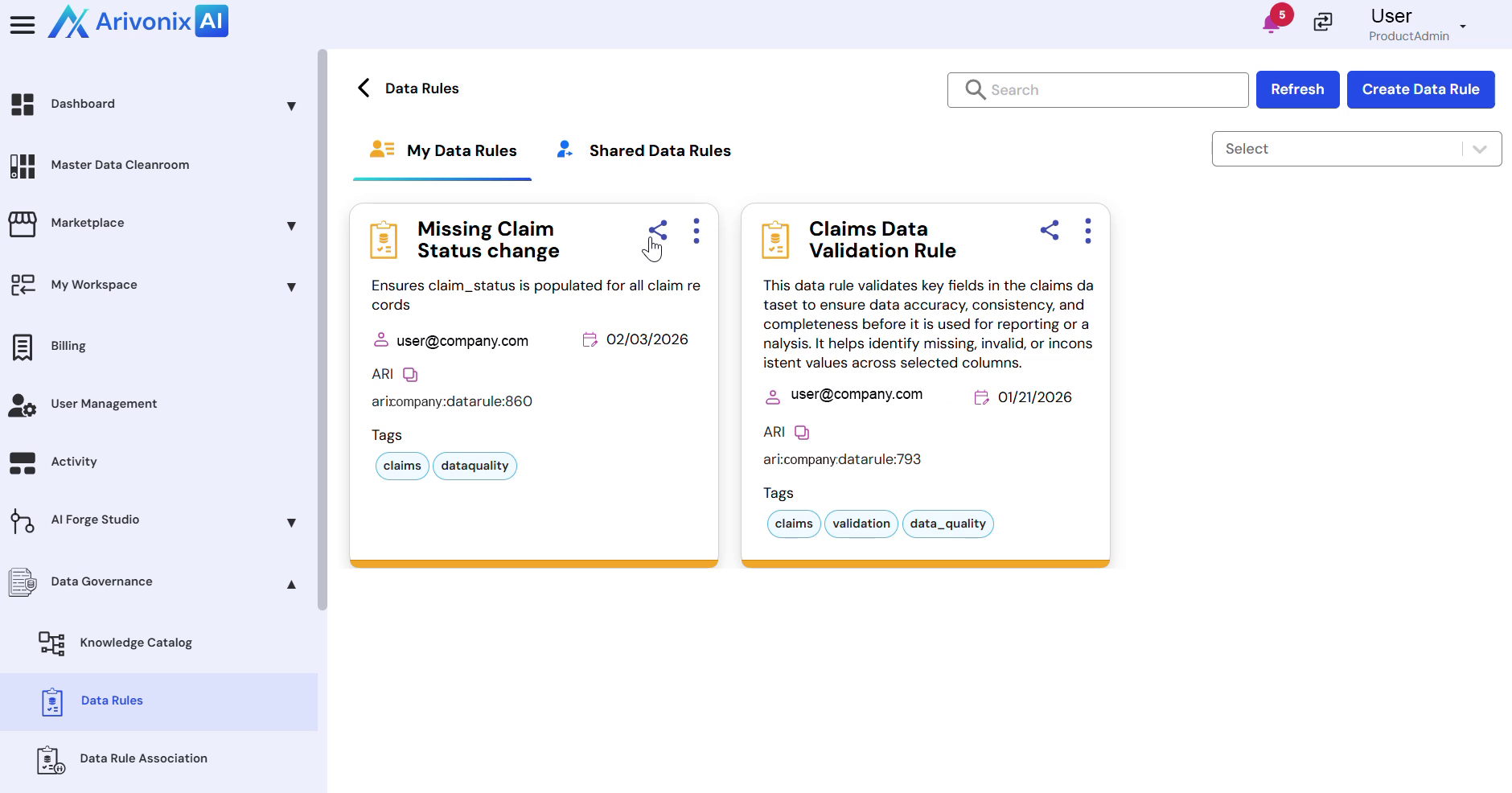
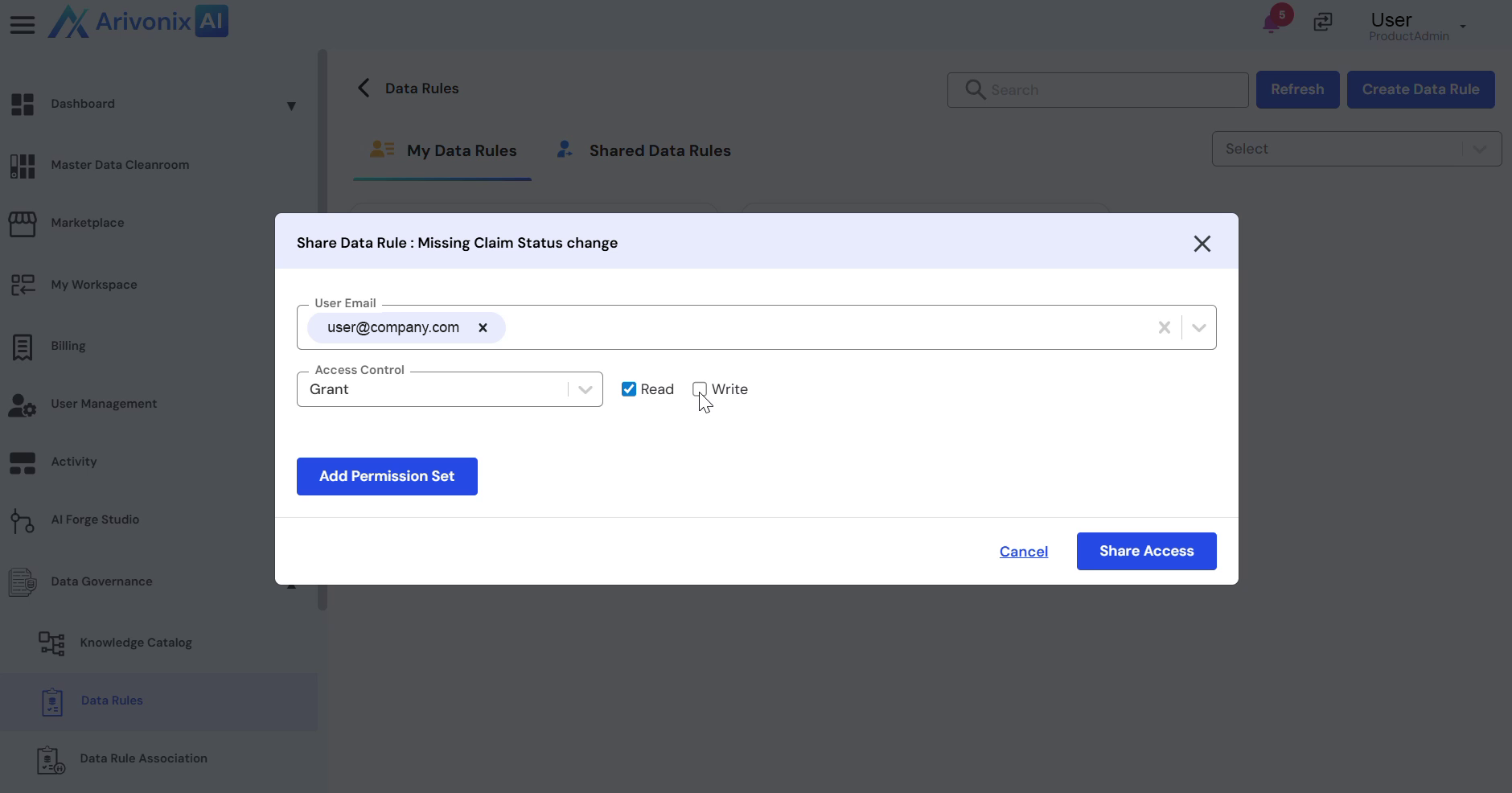
- Select the user to share the data rule with.
- Configure the access control settings:
- Choose between Grant or Deny permissions
- Set appropriate Read Access or Write Access permissions based on requirements
- Click the Share Access button in the bottom right corner of the dialog box.
Upon completion, the data rule will be successfully shared with the selected user.