

Deleting a Data Product
On this page
Deleting a Data Product
Remove unwanted data products from Arivonix when they are no longer needed.
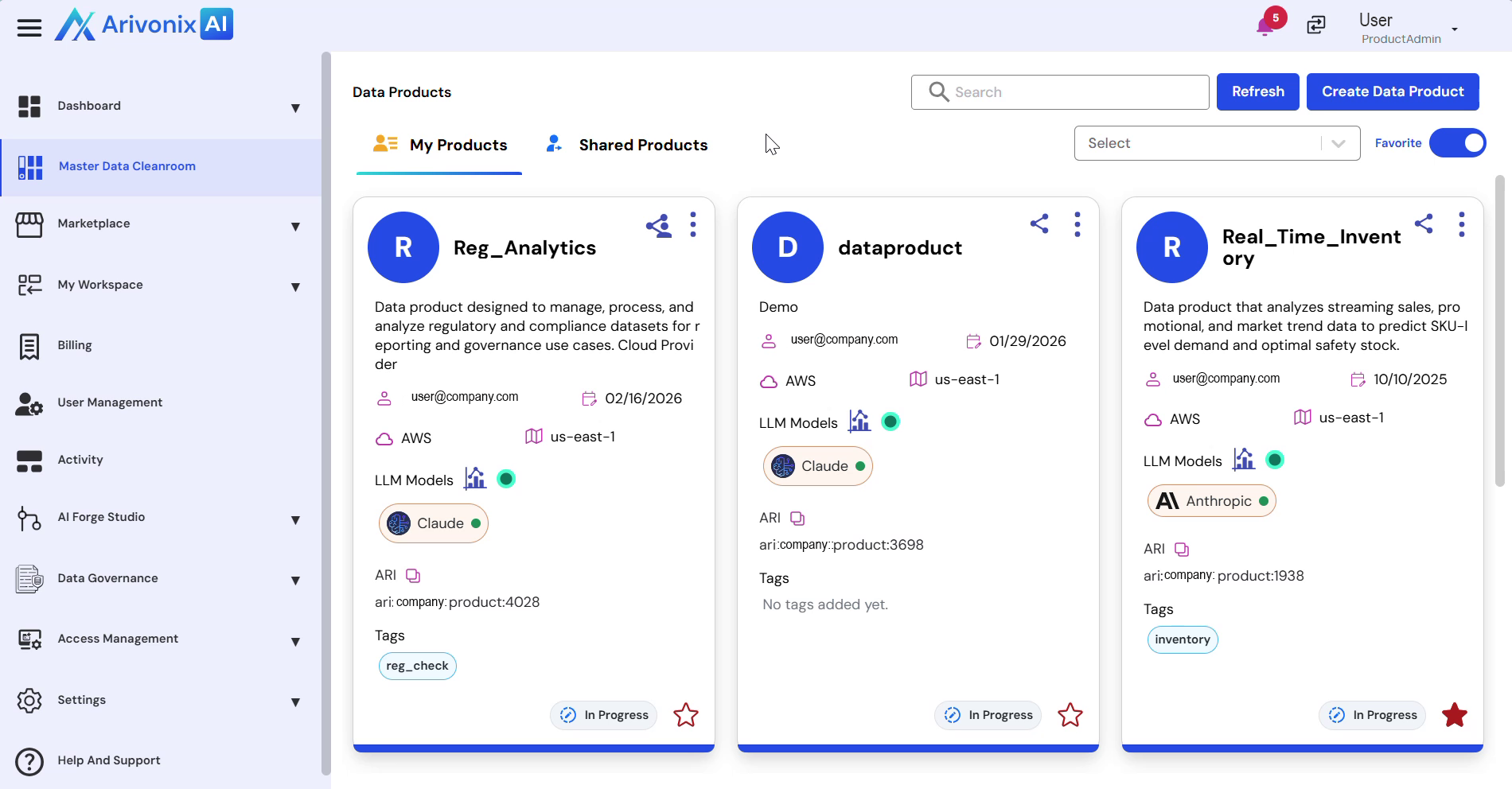
- Navigate to the data product that needs to be deleted.
- Click the Action menu for the target data product.
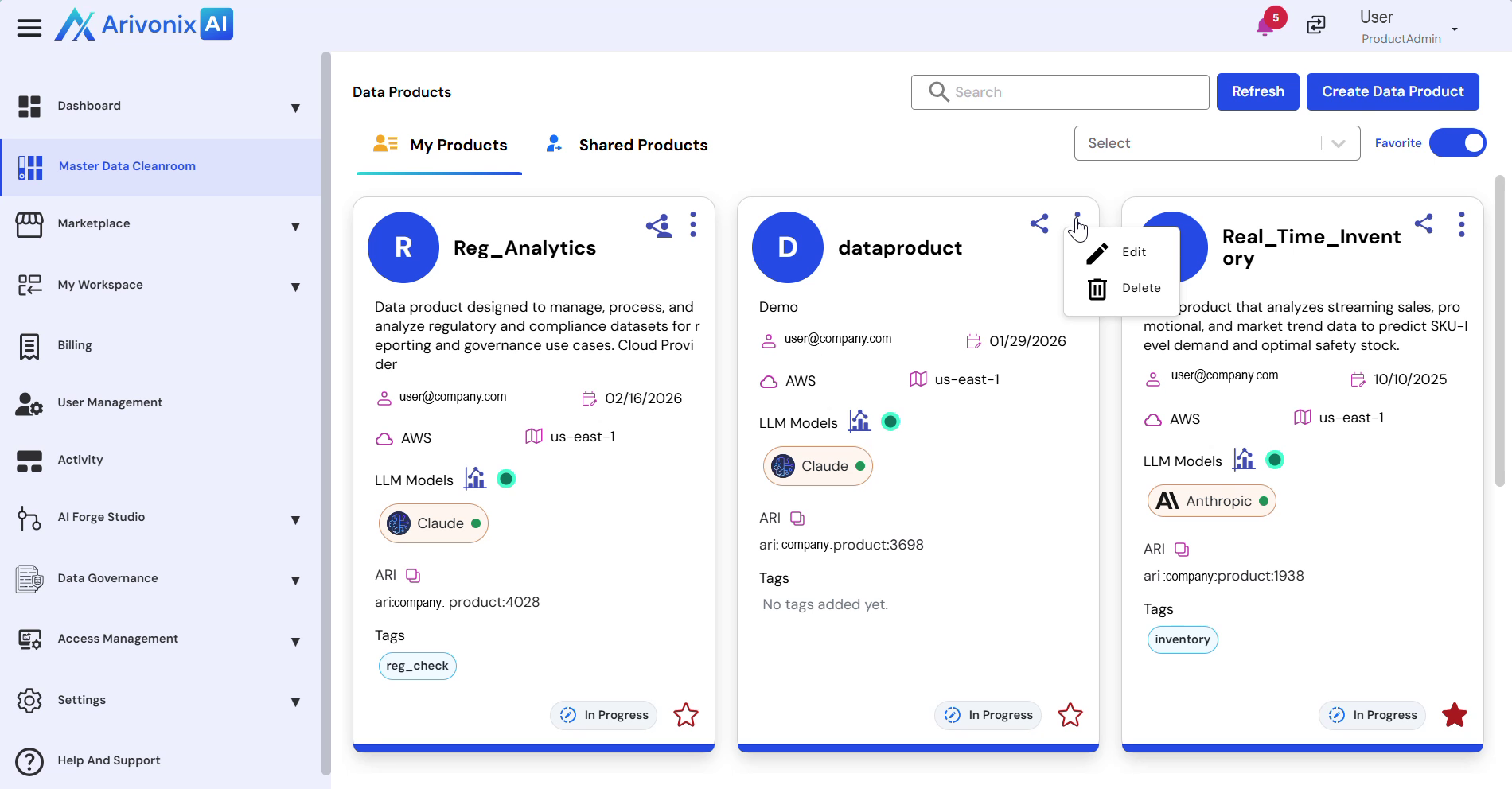
- Select Delete from the menu options.
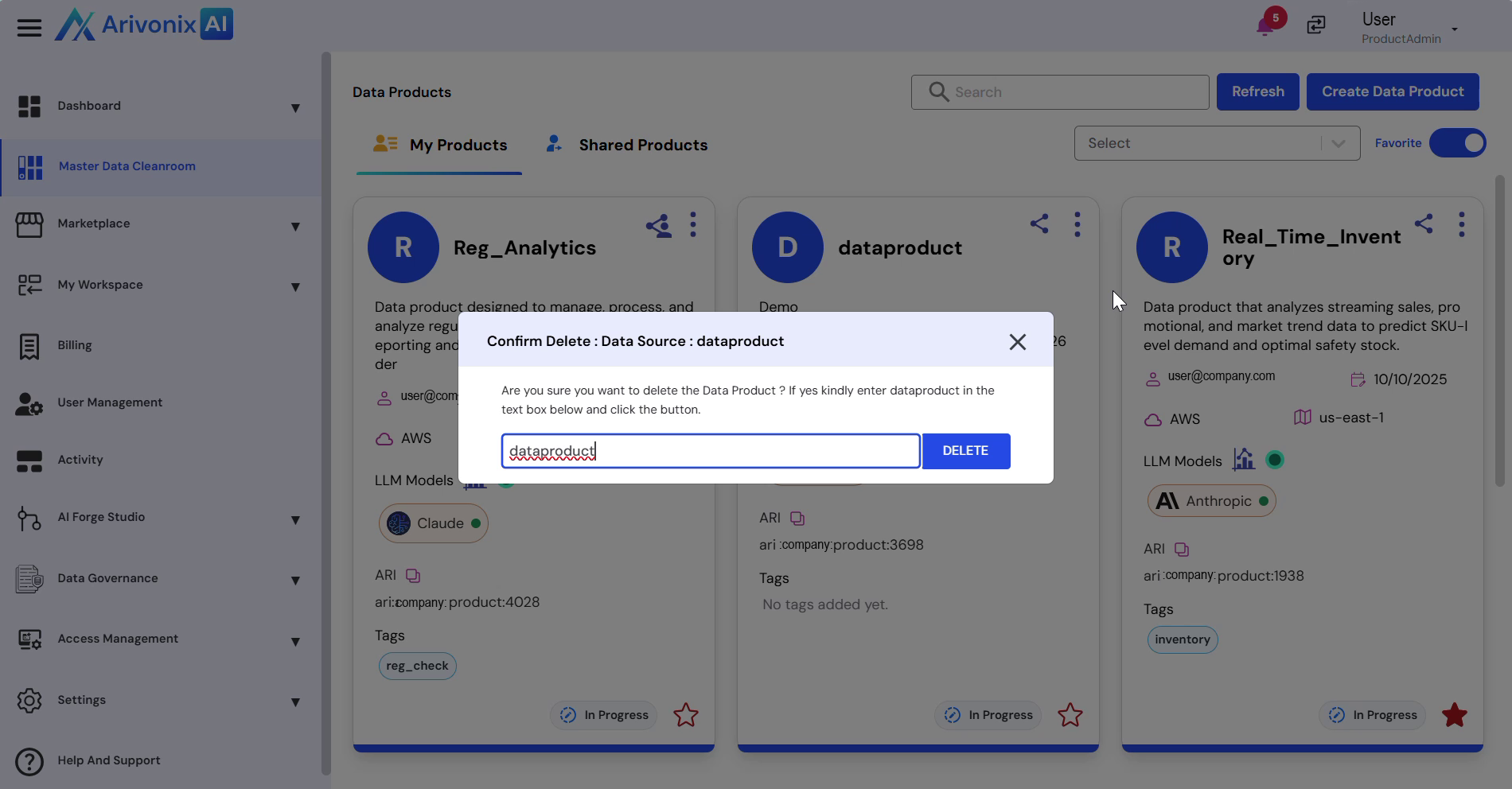
- Enter the data product name in the confirmation dialog.
- Click the Delete button to confirm the deletion.
The system will process the request and permanently remove the selected data product.