

Creating a Knowledge Graph
On this page
Creating a Knowledge Graph
Knowledge Graphs enable modeling of entities and relationships in a logical graph structure for data organization and analysis.
- Navigate to the top right corner and click the Create Knowledge Graph button.
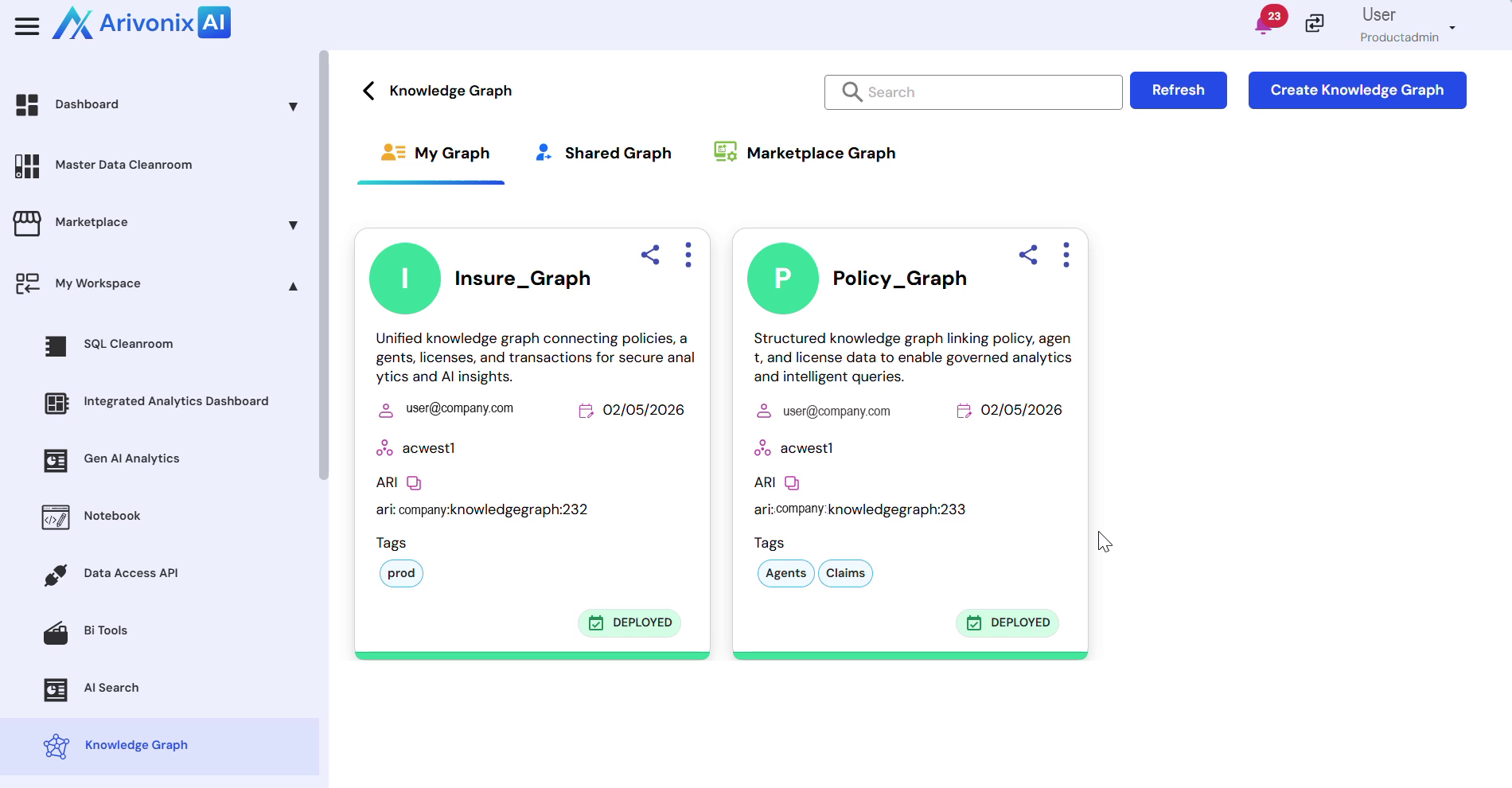
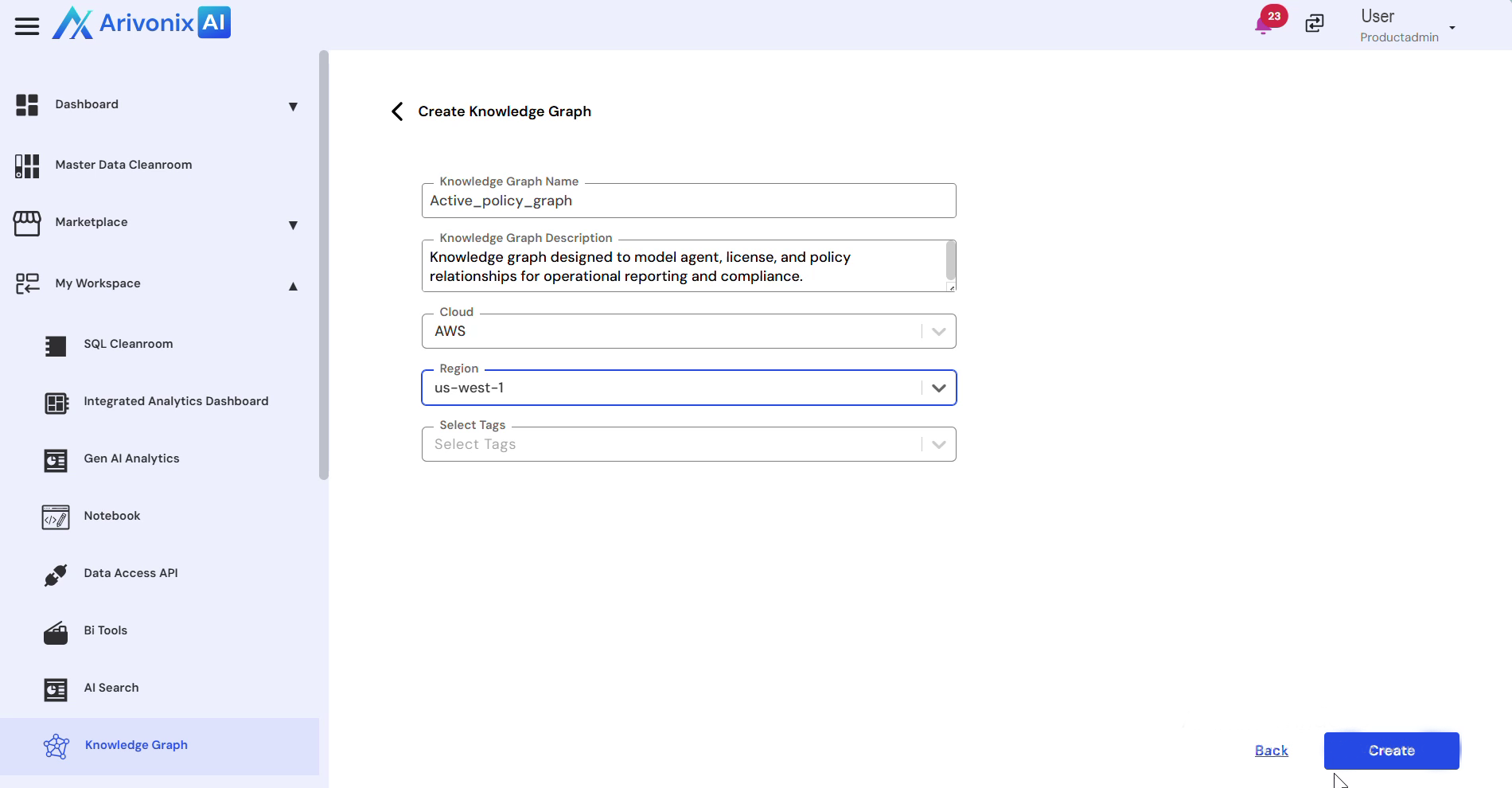
- Complete the configuration by providing the following details:
- Select the appropriate Cloud Region
- Fill in all required fields
- Click the Create button in the bottom right corner to initiate the graph creation.
- Wait approximately 4-5 seconds for the Knowledge Graph deployment to complete.
- Once deployment is successful, click the Explore button to access the graph workspace.
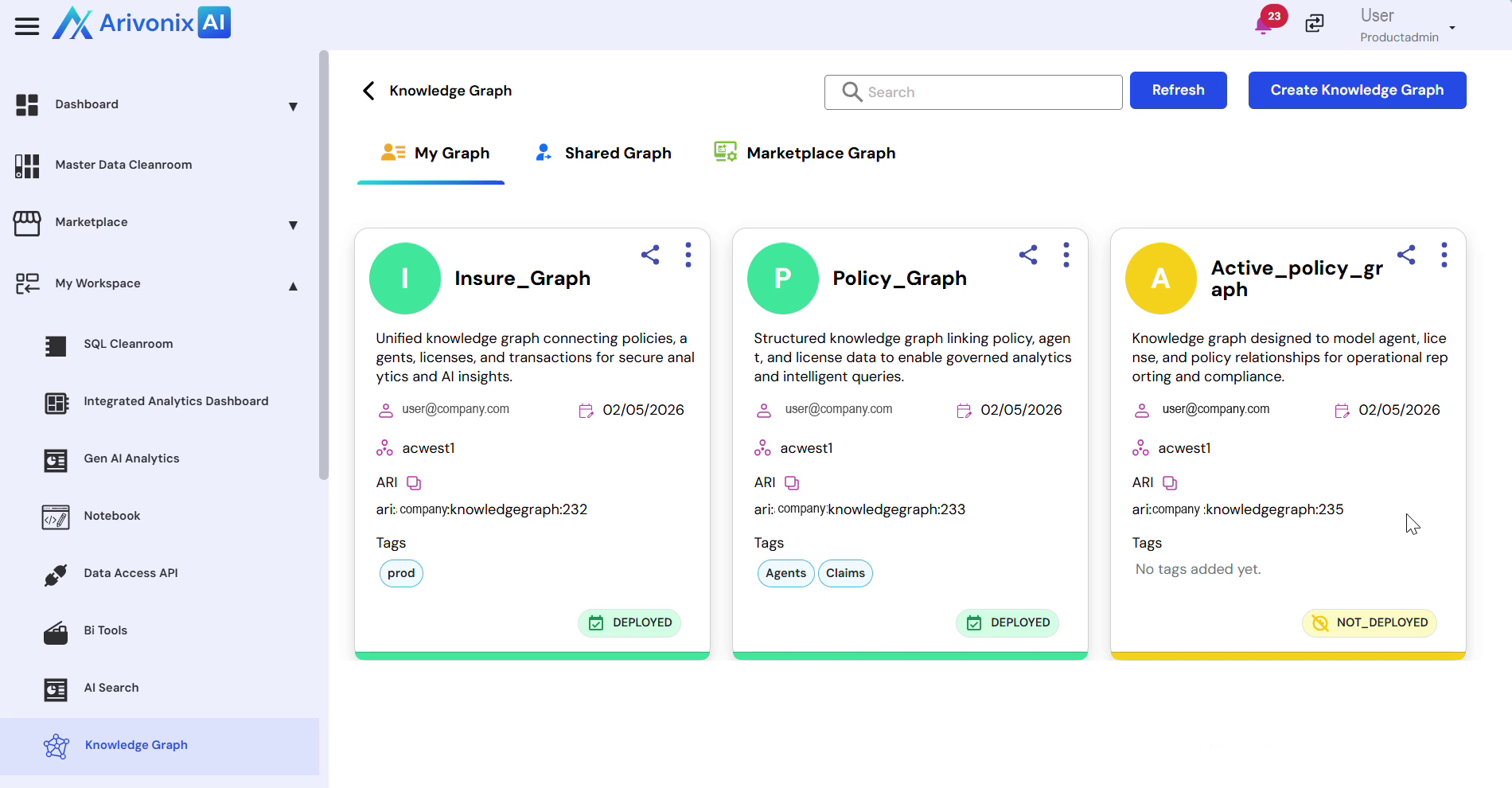
The Knowledge Graph is now successfully deployed and ready for use in the graph workspace.