

Editing Data Access API Groups
On this page
Editing Data Access API Groups
Modify existing Data Access API groups to update their configurations and access settings.
- Click the Action menu for the desired group.
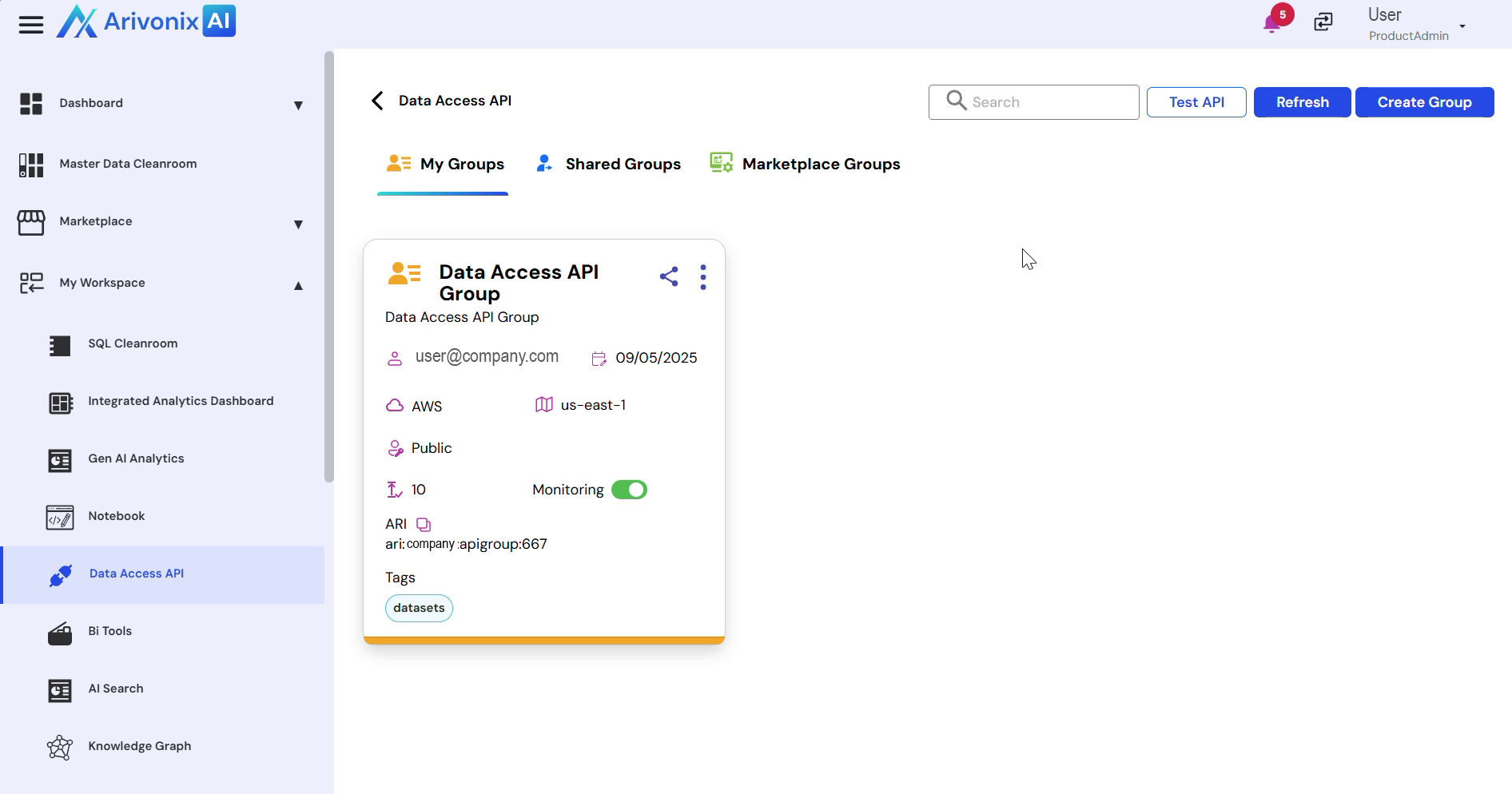 Select Edit Group.
 - In the edit interface, users can modify the following settings:
- Group Name
- Group Description
- Cloud
- Region
- Tags
- Access Level
- After making the desired changes, click Save to apply the updates.
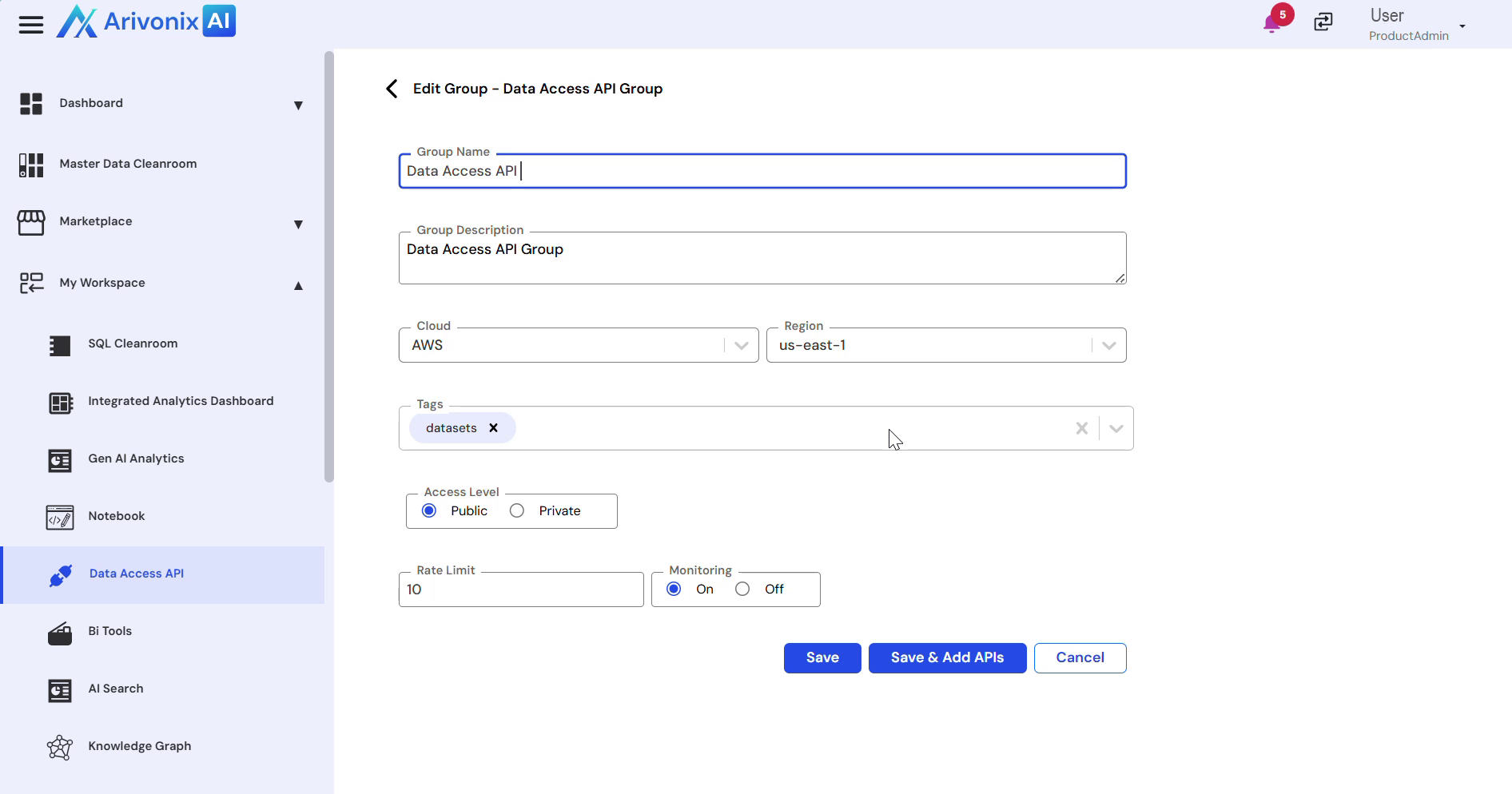
A confirmation message will appear once the changes are successfully saved.