

Creating a Prompt
On this page
Creating a Prompt
Create and configure custom prompts to leverage Arivonix AI models for specific use cases.
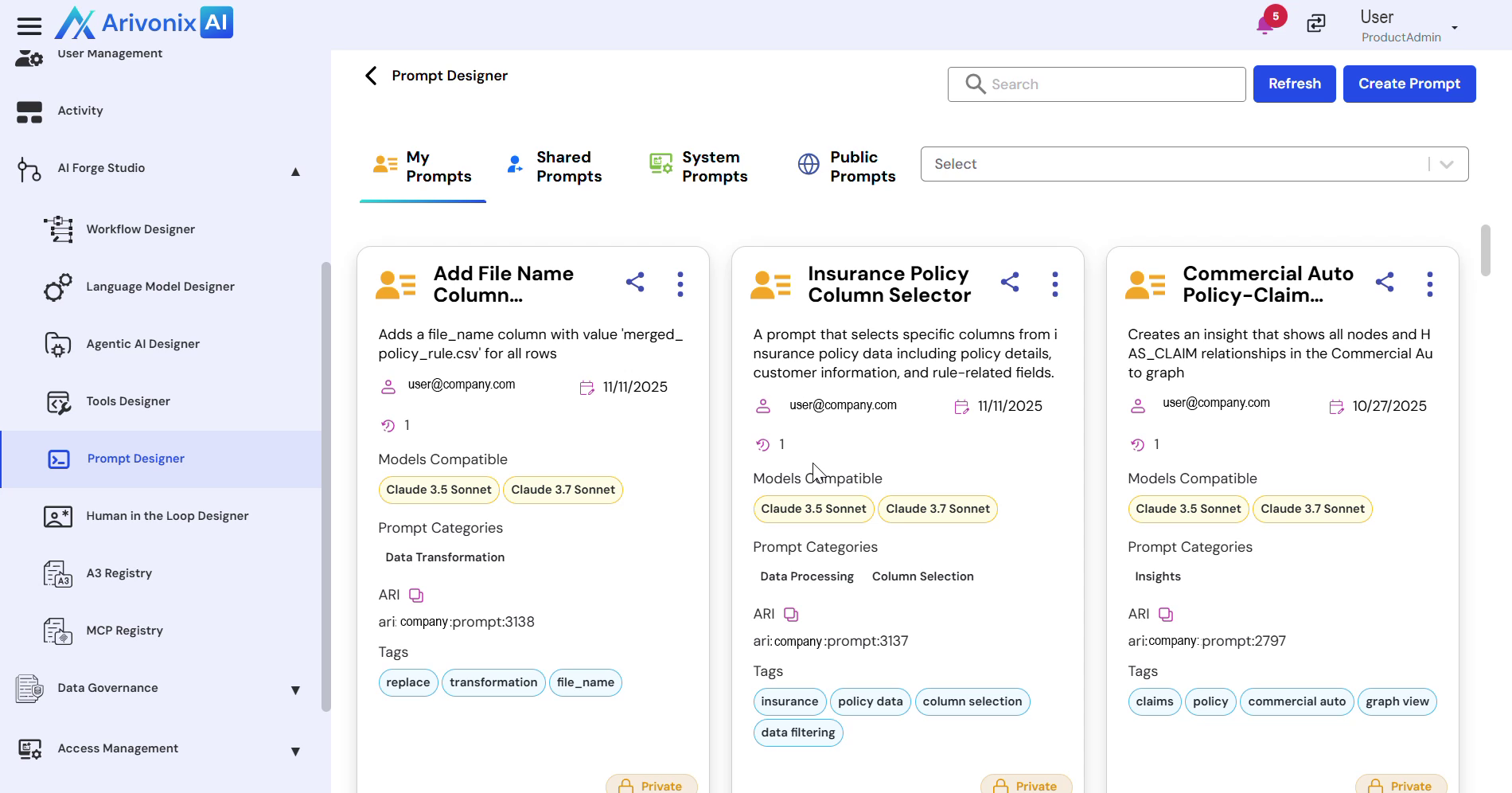
To create a new prompt:
- Click the Create Prompt button in the top right corner.
- Enter the required information:
- Prompt Name
- Description
- Select compatible Arivonix AI Models from the available options
- Choose appropriate Prompt Categories
- Optionally enable the Make Prompt Public checkbox to share the prompt with other users
- Click the Create button to finalize the prompt creation.
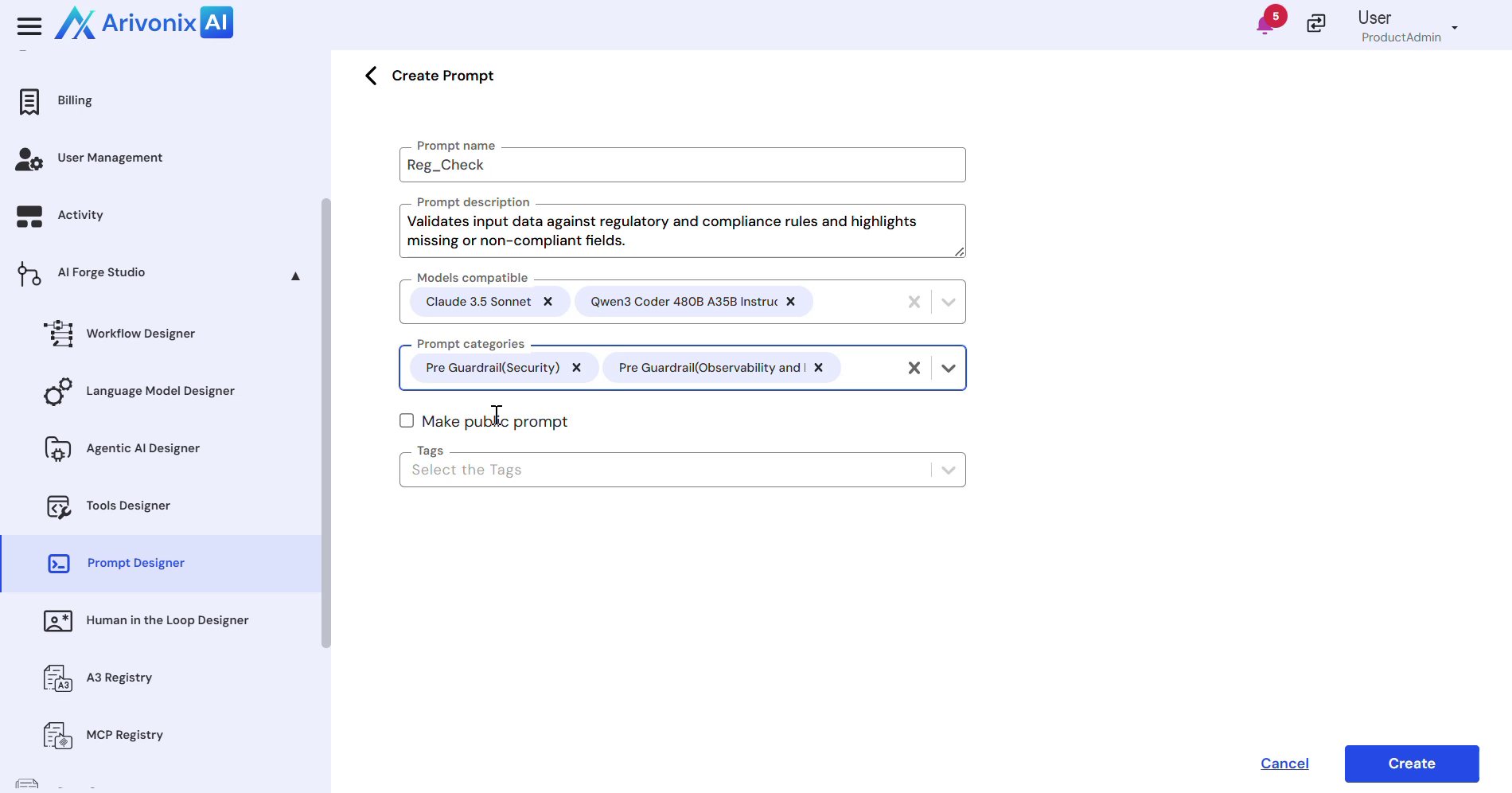
Upon successful completion, the system will confirm the prompt creation.