

Split Transformation
On this page
Splitting Transformation
Split a single table into multiple tables by selecting specific columns for each resulting table.
To split a transformation:
- Navigate to the transformation view and click the Plus icon.
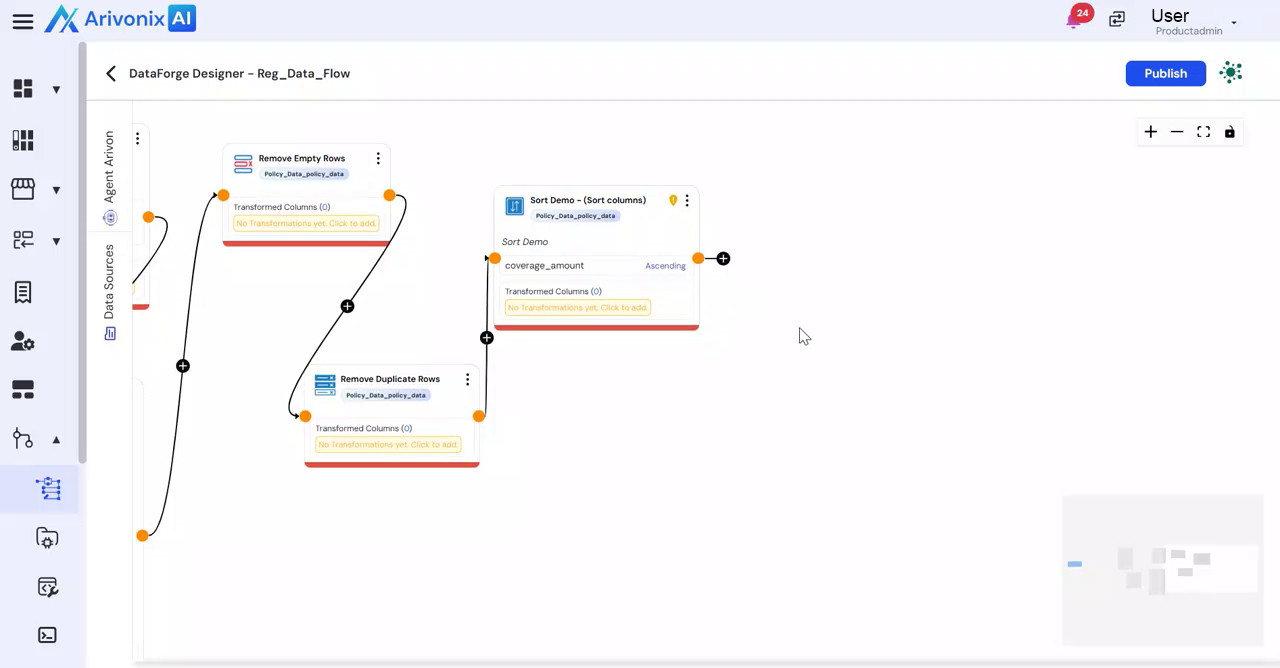
- Select Split from the menu options.
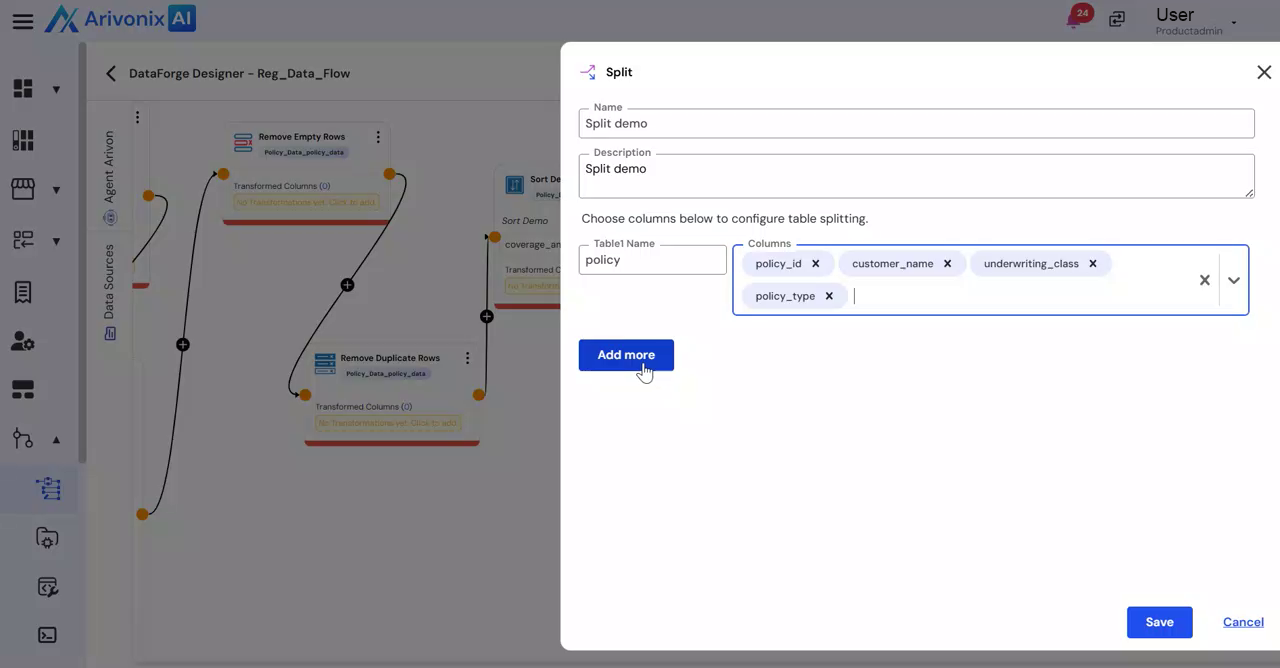
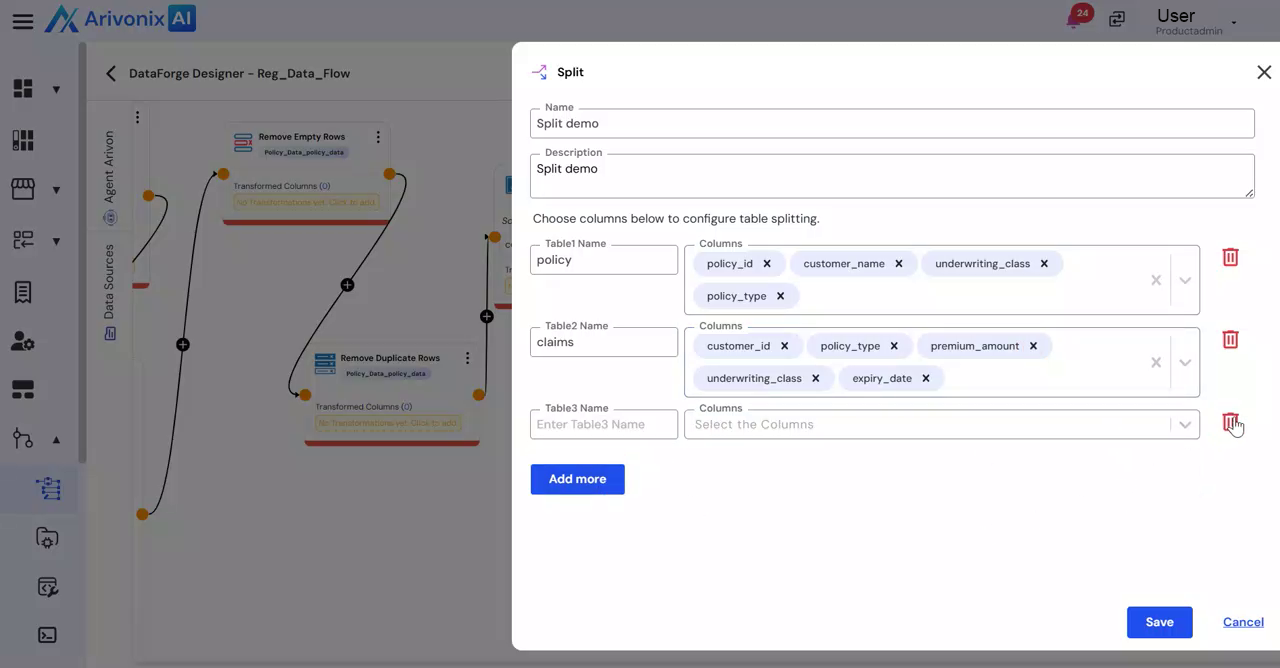
- Enter the following details for the first table:
- Transformation Name
- Description
- Table 1 Name
- Select the desired columns for Table 1
- Click Add More to configure additional tables.
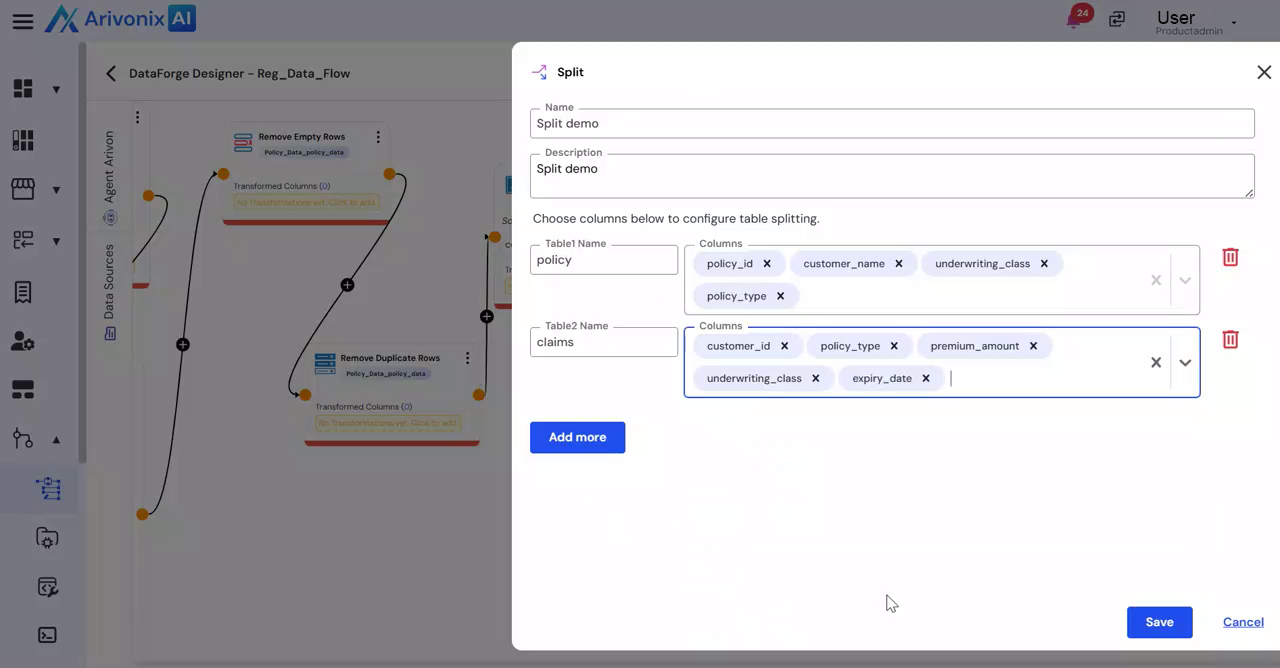
- For the second table:
- Enter Table 2 Name
- Select the columns to include in Table 2
- To finalize the split:
- Click Save to complete the transformation
- Click Add More to create additional tables
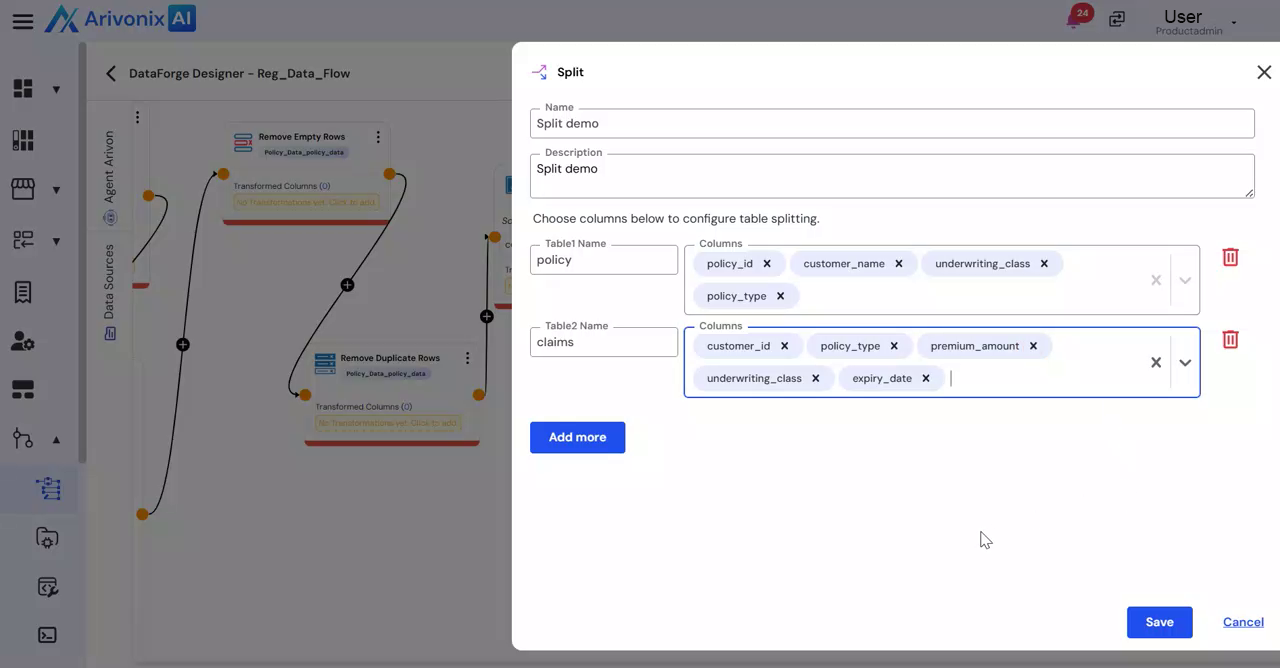
- Click Save to apply all configurations
- Click Cancel to discard the transformation
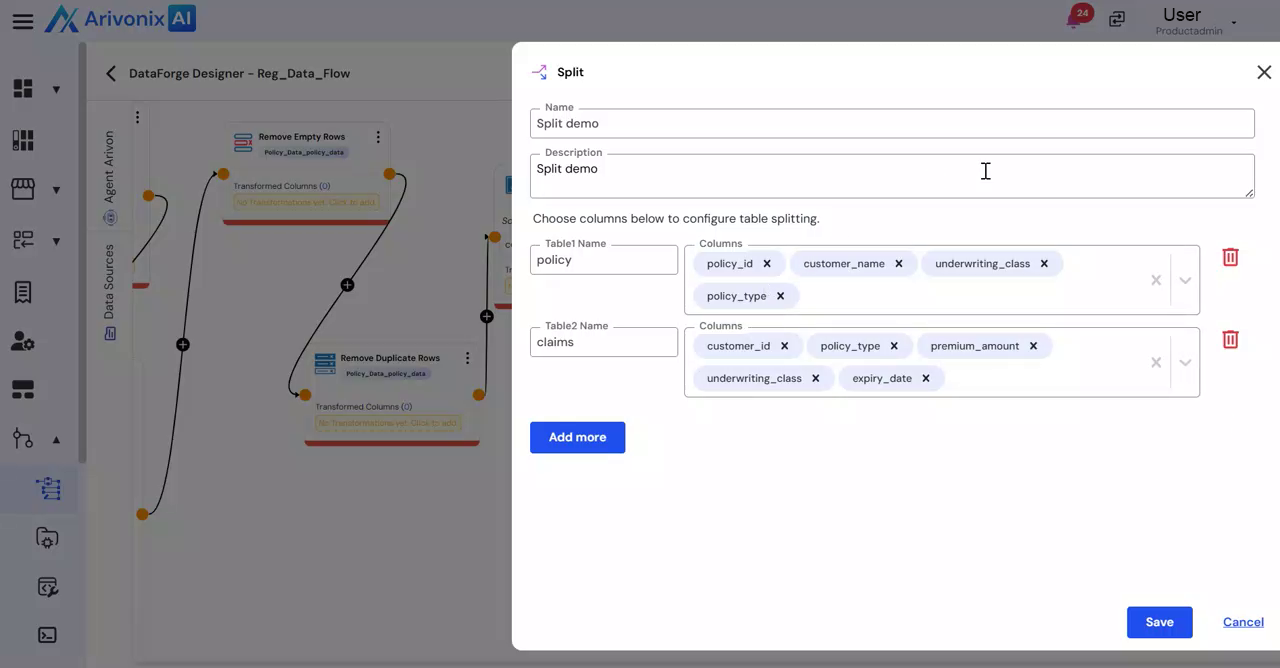
- Click Save to complete the transformation
Once completed, the table will be split according to the specified configuration.