

Creating a Data Product
On this page
Creating a Data Product
Create and configure data products to organize and manage your data sources effectively within Arivonix.
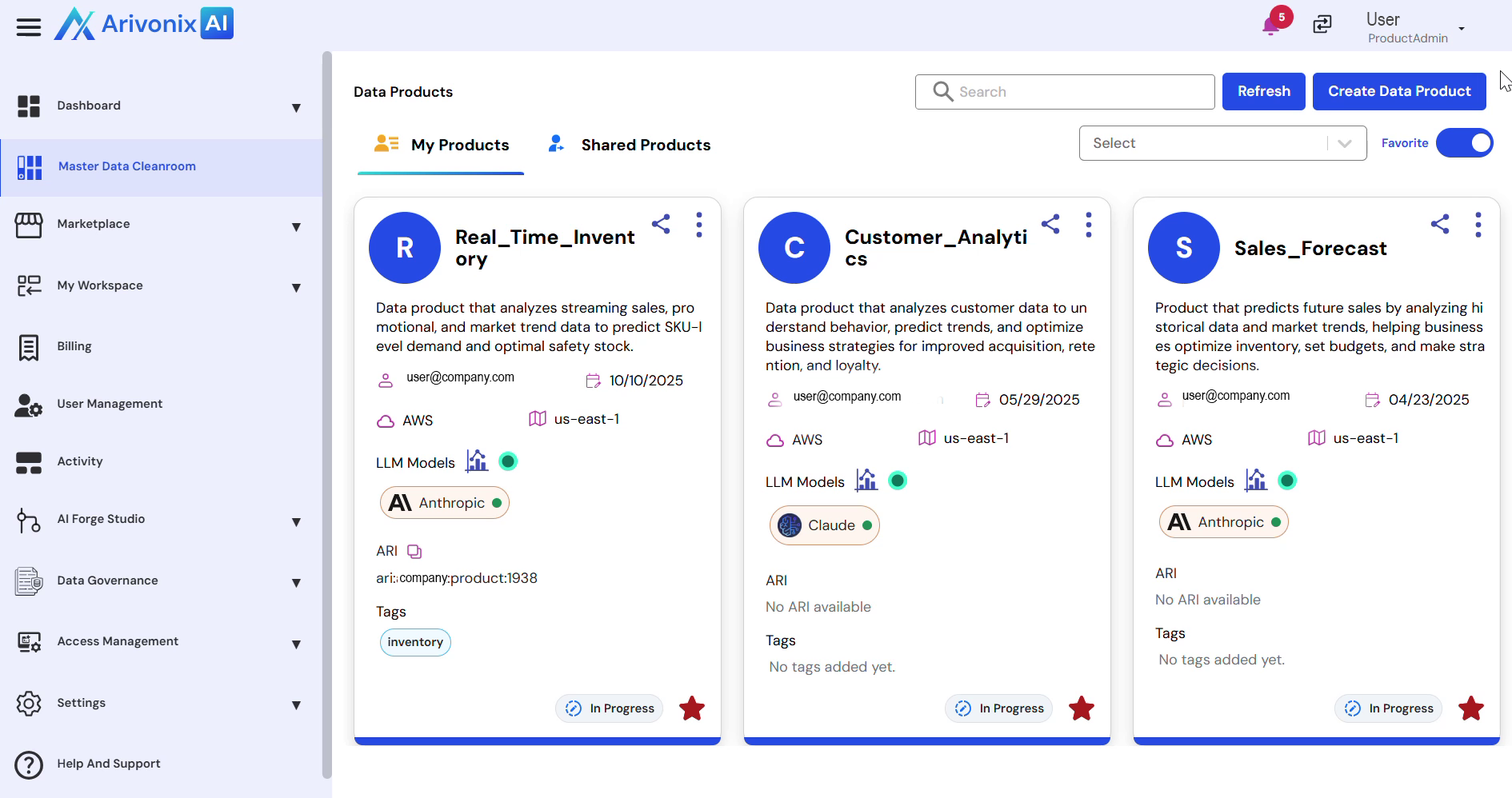
To create a new data product:
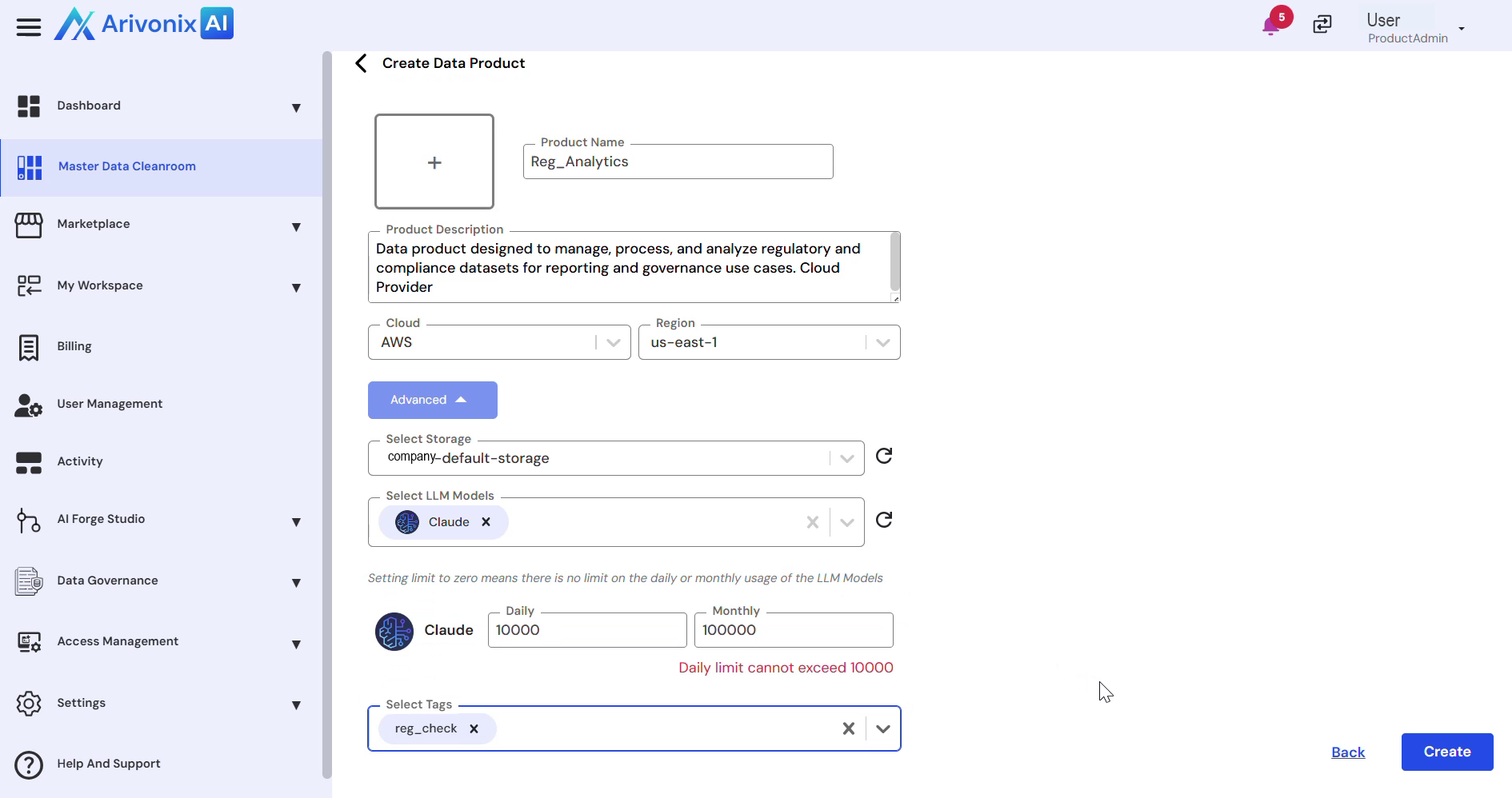
- Click Create Data Product from the top right corner.
- Enter the required information:
- Product Name
- Description
- Cloud Region
- For advanced configuration, click the Advanced button and specify:
- Storage
- LLM Model
- Daily Limit
- Monthly Limit
- Select appropriate Tags for usage classification.
- Click Create in the bottom right corner.
Data Source Configuration
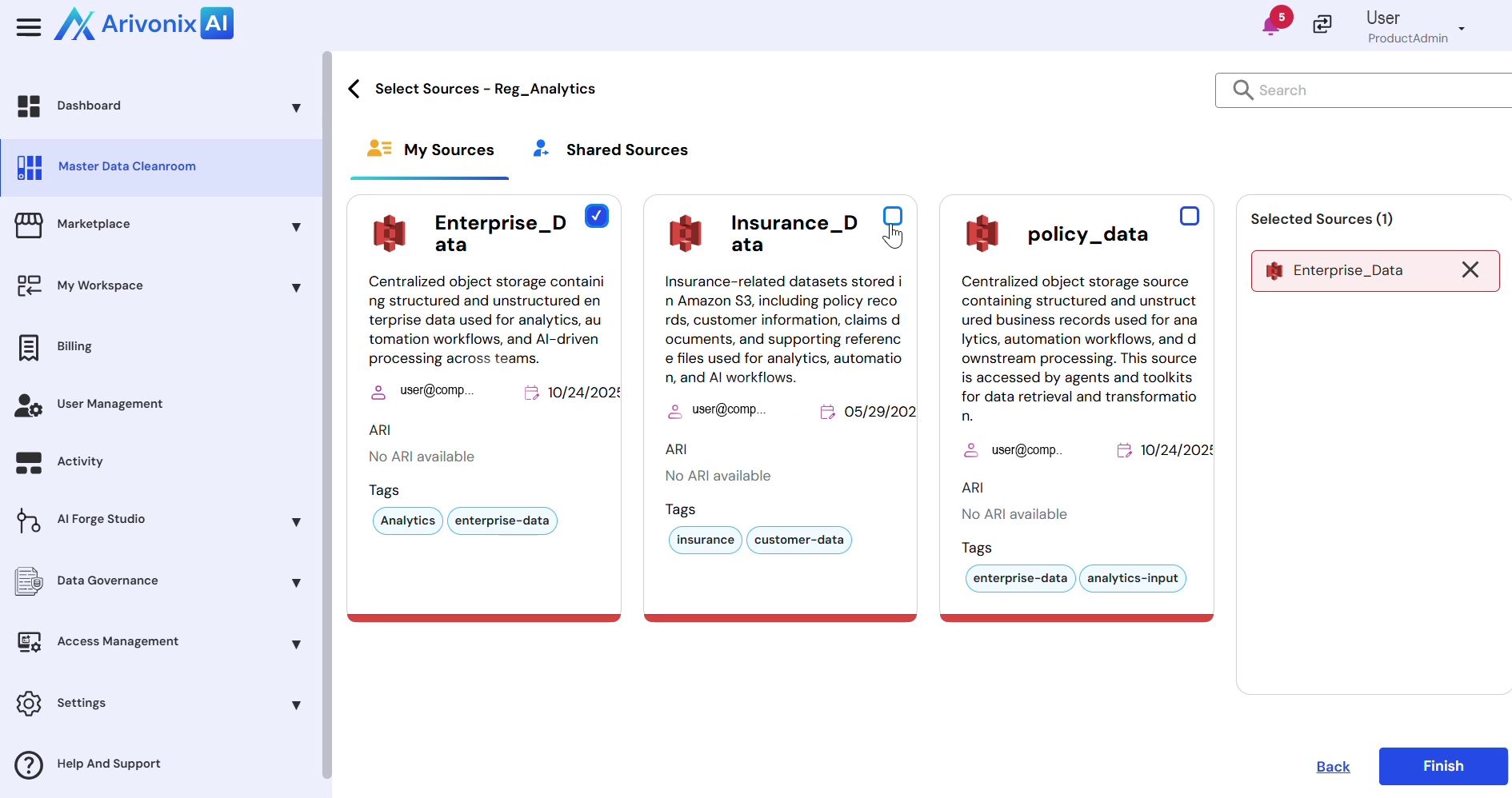
After creating the data product, configure the data sources:
- Select the desired data sources to include in the data product. Multiple data sources can be selected.
- Click Finish to complete the setup.
Upon successful creation, the data product becomes available for workflow creation in the Workflow Designer.