

Creating a Workflow
On this page
Creating a Workflow
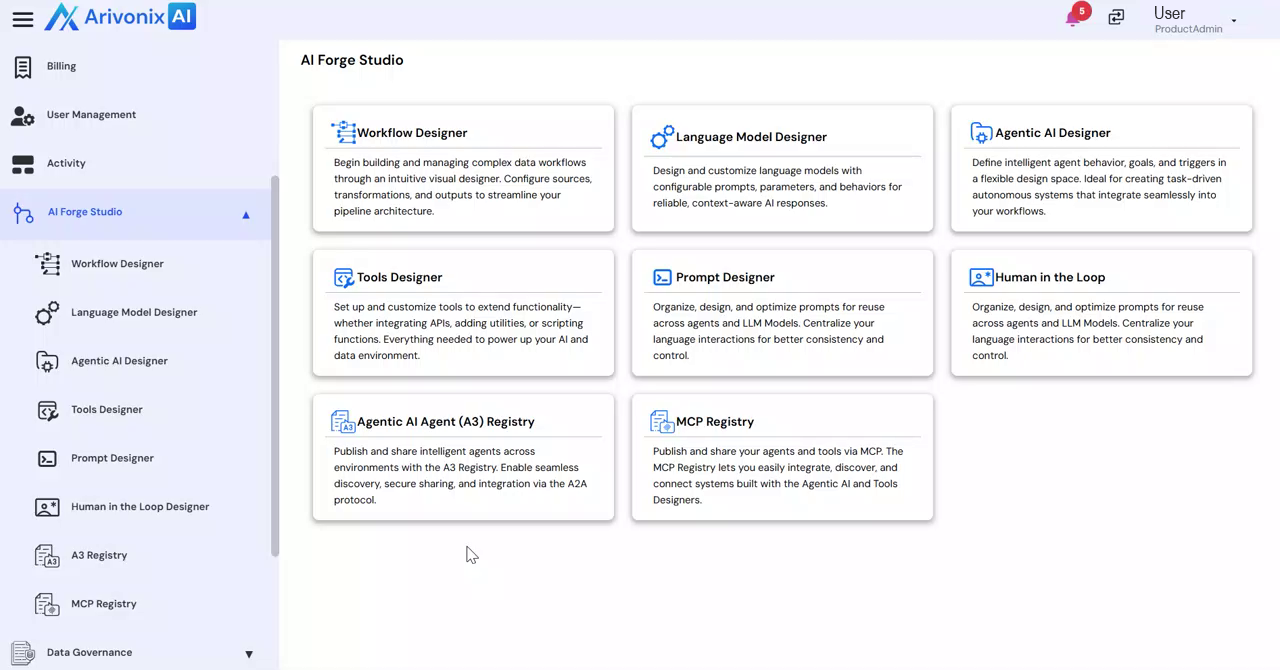
- From the left-hand navigation menu, navigate to AI Forge Studio and select Workflow Designer.
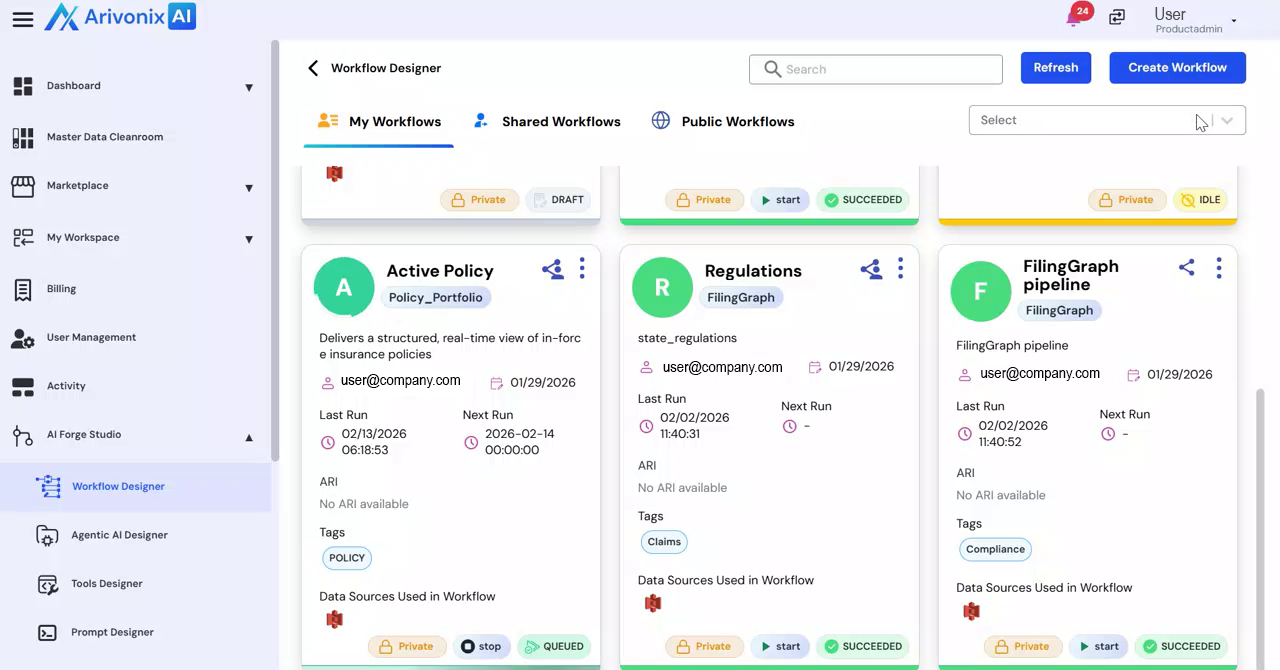
- Click Create Workflow in the top right corner.
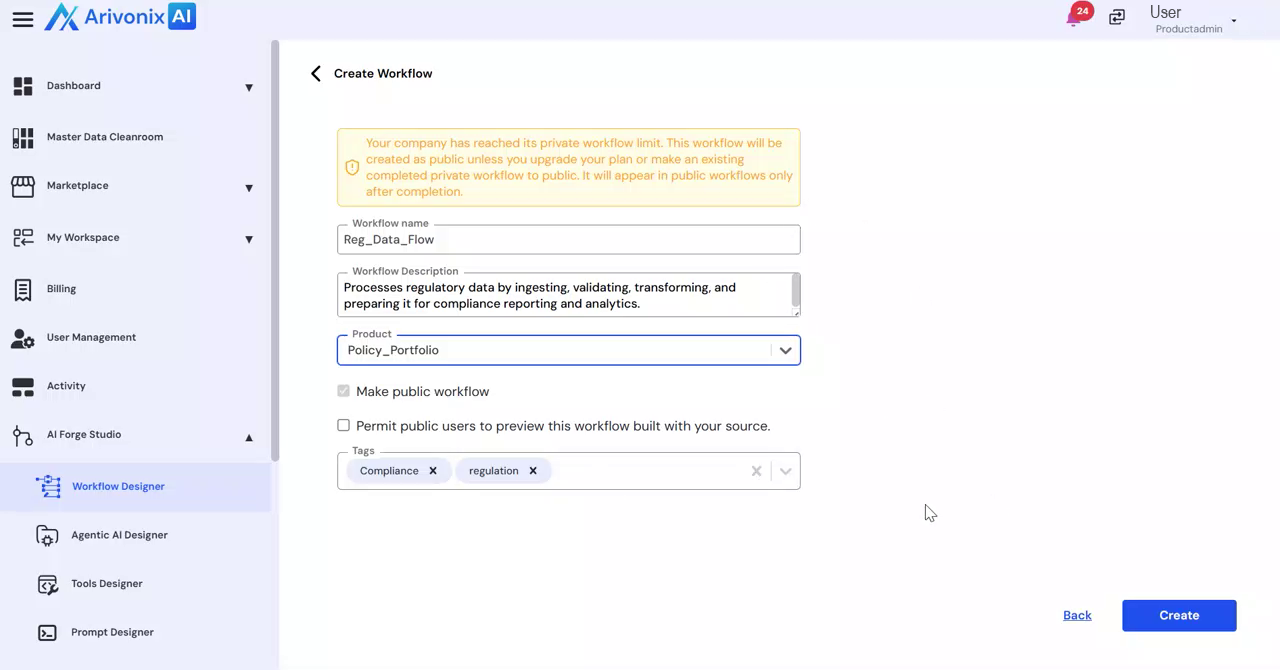
- Configure the workflow settings:
- Enter a Workflow Name
- Provide a Description
- Select the desired Product
- Add relevant Tags to categorize the workflow
- Click Create in the bottom right corner to save the workflow.
Configure Data Sources
- In the left-hand panel, click Data Sources.
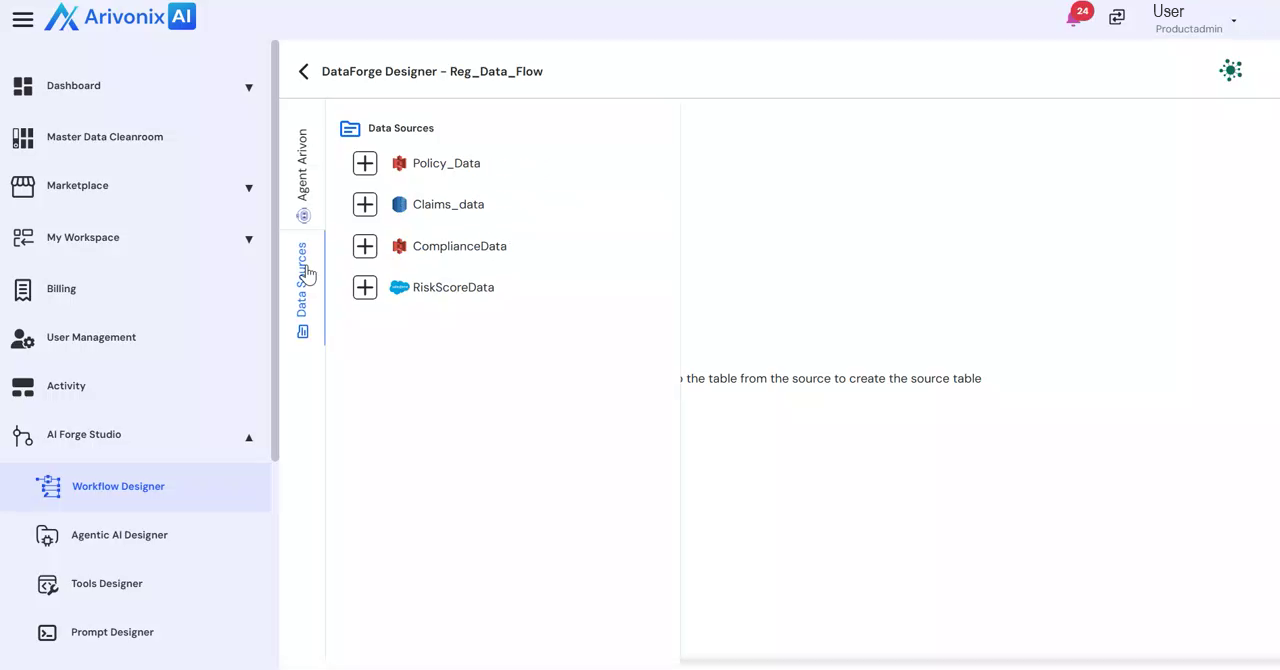
- Expand the available data sources.
- Drag and drop the desired tables to include them in your workflow.