

Testing an API
On this page
Testing an API
Test and validate API functionality by sending requests and examining responses within the testing interface.
Testing Process
- Navigate to the top right corner of the interface and click the Test API option.
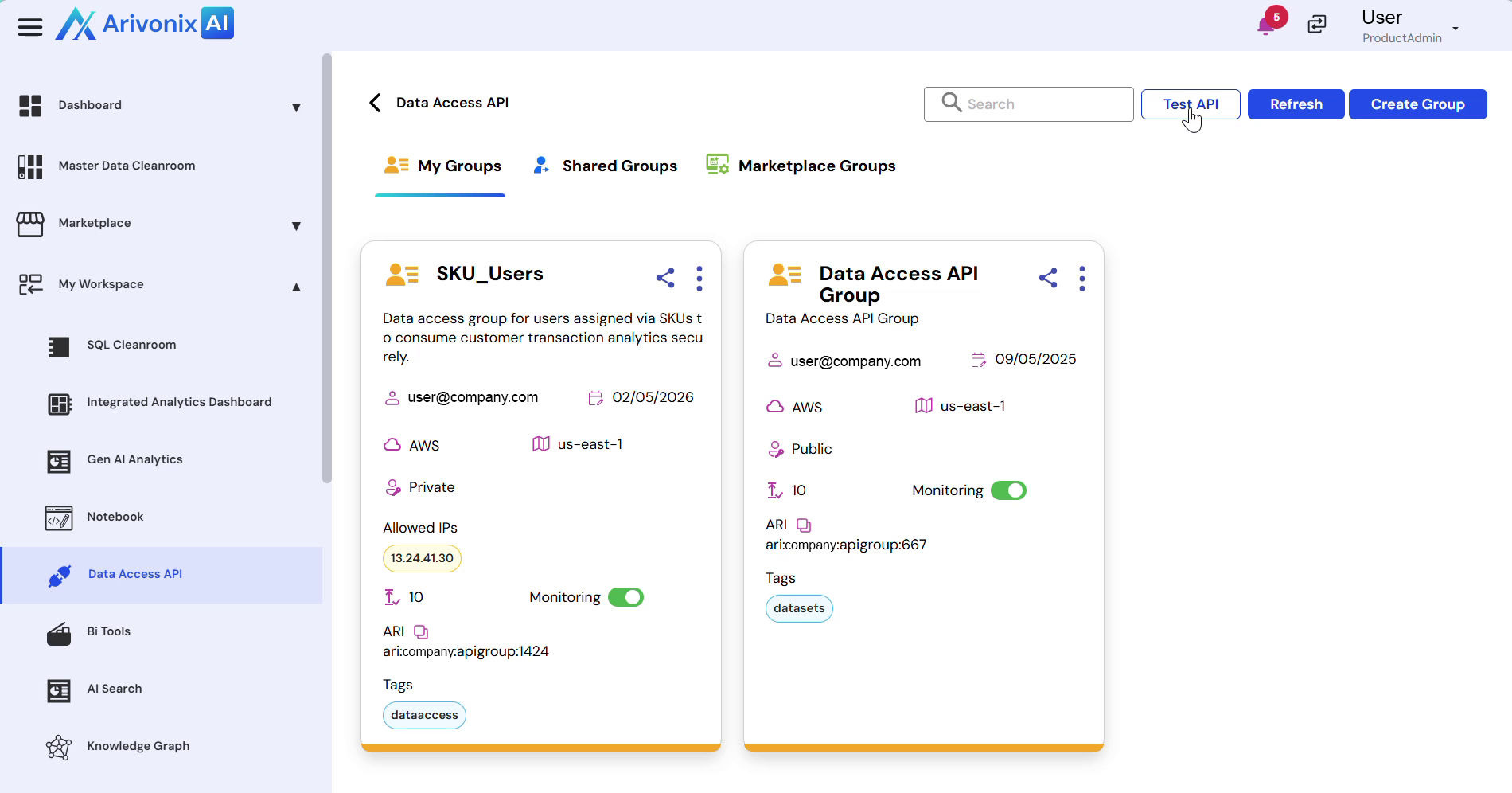
- Select the desired API or group for testing.
- Choose the request type (GET or POST).
- Click the Send button to execute the request.
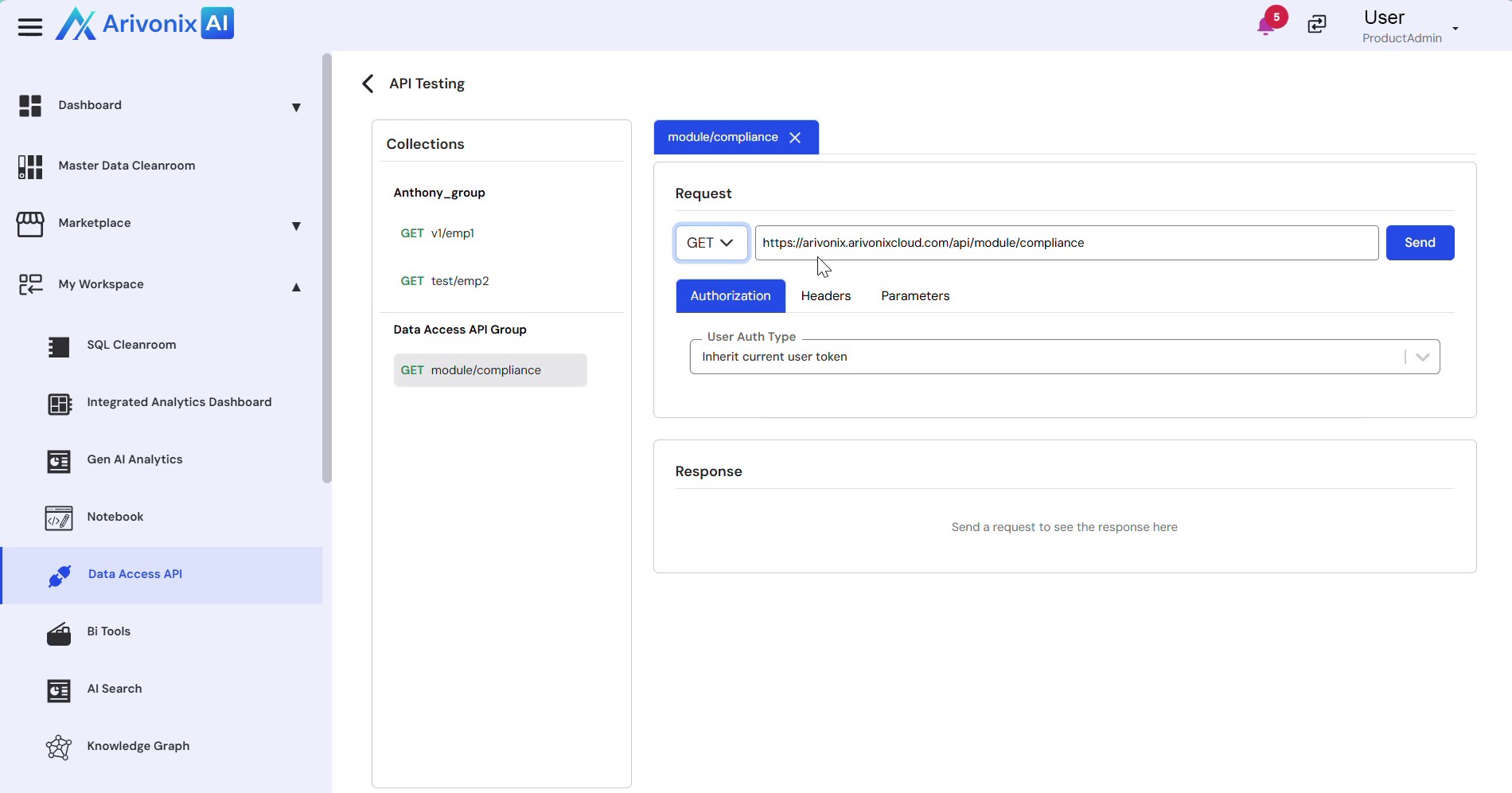
Viewing Responses
The response information appears at the bottom of the screen and includes two main sections:
- The Body section displaying the response content
- The Headers section showing response headers