Create Destination Table
On this page
Creating a Destination Table
Configure structured storage endpoints for processed data by creating destination tables within Arivonix.
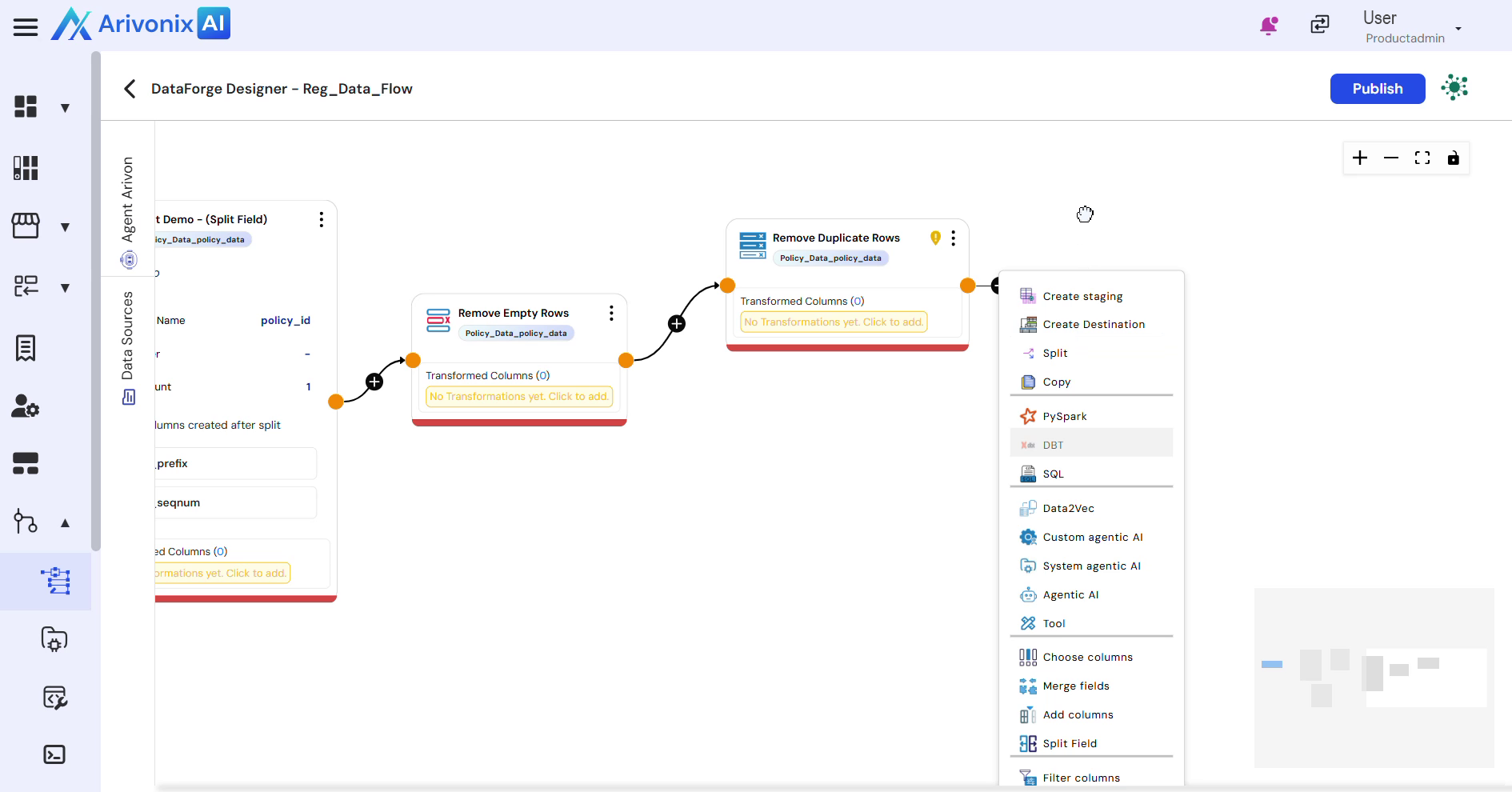
There are two methods to create a destination table:
- Click the Plus icon and select Create Destination.
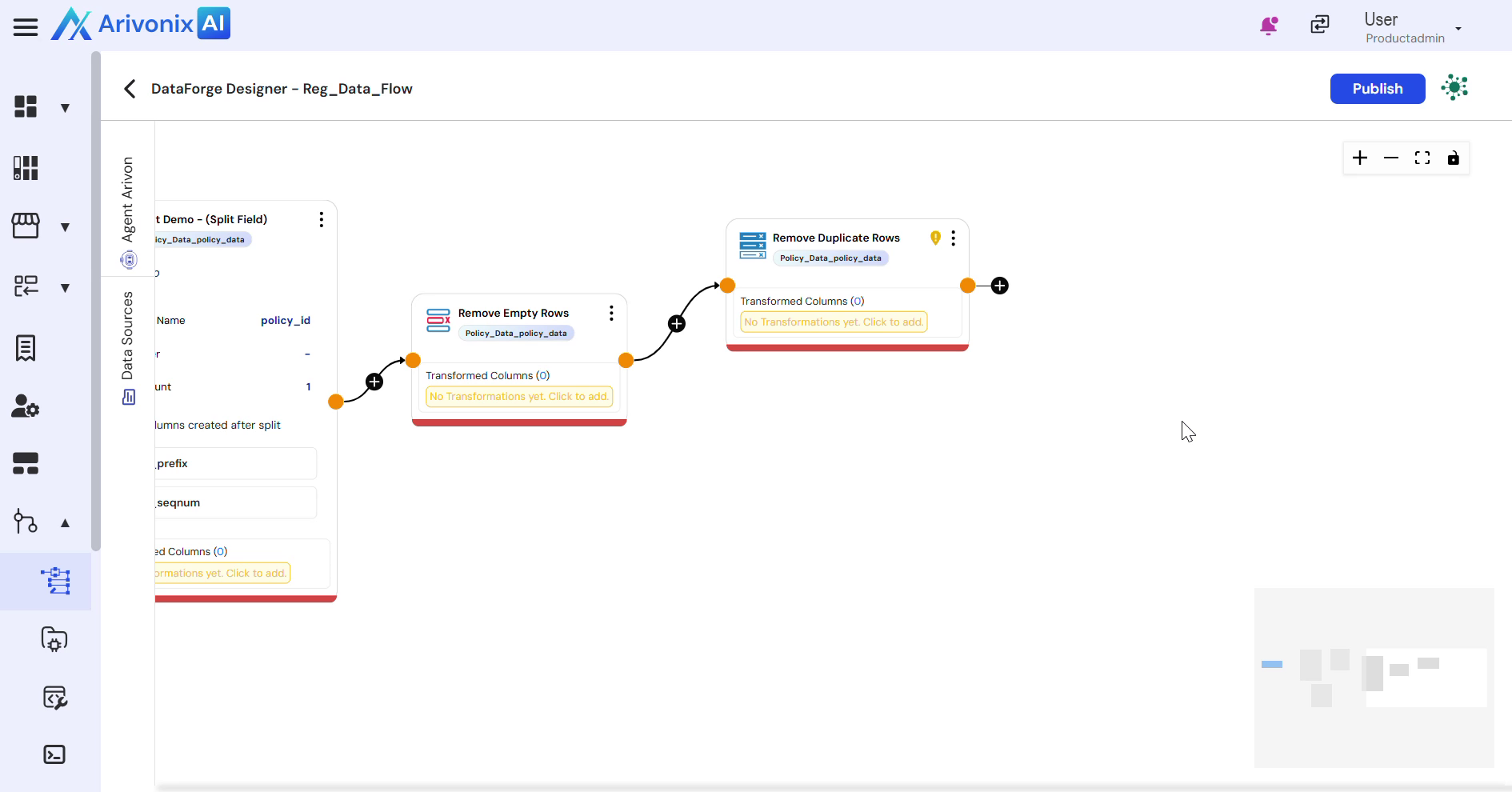
- Or click directly on the Attention icon on the node.
Configuration Steps
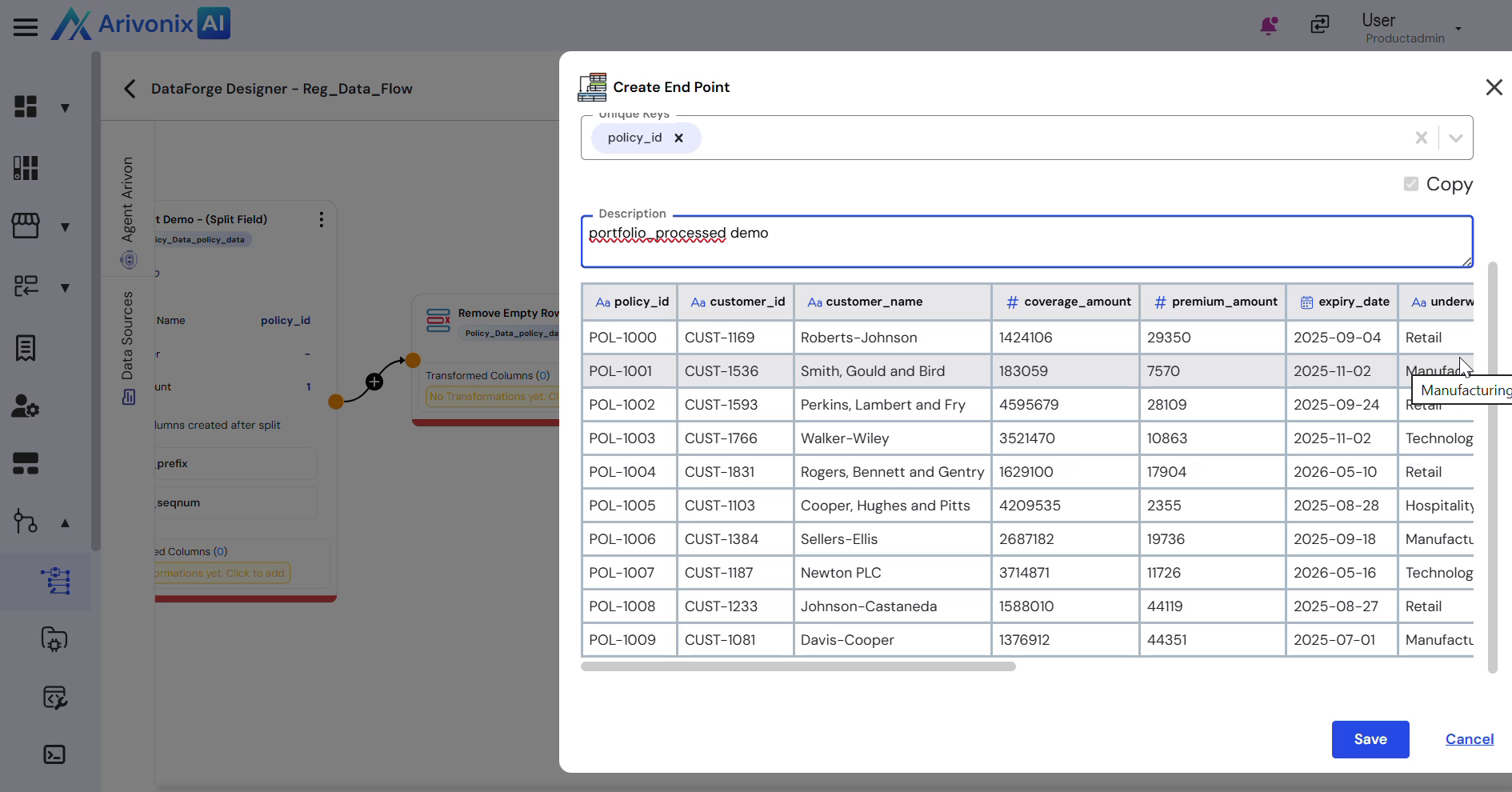
- In the Create Endpoint window, select Destination as the endpoint type.
- Optional: Select the Create Endpoint in Staging option if required.
- Select the Storage Type from the available options:
- Table
- Vector
- Knowledge Graph
- In the Table dropdown, either:
- Select an existing table, or
- Define a new table name
- Configure the Unique Case fields to ensure record identification.
- Provide a description explaining the destination table’s purpose.
- Optional: Enable the Copy option to duplicate schema from an existing configuration.
- Review the table structure preview, including column names and data types.
- Click Save to create the destination table, or select Cancel to discard the configuration.