

Choose Columns
On this page
Choose Columns
Select and manage specific columns for downstream transformations in your data pipeline.
To configure column selection:
- Click the Choose Columns icon
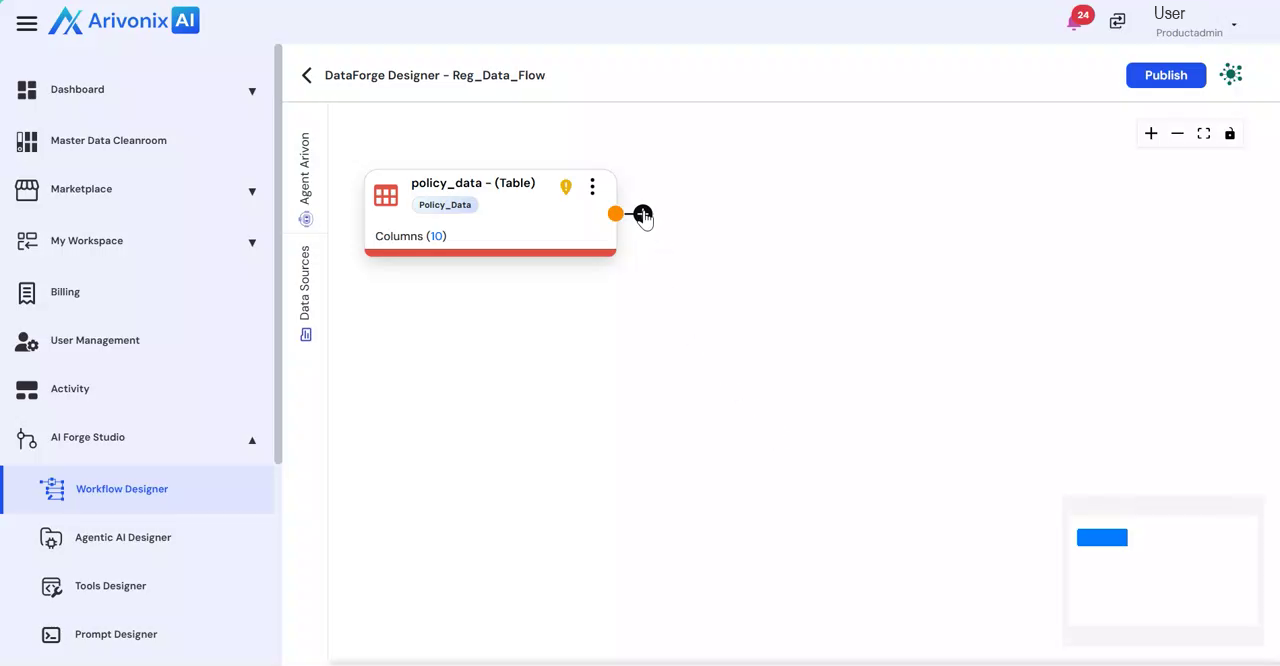 and select Choose Columns.
 - Enter the Transformation Name.
- In the column selection interface, users can:
- Search for specific columns
- Select all columns as needed
- Deselect unwanted columns for the next transformation
- Click Save
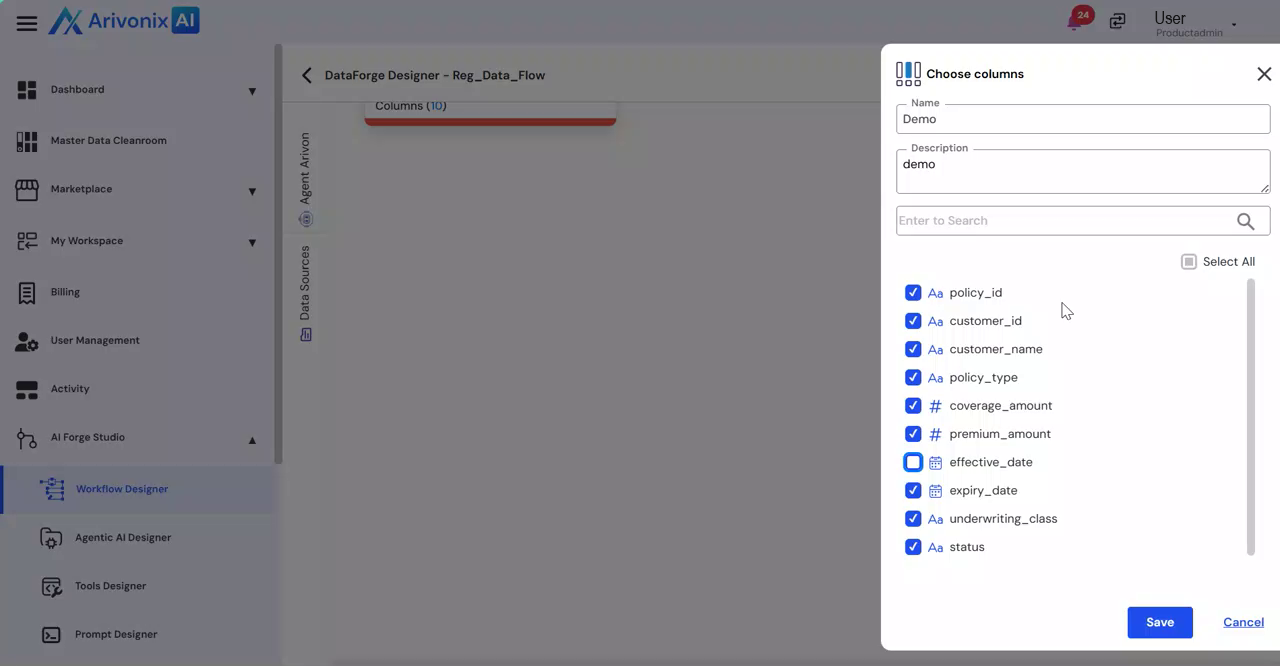 to apply the column selection.
Previewing the Transformation
To review the results of the column selection:
- Click on the transformation
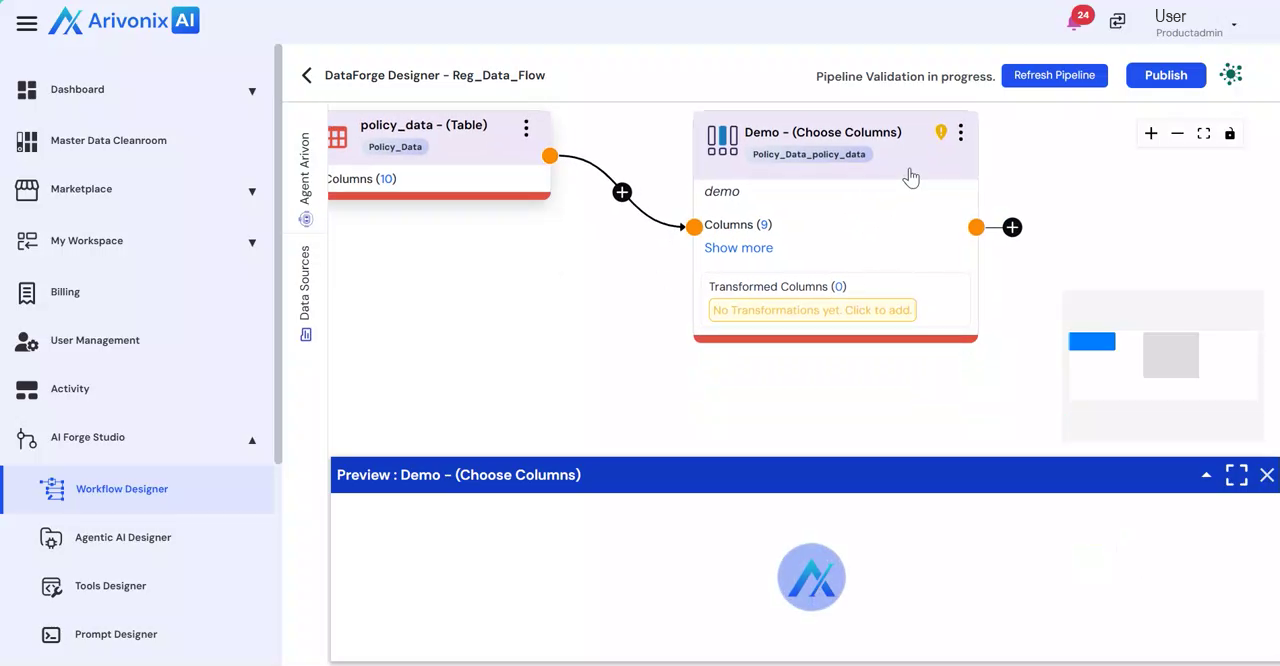
- The preview appears at the bottom of the screen