

Creating a Data Access API Group
On this page
Creating a Data Access API Group
Create and configure Data Access API groups to manage data access permissions and controls.
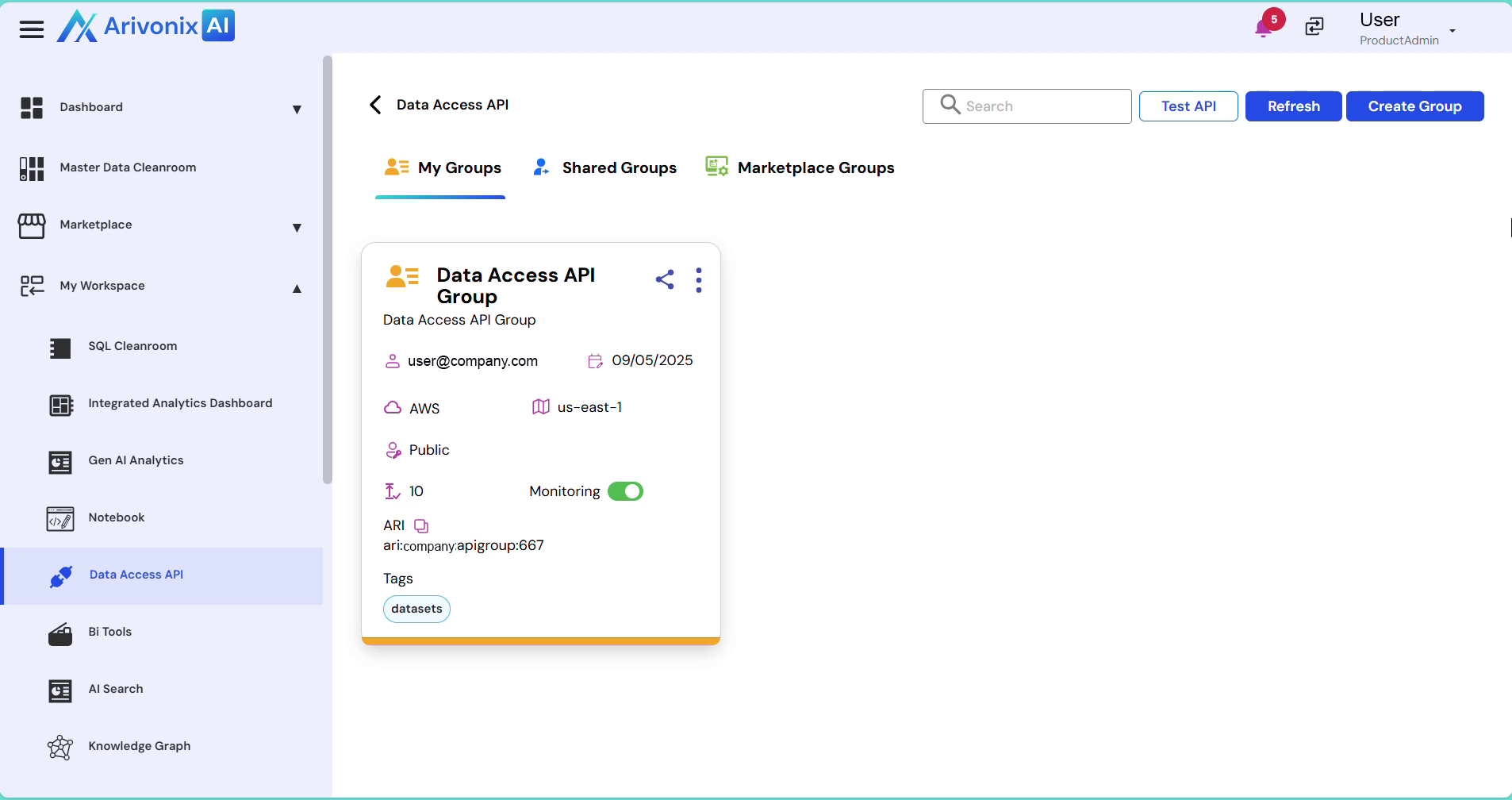
- From the top right corner, click the Create Group button.
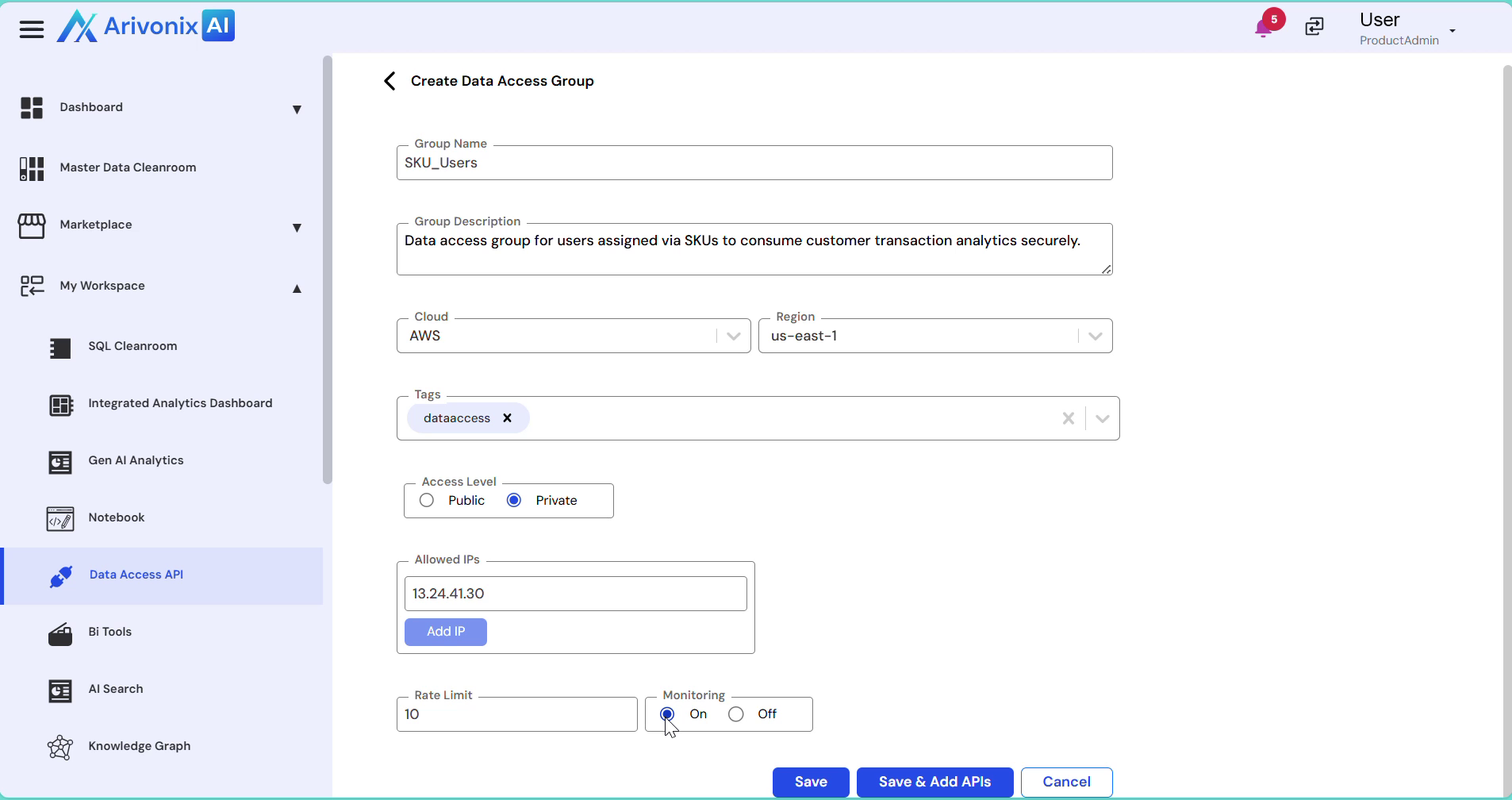
- Configure the following group settings:
- Enter a Group Name
- Provide a Group Description
- Select the Cloud Region
- Specify Data Tags
- Choose the Access Level (Public or Private)
- Enter the allowed IP Addresses (multiple IPs can be added)
- Adjust the Rate Limit as needed
- Configure Monitoring settings (On/Off)
- Click the Save button to create the group.
Upon completion, the Data Access API group is successfully created and ready for use.