

Sharing a Data Source
On this page
Sharing a Data Source
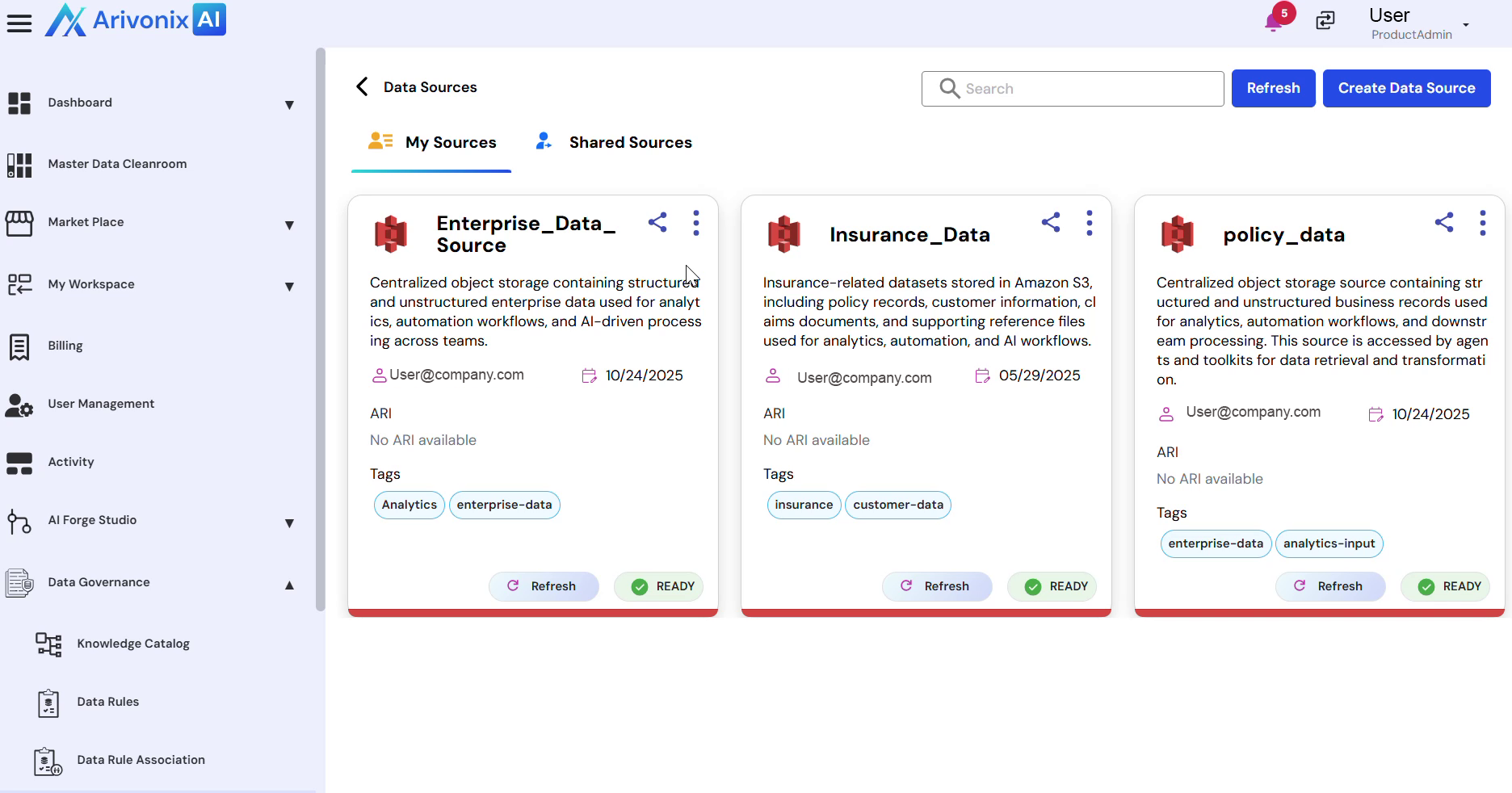
Control and manage access to data sources by sharing them with other users with specific permissions.
- Locate the data source tile and click the Share icon.
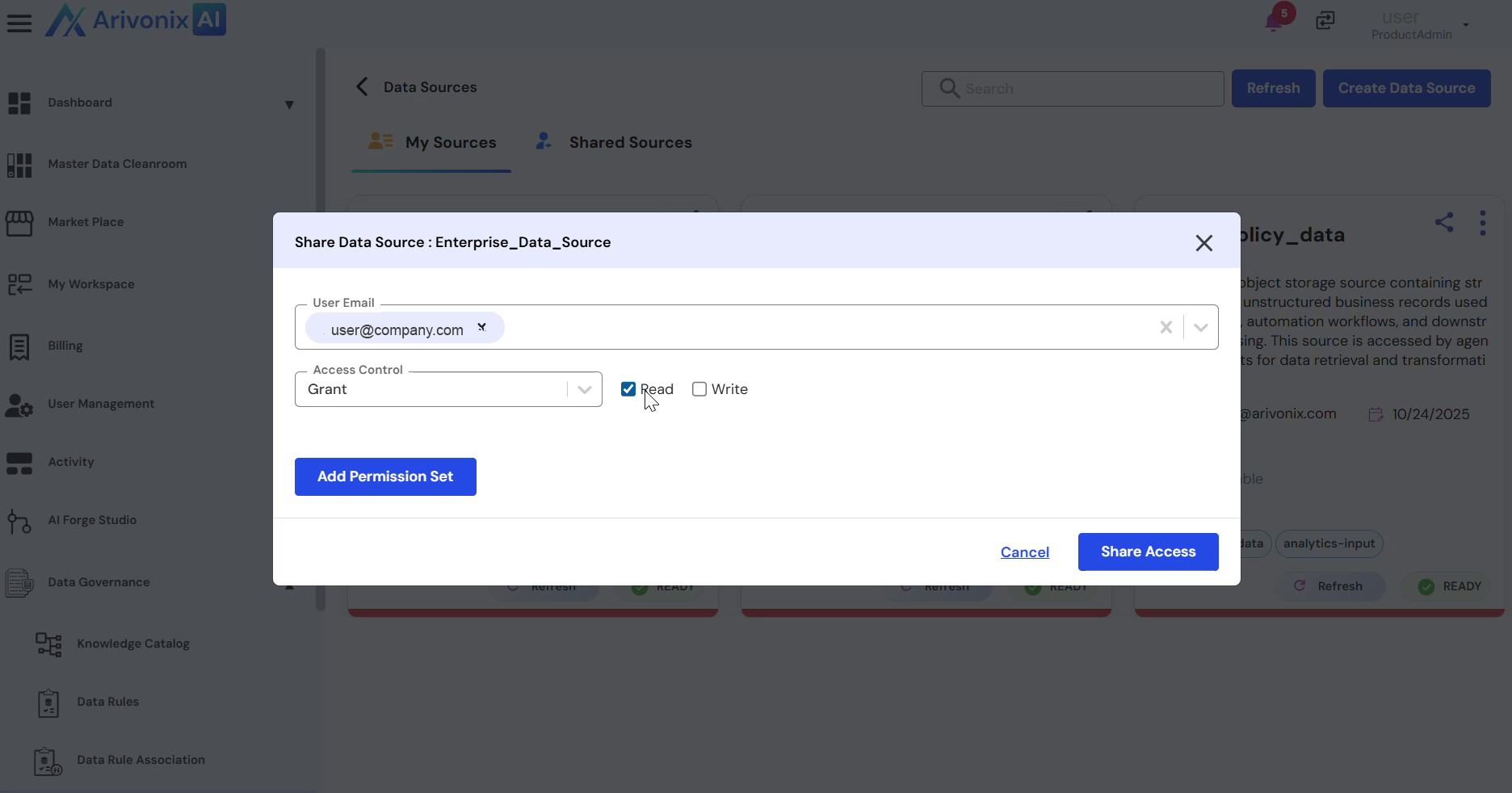
- Configure the access settings:
- Enter the user details for sharing
- Set appropriate permissions (Read Access or Write Access)
- Click the Share Access button in the bottom right corner.
- In the confirmation dialog, click Share Access.