

Creating A3 Registry
On this page
Creating A3 Registry
Configure and deploy A3 registries to manage AI agents and their access controls within Arivonix.
Create a New A3 Registry
To create a new A3 registry, follow these steps:
- Navigate to the top right corner and click the Create A3 Registry button.
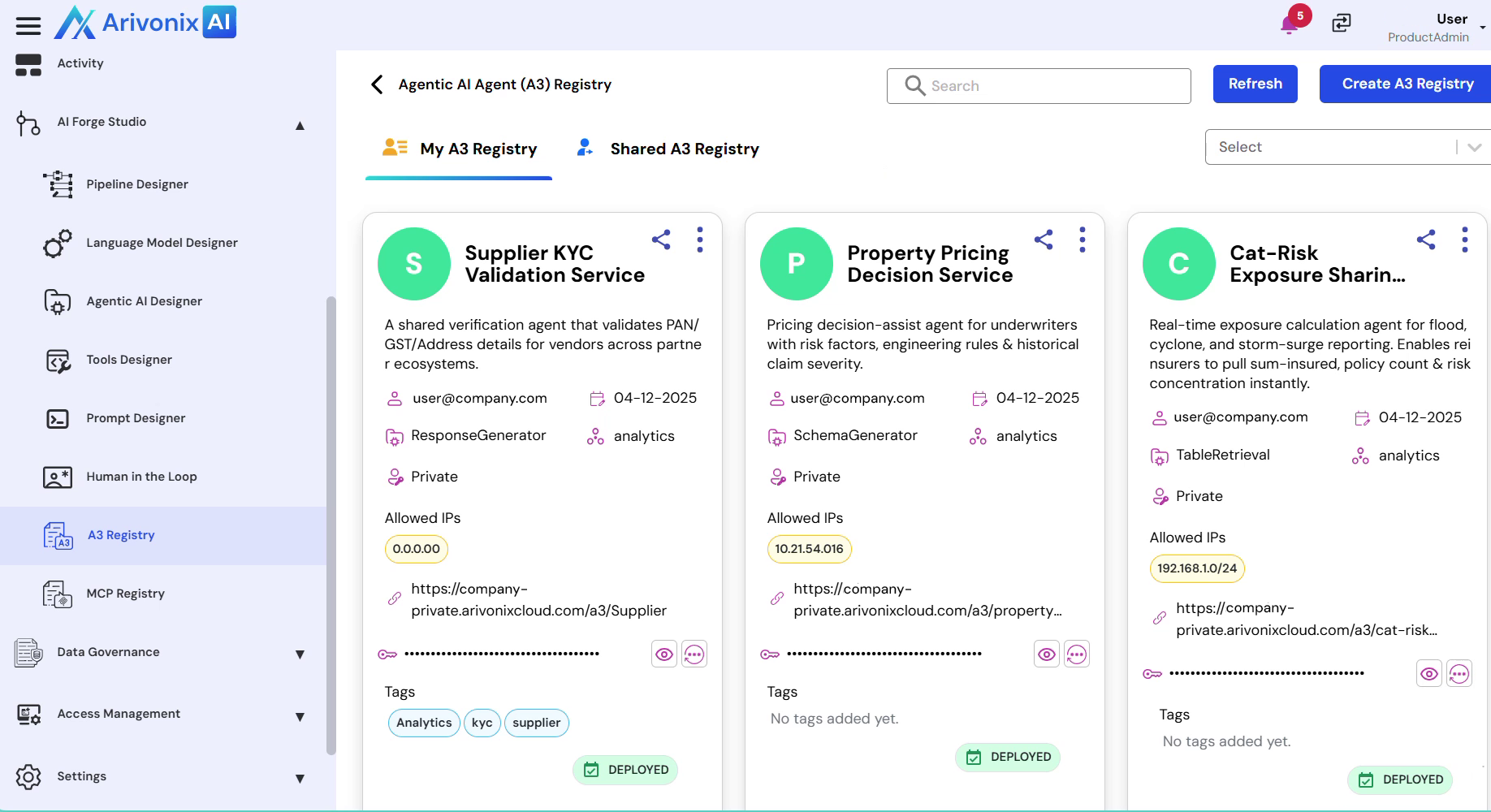
- Enter a Unique Name for the A3 registry.
- Provide a brief Description explaining the registry’s purpose.
- Select the appropriate Agent Type from the available options:
- Document Parser
- Reinforcement Learning
- Schema Generator
- Graph Retrieval
- Hybrid Retrieval etc.
- Choose the Analytical Cluster where the agent will execute.
- Enter the required Contact Details for ownership and support purposes.
- Configure the Access Level:
- Select between Public or Private access
- Specify the Allowed IP Addresses or CIDR Blocks that can access this agent.
- Multiple IP addresses can be added as needed
- Review the automatically generated Service Endpoint URL.
- Optionally define a custom path if required
- Add relevant Tags to improve registry discovery and management.
- Click the Create button to complete the registry creation.
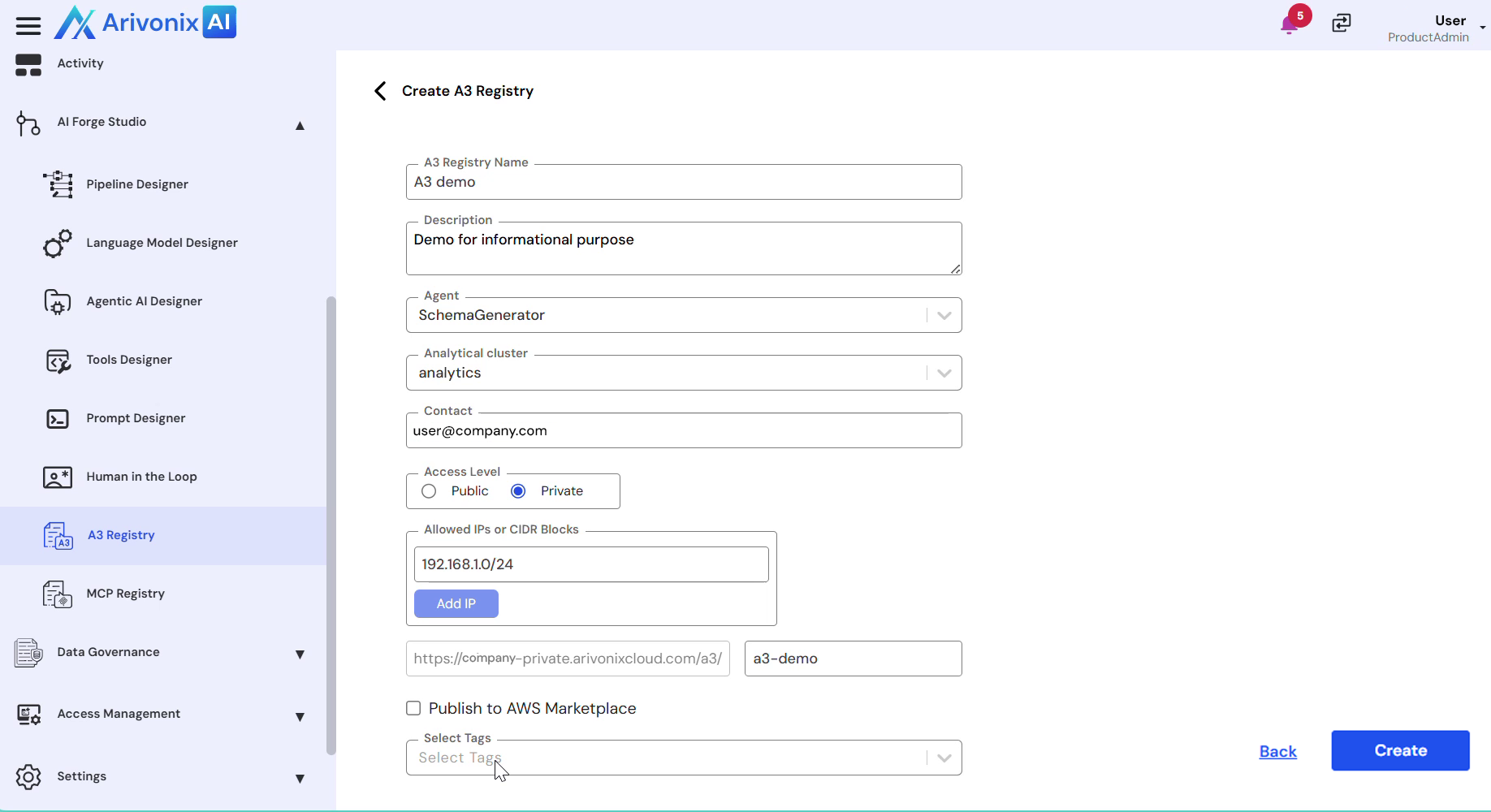
Upon successful creation, the A3 agent will be published in the A3 registry.