

Editing a Data Rule
On this page
Editing a Data Rule
Modify existing data rules to update sources, descriptions, and associated tags.
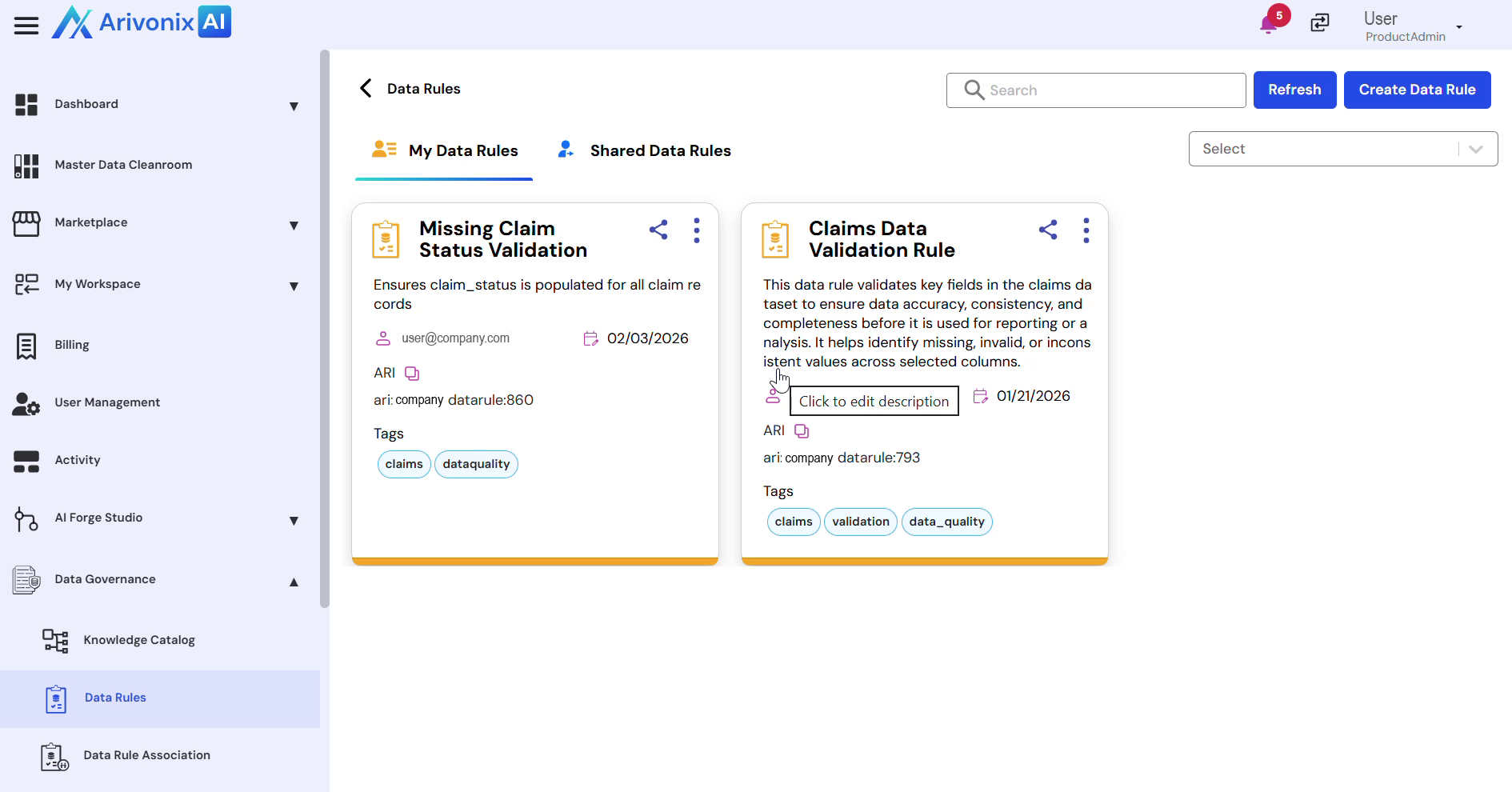
- On the Data Rule card, click the Action menu
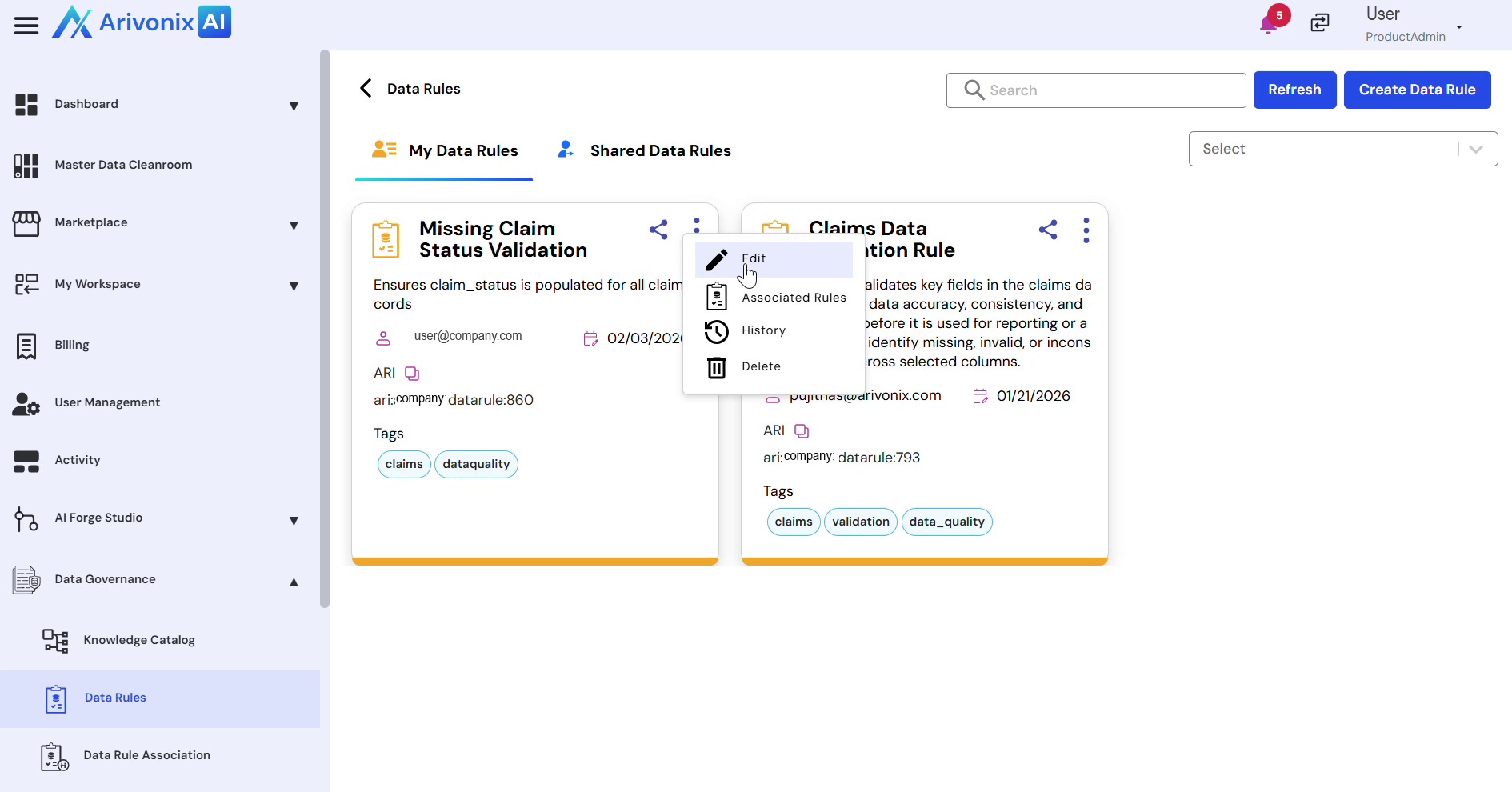
- Select Edit
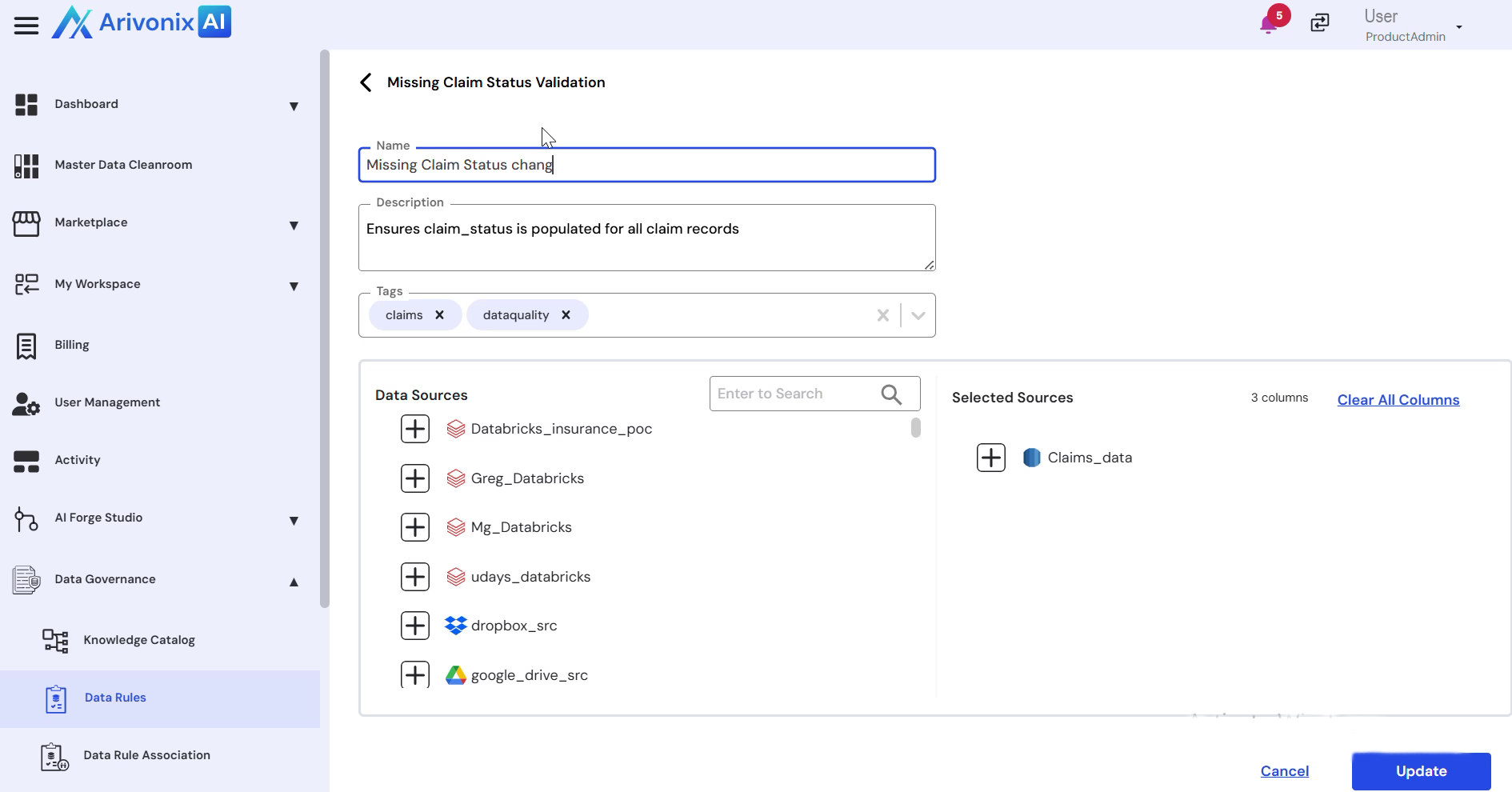
- Modify the following fields as needed:
- Data Sources
- Name
- Description
- Tags
- Click Update in the bottom right corner to save the changes
A success message confirms that the details have been updated.