Creating MCP Registry
On this page
Creating MCP Registry
Register and configure MCP services to handle server-side execution of analytical workloads.
- Navigate to the top right corner and click Create MCP Registry.
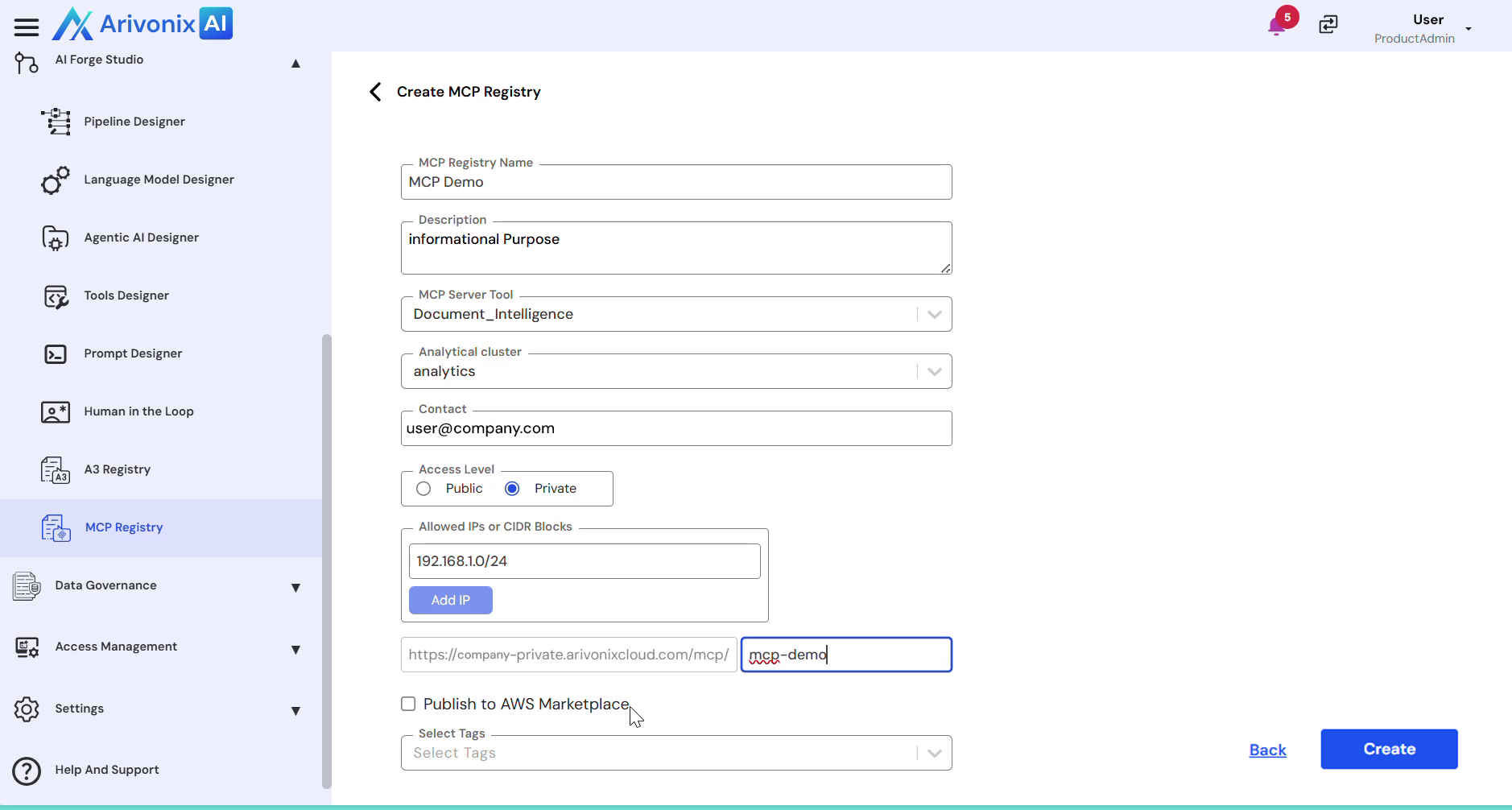
- Enter a unique Registry Name to identify the MCP service.
- Provide a Description explaining the purpose of this registry.
- Select the MCP Server Tool. Note: This tool is automatically created during registry setup to manage server-side execution.
- Choose the Analytical Cluster where the MCP service will operate.
- Add Contact information for ownership and support purposes.
- Set the Access Level:
- Choose either Public or Private
- For private access, specify the allowed IPs or CIDR blocks for secure access
- Multiple IP addresses can be added as needed
- Configure the Server Endpoint:
- The endpoint is automatically generated
- Optionally add a custom path if required
- Optional configurations:
- Enable Publish to AWS Marketplace if needed
- Add organizational tags as required
- Click Create to register the MCP service.
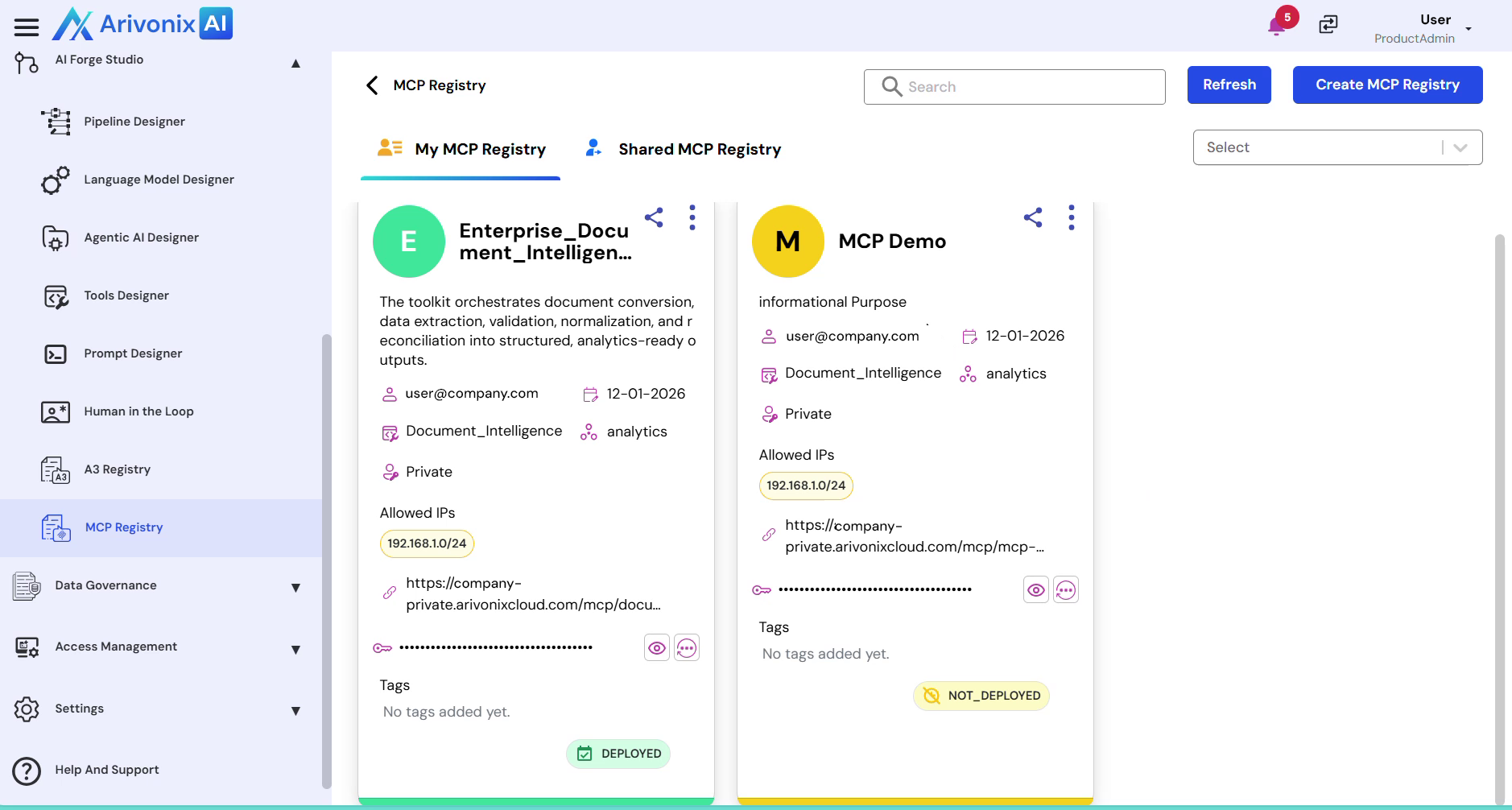
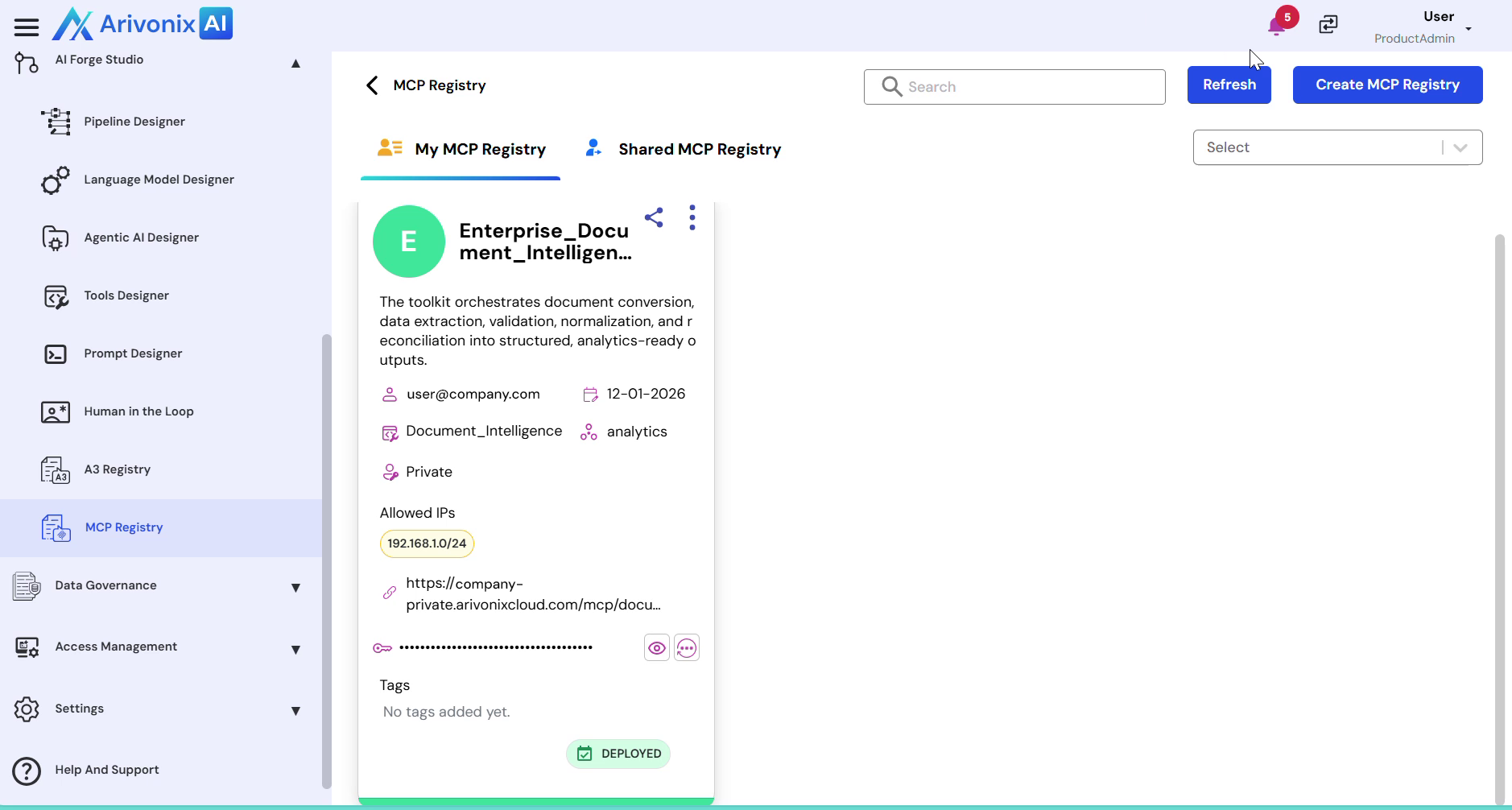
After creation, wait for a few seconds while the registry deploys. Click the Refresh button in the top right corner to verify deployment status.