

Creating Data Rules
On this page
Creating Data Rules
Data rules help enforce data quality and governance standards across workflows by validating specific data conditions.
- Click the Create Data Rule button in the top right corner.
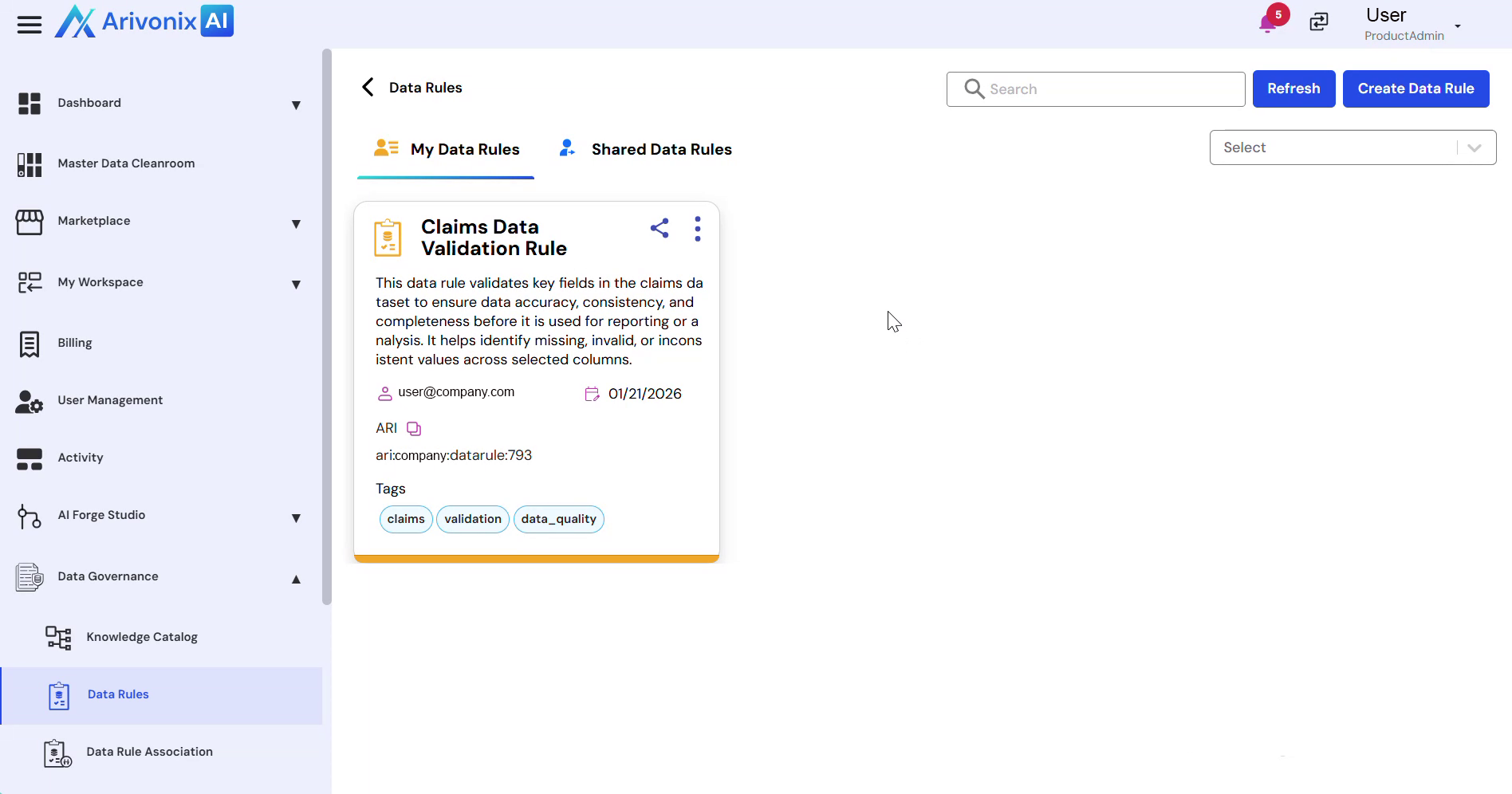
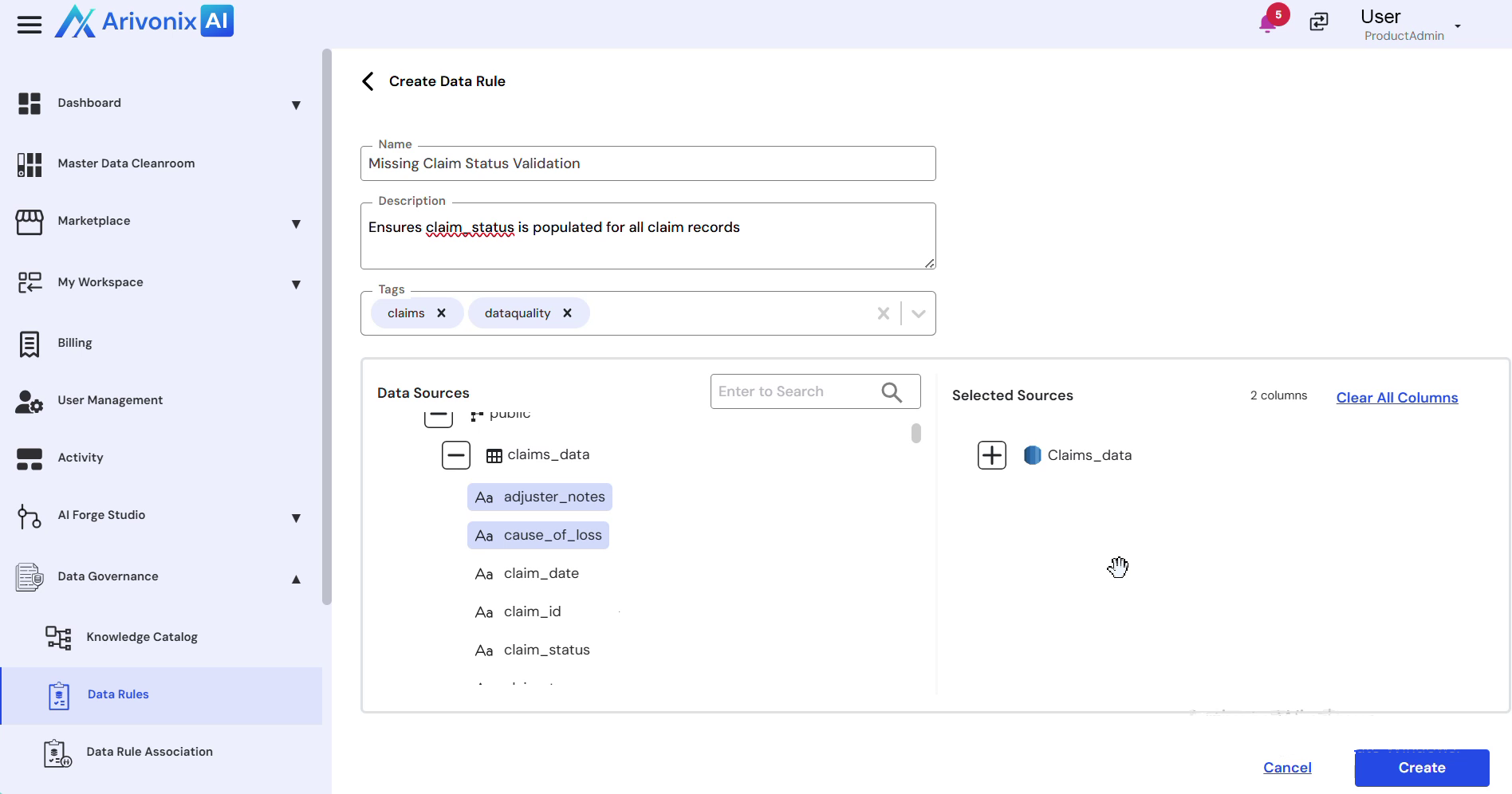
- Enter a clear, identifiable name for the rule.
- Provide a short description that explains:
- What the rule validates
- Why the rule is required
- Add appropriate tags to organize and categorize the rule for governance and search purposes.
- Select the rule type.
- In the data source selection panel on the left:
- Browse through available schemas, tables, and columns
- Use the Search functionality to locate specific items
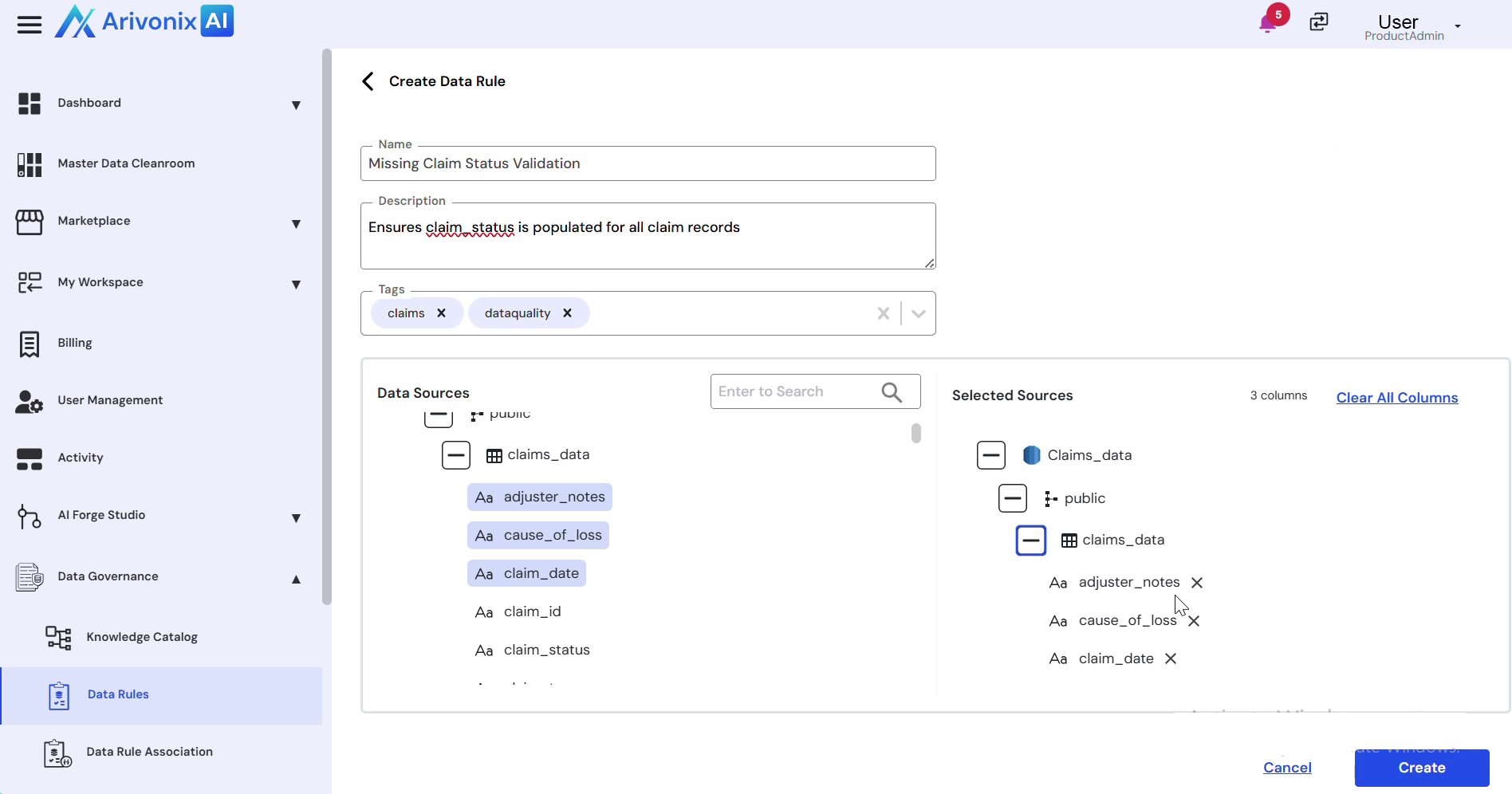
- Select the columns to which this rule should apply
- Review the selected columns displayed in the right panel. Remove any columns if needed.
- Once the configuration is complete, click the Create button to save the rule.
The created data rule is now available for enforcing data quality and governance across data workflows.