

Share an Entitlement
On this page
Sharing an Entitlement
Share existing entitlements with other users by granting them specific access permissions.
- Locate and click the Share icon.
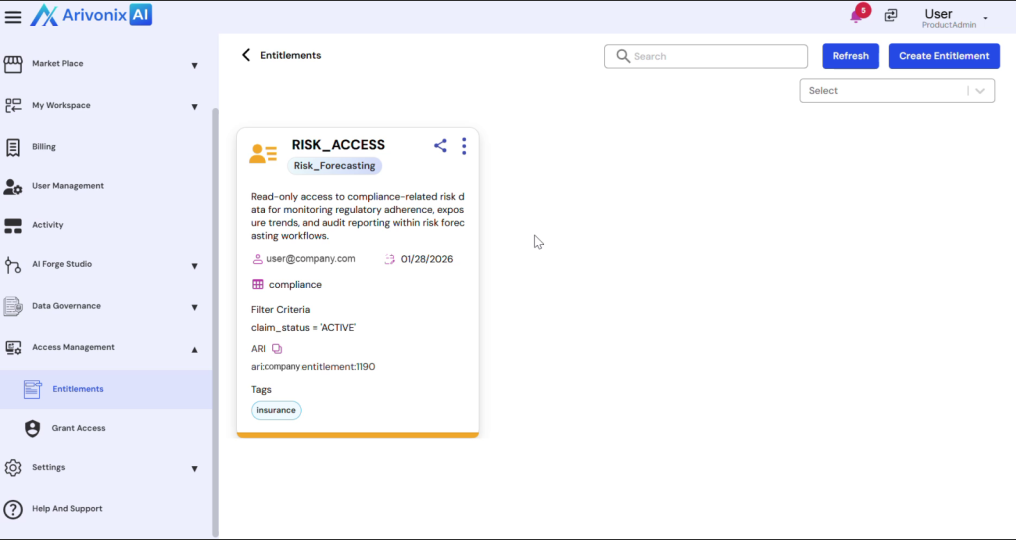
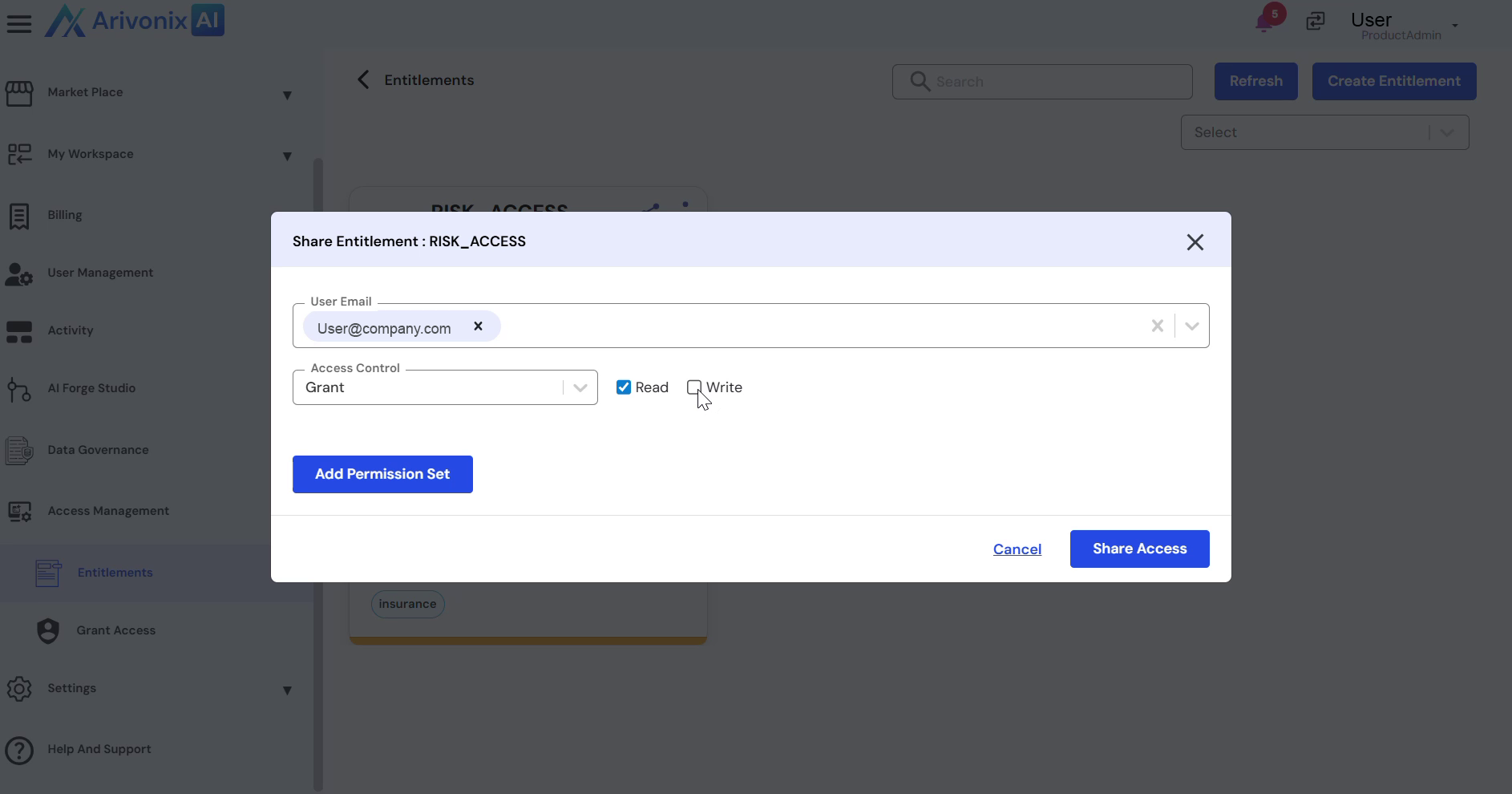
- Select the target user from the Entitlement section.
- Under Access Control, specify the permission level:
- Read Access
- Write Access
- Click the Share Access button to apply the changes.
Once completed, the entitlement sharing process will be confirmed with a success message.