

Data Rules Overview
On this page
What is Data Rules?
Data rules enable validation and maintenance of data accuracy across the system through automated monitoring and quality checks.
Data Rules Overview
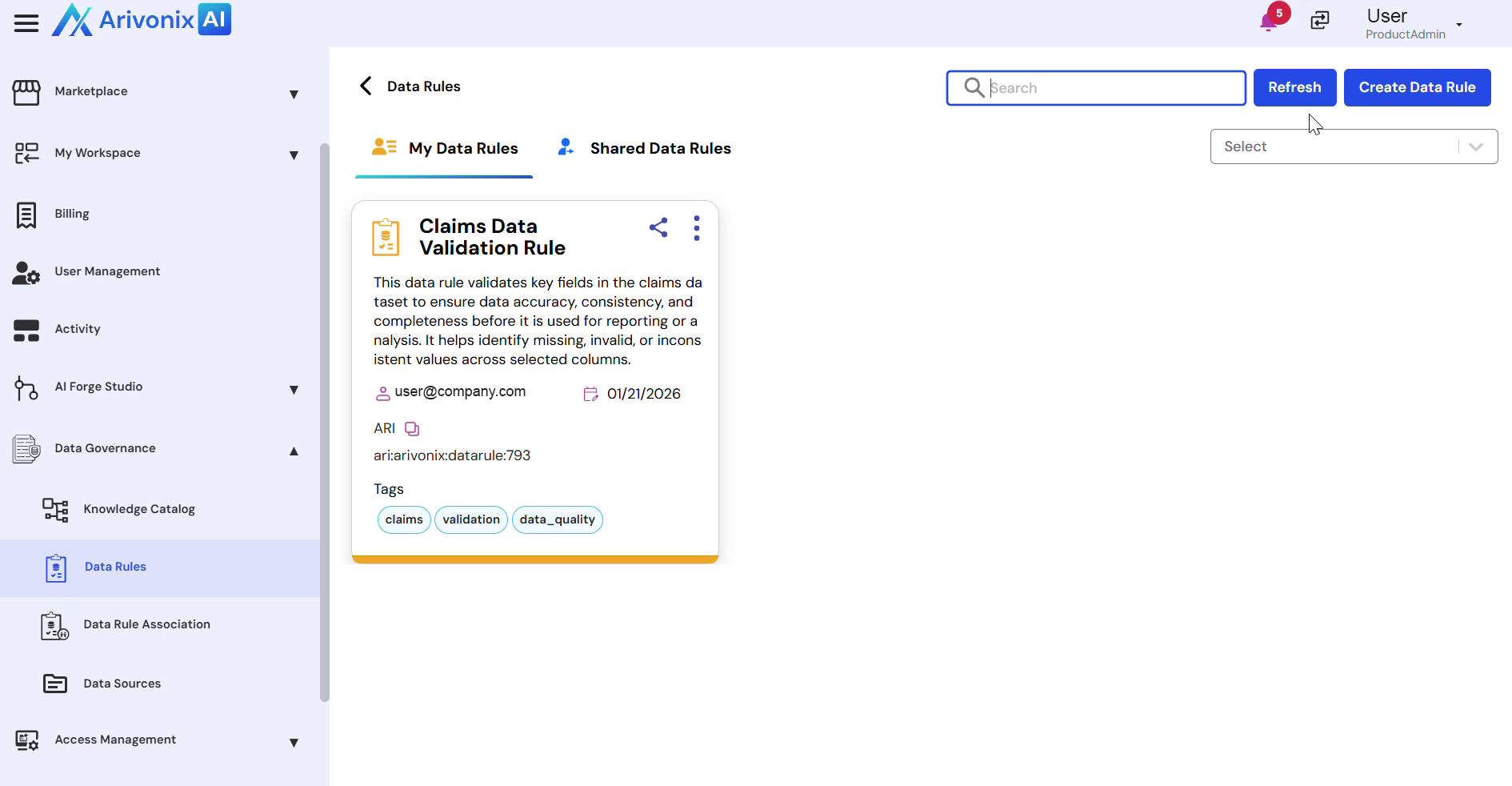
The Data Rules page displays two main sections:
- My Data Rules: Contains rules created or owned by the current user
- Shared Data Rules: Shows rules shared by other users or teams
Each data rule entry provides essential information including:
- Rule Name
- Description
- Owner
- Creation Date
- Rule ID
These details facilitate understanding of rule purposes and maintain accountability in data governance.
Managing Data Rules
Users can efficiently manage data rules through the following features:
- Use Search and Filter options to locate specific rules within large rule sets
- Click Create Data Rule to add new rules
When creating a new rule, users can:
- Select a Data Set
- Define validation conditions
- Configure rule failure handling
Once activated, Data Rules continuously monitor data quality and automatically flag issues before they impact analytics, reporting, or AI-driven workflows. Users can review, modify, and share rules to maintain consistent data governance and ensure reliable data usage across the platform.