

Schedule the Pipeline
On this page
Scheduling Pipeline
Schedule pipelines to automate workflow execution at specified intervals or based on triggers.
To schedule a pipeline:
- Navigate to the top right corner and click the Preview and Schedule button.
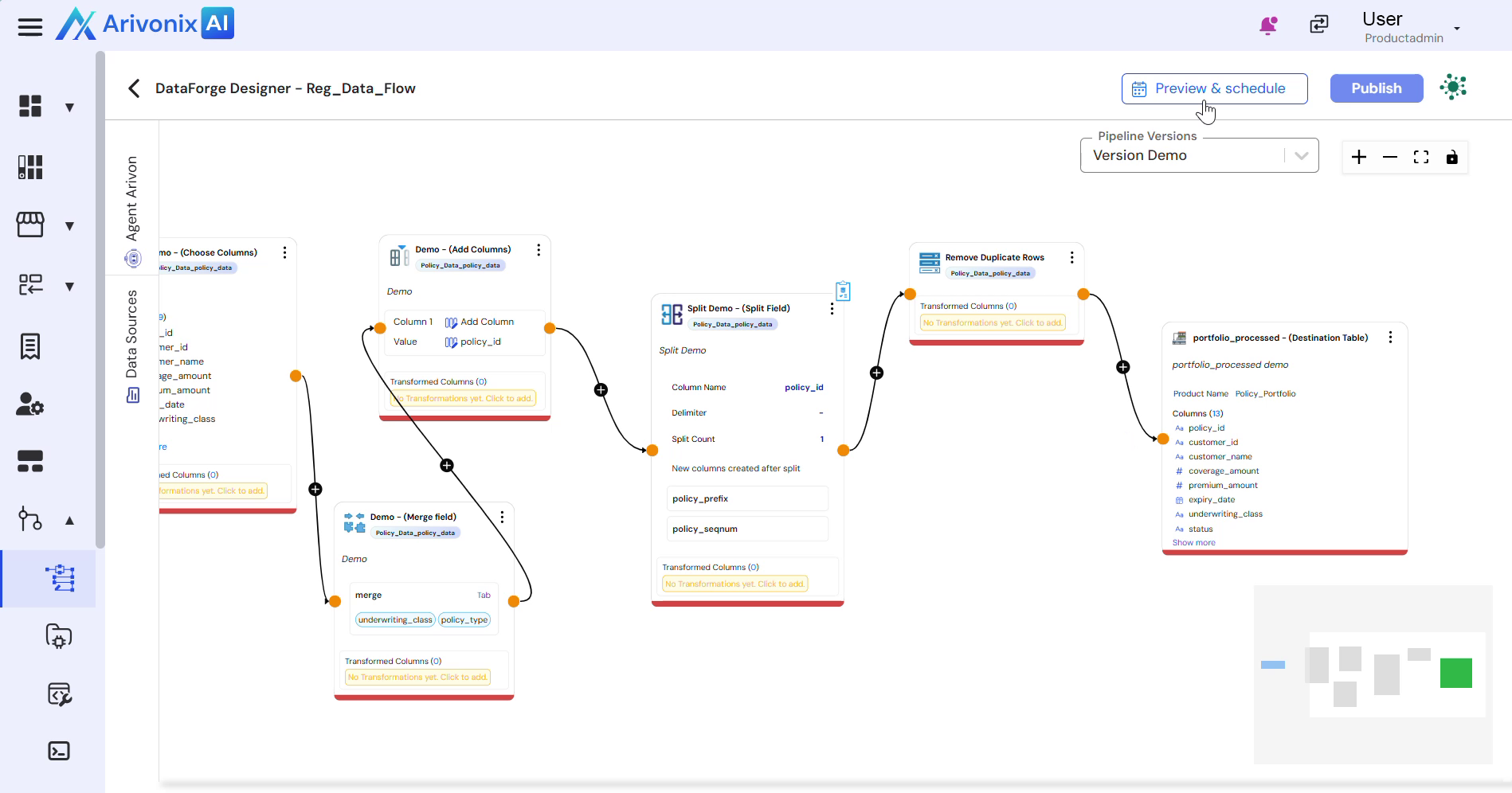
- In the Schedule Pipeline window, configure the following parameters:
- Select the Schedule Type – choose between Fixed Schedule or Trigger Based Pipeline
- Enter a Pipeline Name to identify the scheduled workflow
- Under Repeat, select the execution frequency:
- Hourly
- Daily
- Weekly
- Monthly
- In the Every dropdown, specify how often the schedule should run. Options include:
- Everyday
- Weekdays
- Alternate Week
- Custom Days
- In the Perform It section, set the exact execution time (UTC)
- Review the dataset preview to verify the pipeline output configuration
- Click the Schedule button in the bottom right corner to activate the automation.
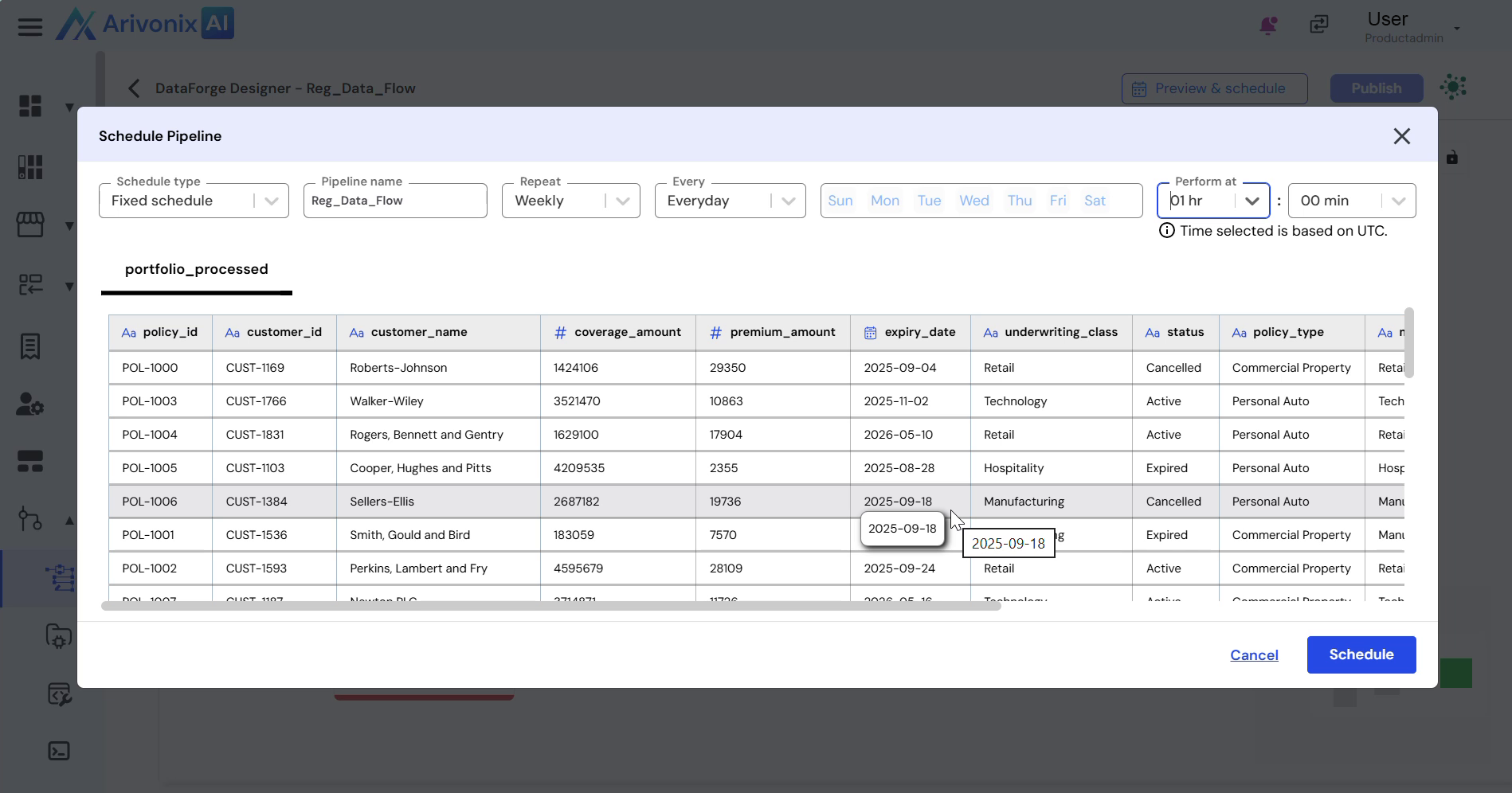
Upon completion, the pipeline is successfully scheduled for automated execution.