

Deleting a Group
On this page
Deleting a Group
Remove existing groups from Arivonix when they are no longer needed.
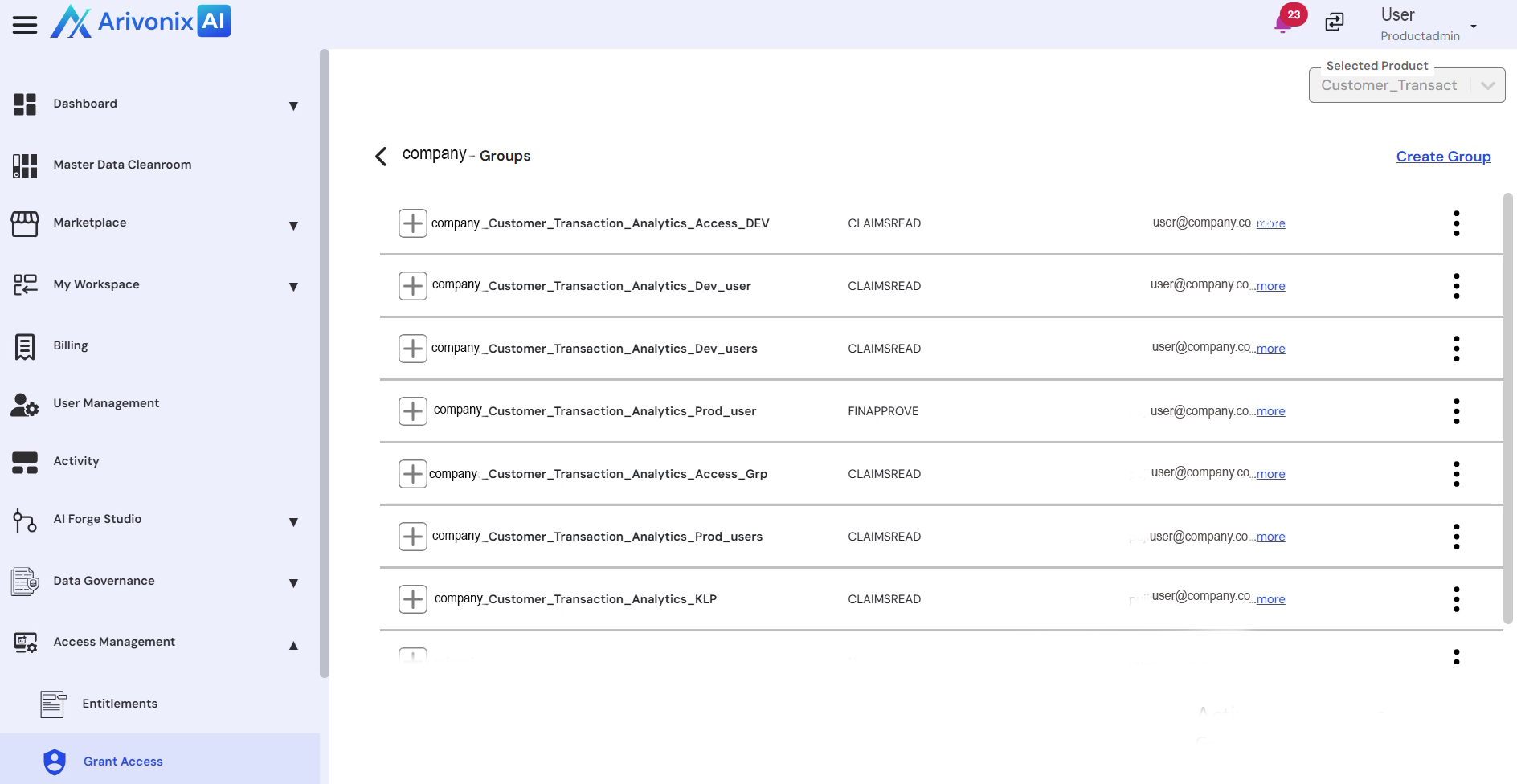
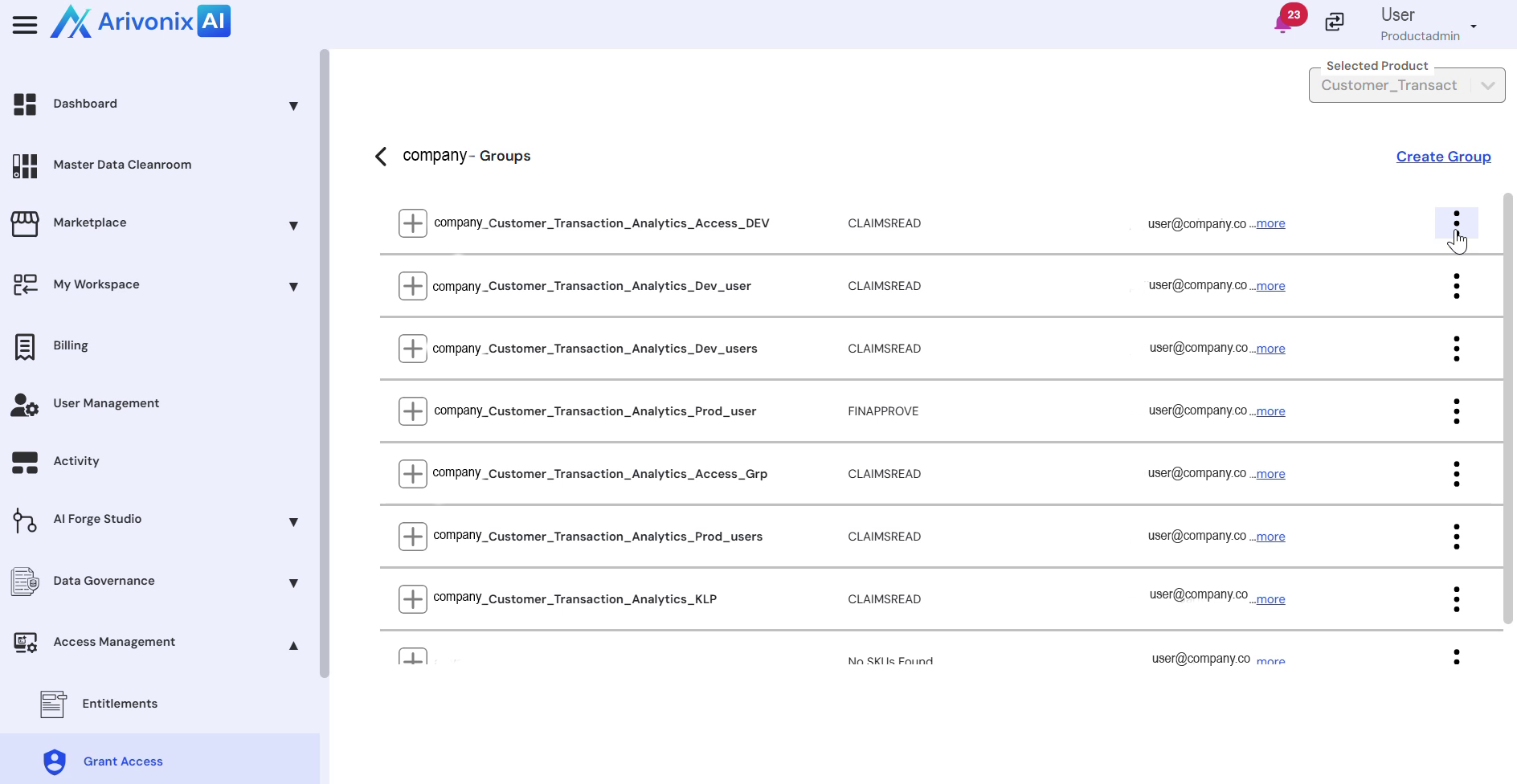
- Click the Action Menu to access group operations.
- Select Delete from the menu options.
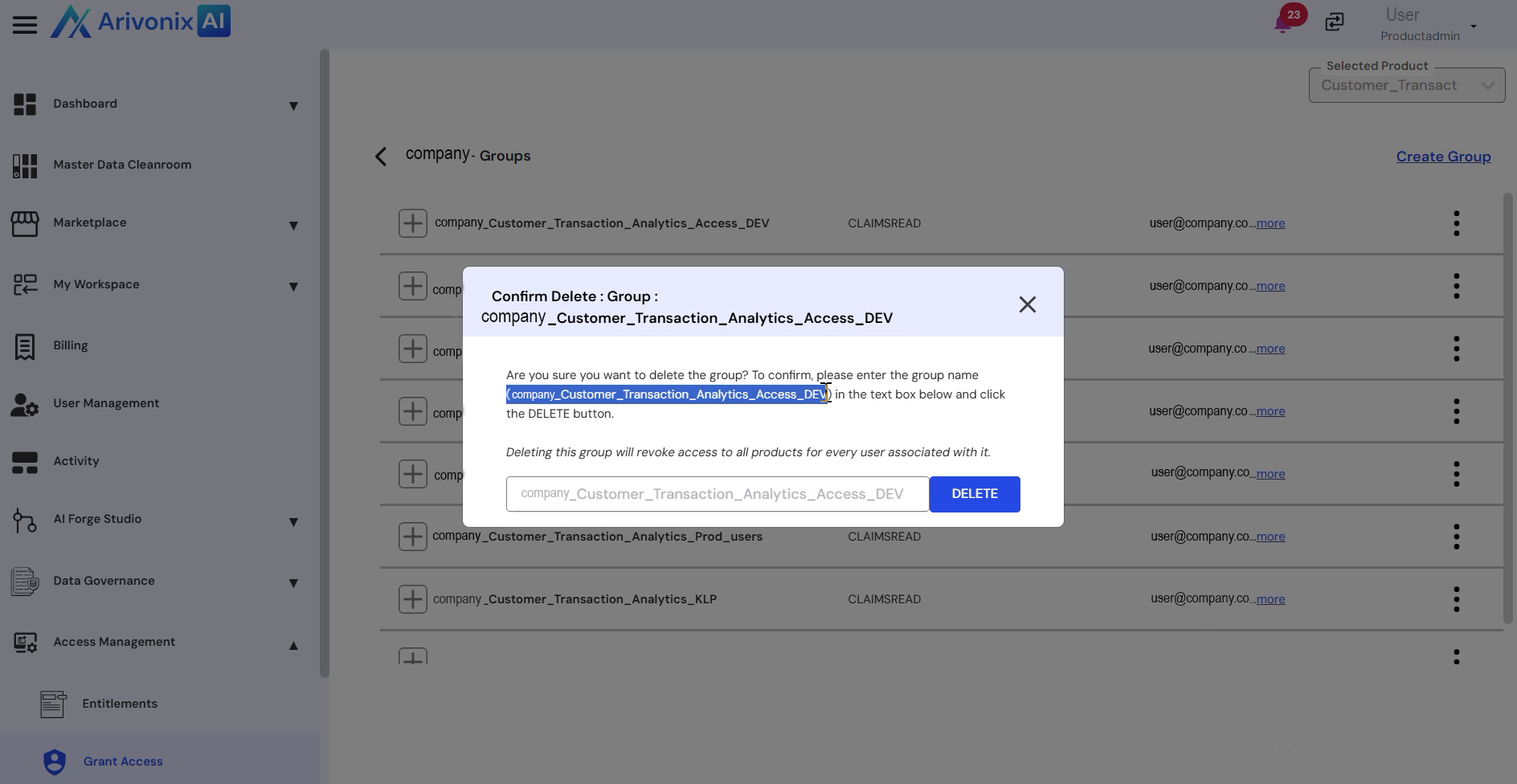
- Enter the group name in the confirmation dialog.
- Click the Delete button to confirm the deletion.
Upon successful completion, the system will display a confirmation message indicating that the group has been deleted.