

Sharing Data Access API
On this page
Sharing Data Access API
Share Data Access API with other users or teams while managing their access permissions and controls.
- Click the Share icon to begin sharing the Data Access API.
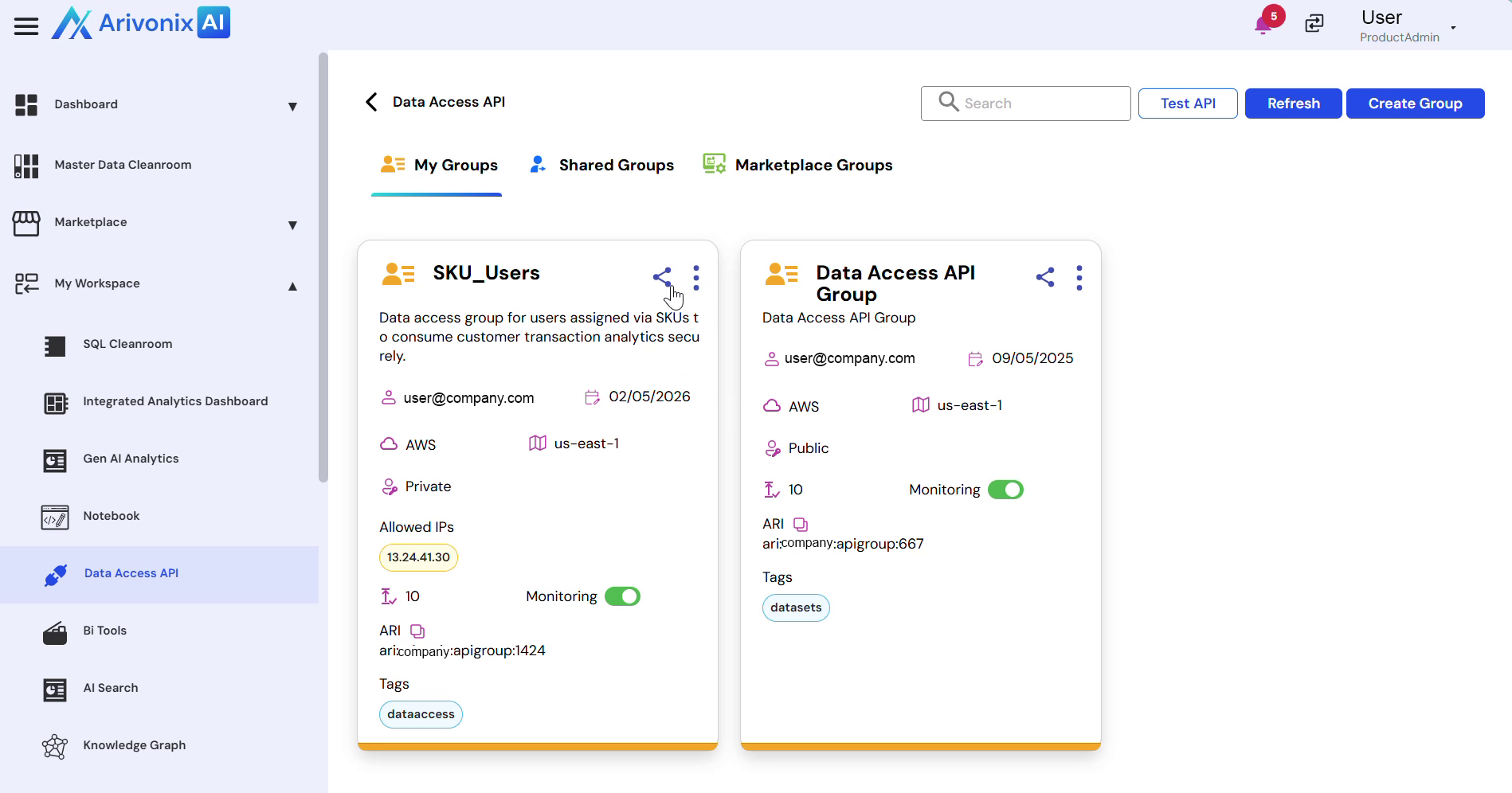
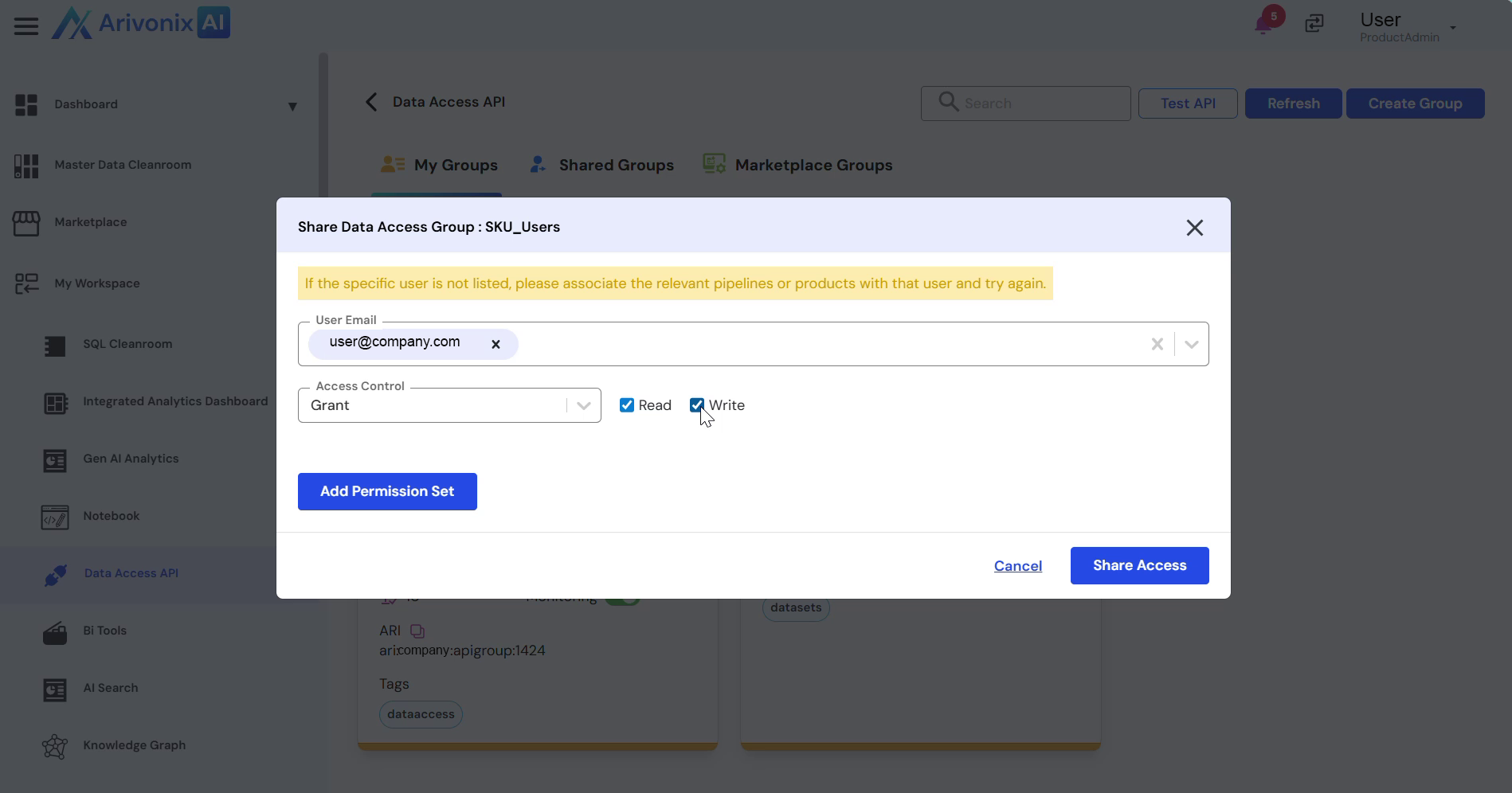
- Configure the sharing settings:
- Enter email addresses for the users requiring access
- Select the appropriate access control: Grant or Deny
- Choose the access level: Read Access, Write Access, or both
- Click Share Access to apply the settings.
Upon completion, the system confirms successful sharing of the Data Access API with the specified users.