

Creating an Agent
On this page
Creating an Agent
Design and deploy AI agents that combine prompts, reasoning, retrieval, validation, and tools into governed production-ready AI systems.
Create a New Agent
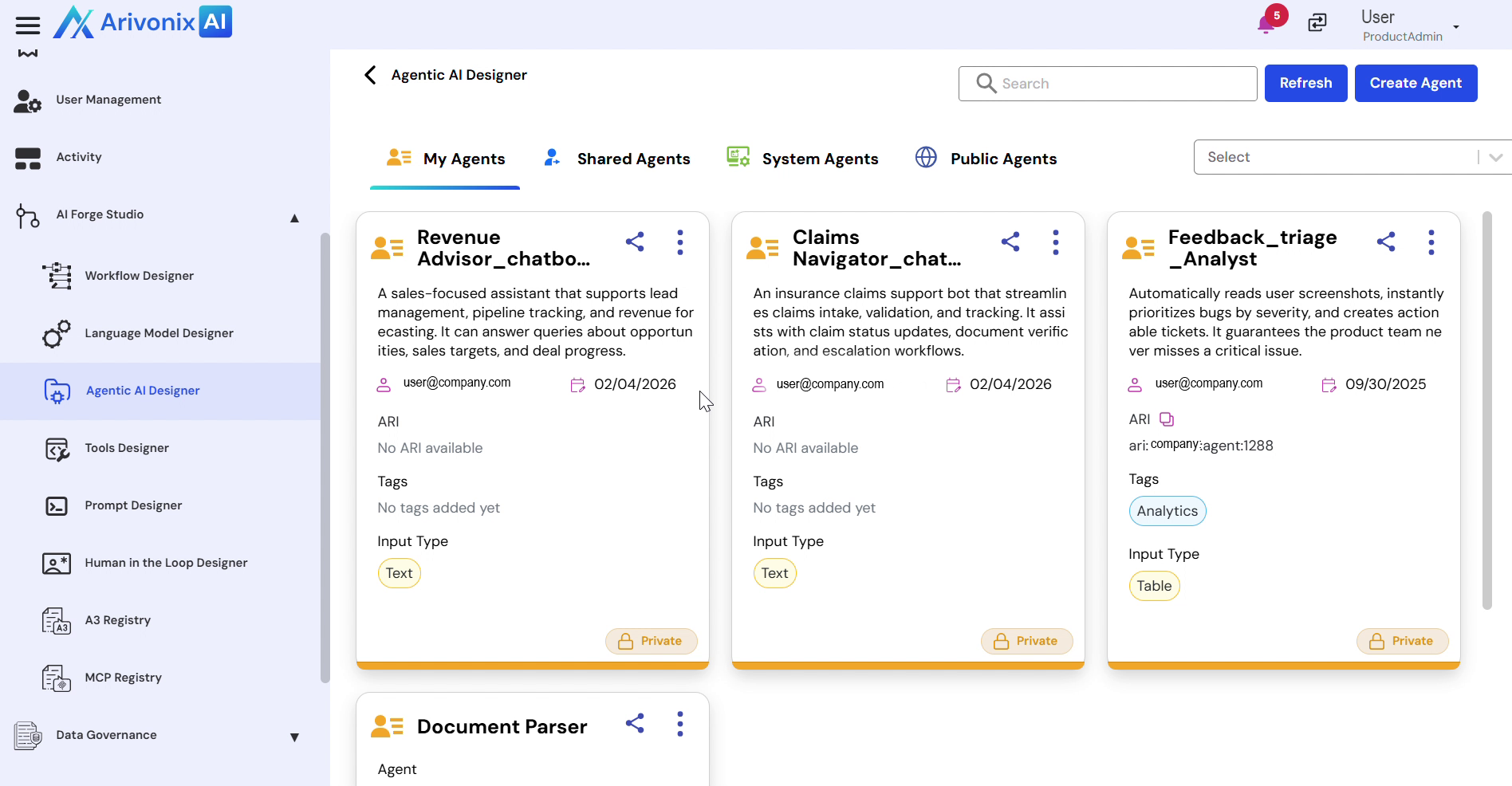
- From the left-hand navigation panel, expand AI Forge Studio and select Agentic AI Designer to open the Agent Management workspace.
- Click Create Agent in the top right corner.
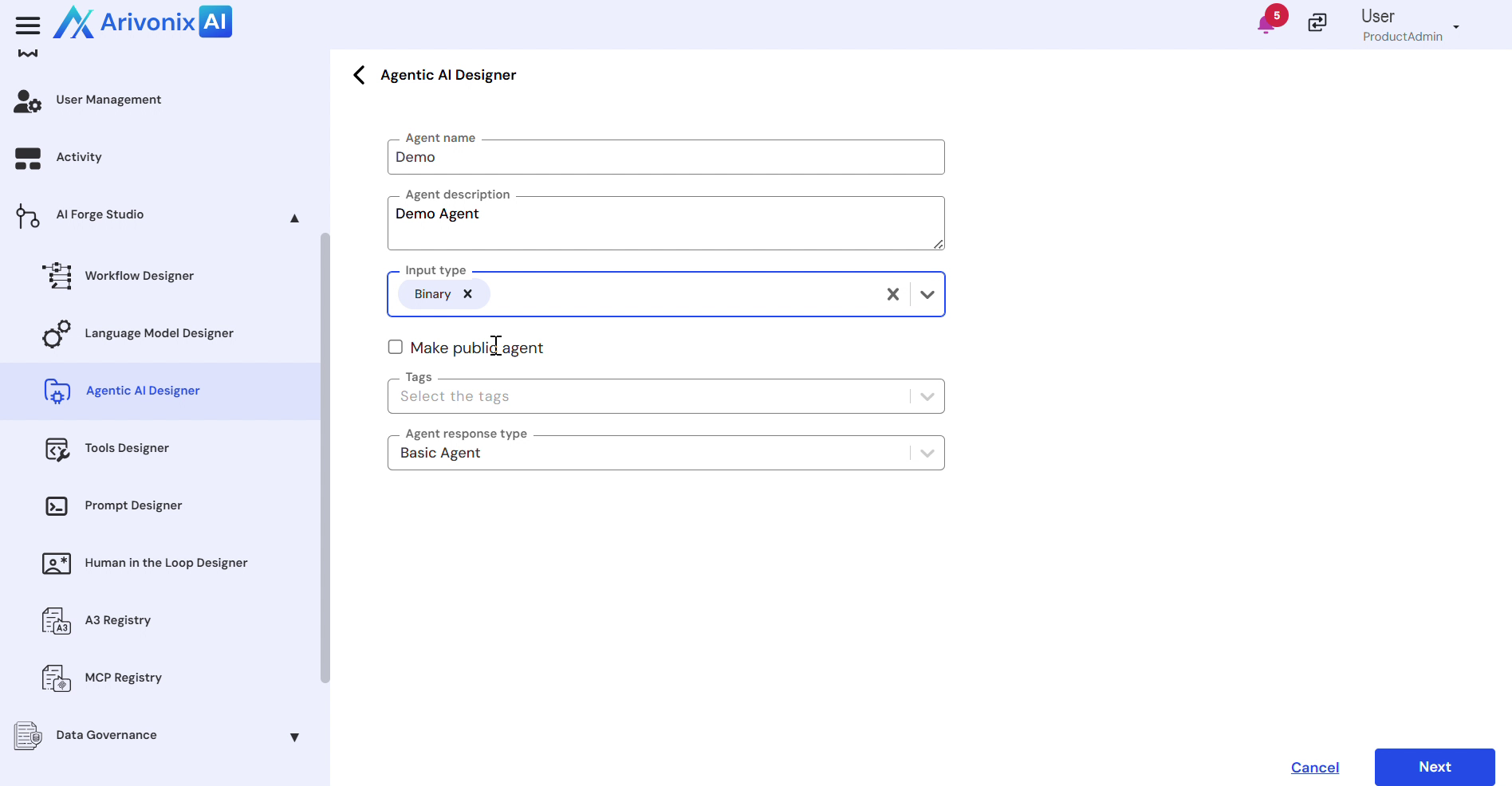
- In the creation window, provide the following details:
- Agent Name
- Description
- Input Type – Arivonix supports binary, vector table, and text input types
- Optional: Enable the public access checkbox
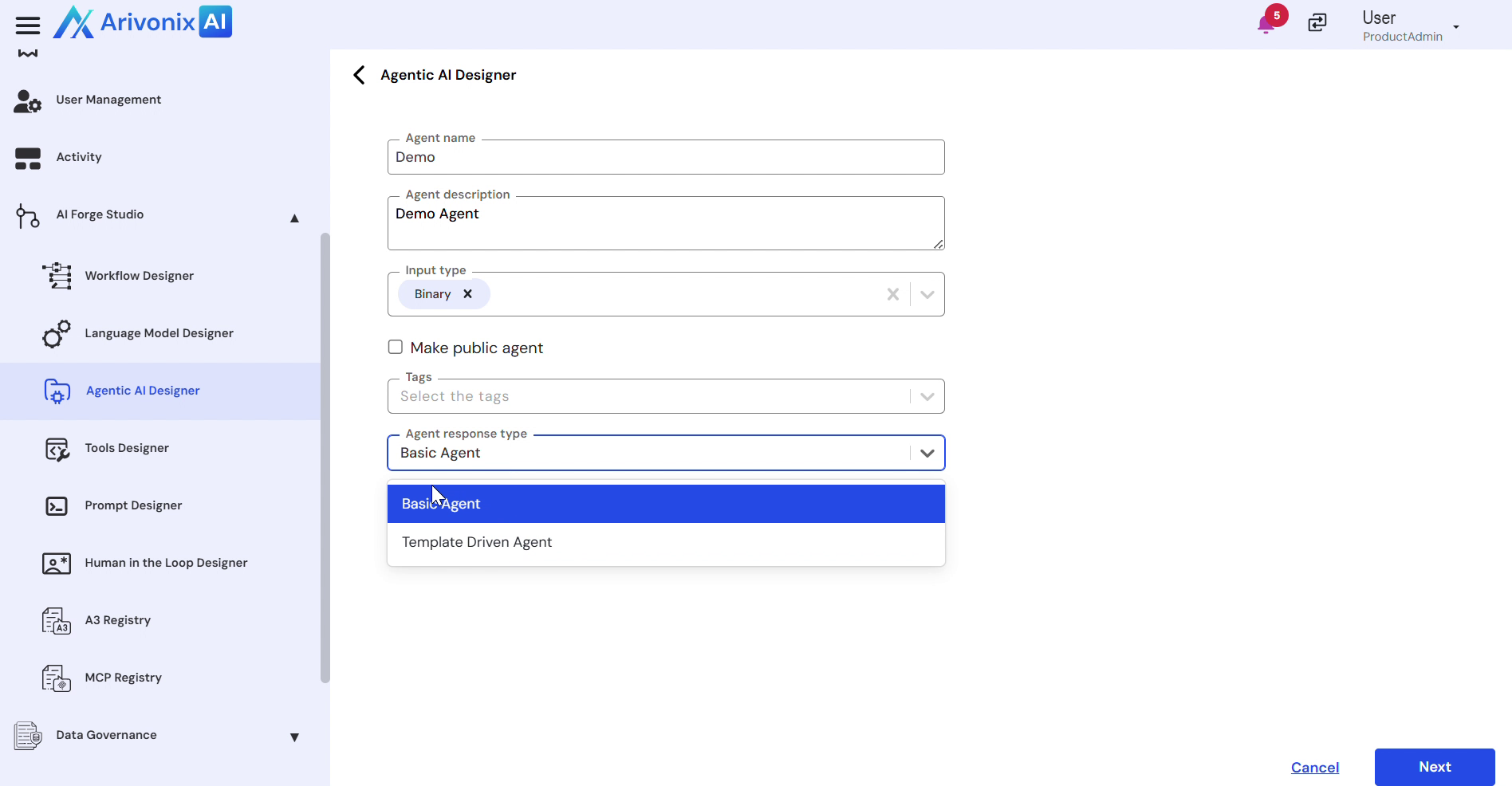
- Agent Response Type – Choose between Basic Agent or Template Driven Agent
- Click Next to proceed.
Configure Agent Components
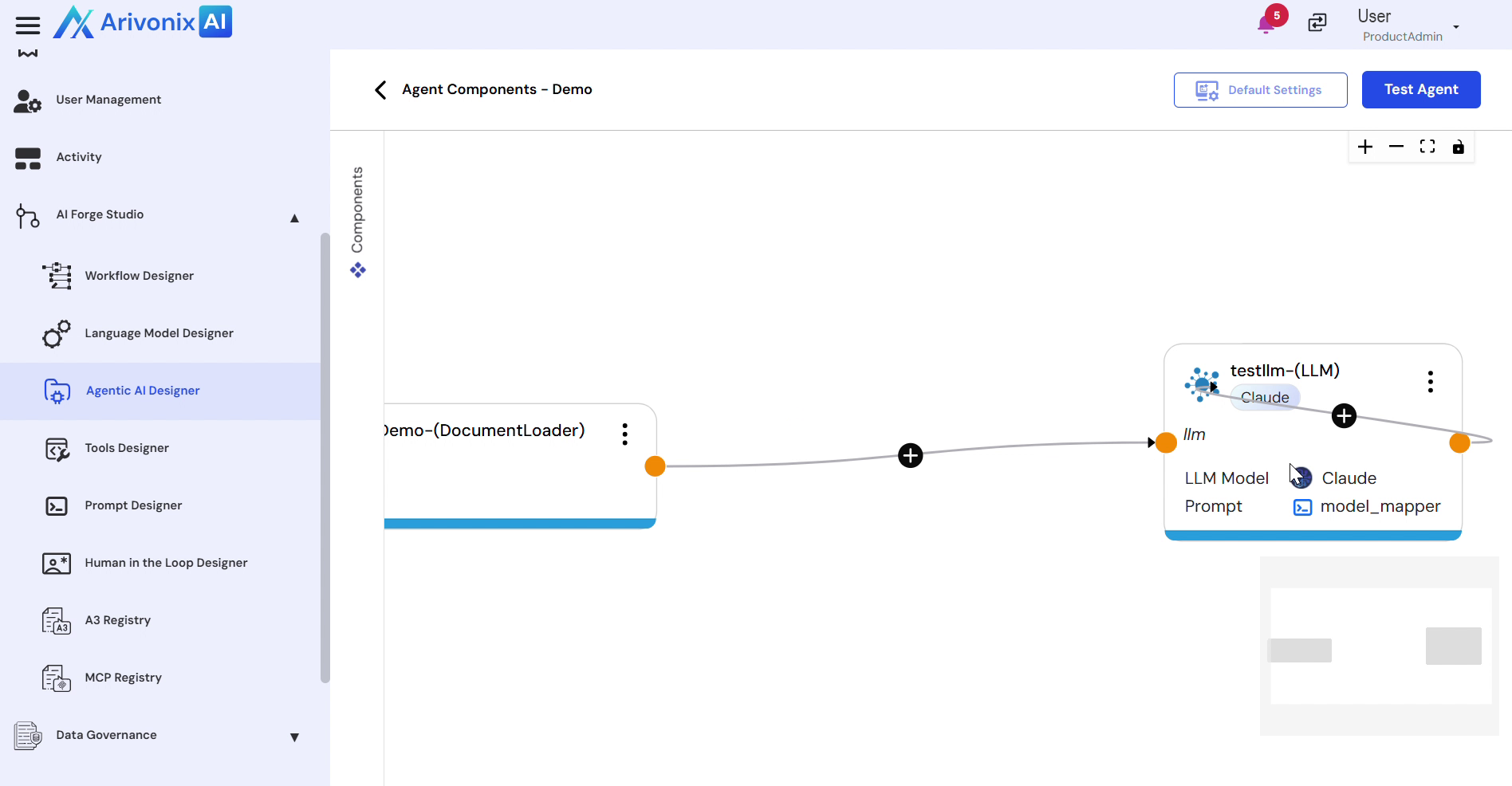
- In the Agent Components workspace, locate the components based on the Requirement Components Library on the left side.
- Drag the required components into the workspace.
- Connect the components logically to define the execution path from input to final response.
- Click Default Settings to review and configure global parameters such as model defaults and execution behavior.
After successful configuration and testing, the agent will be created and ready for deployment and integration into enterprise workflows through the Agentic AI Designer.