

Tools Designer Overview
On this page
What is Tools Designer?
Tools Designer enables the creation and management of custom tools that empower AI agents to perform specific tasks like API calls, script execution, data retrieval, and business workflow automation.
Accessing Tools Designer
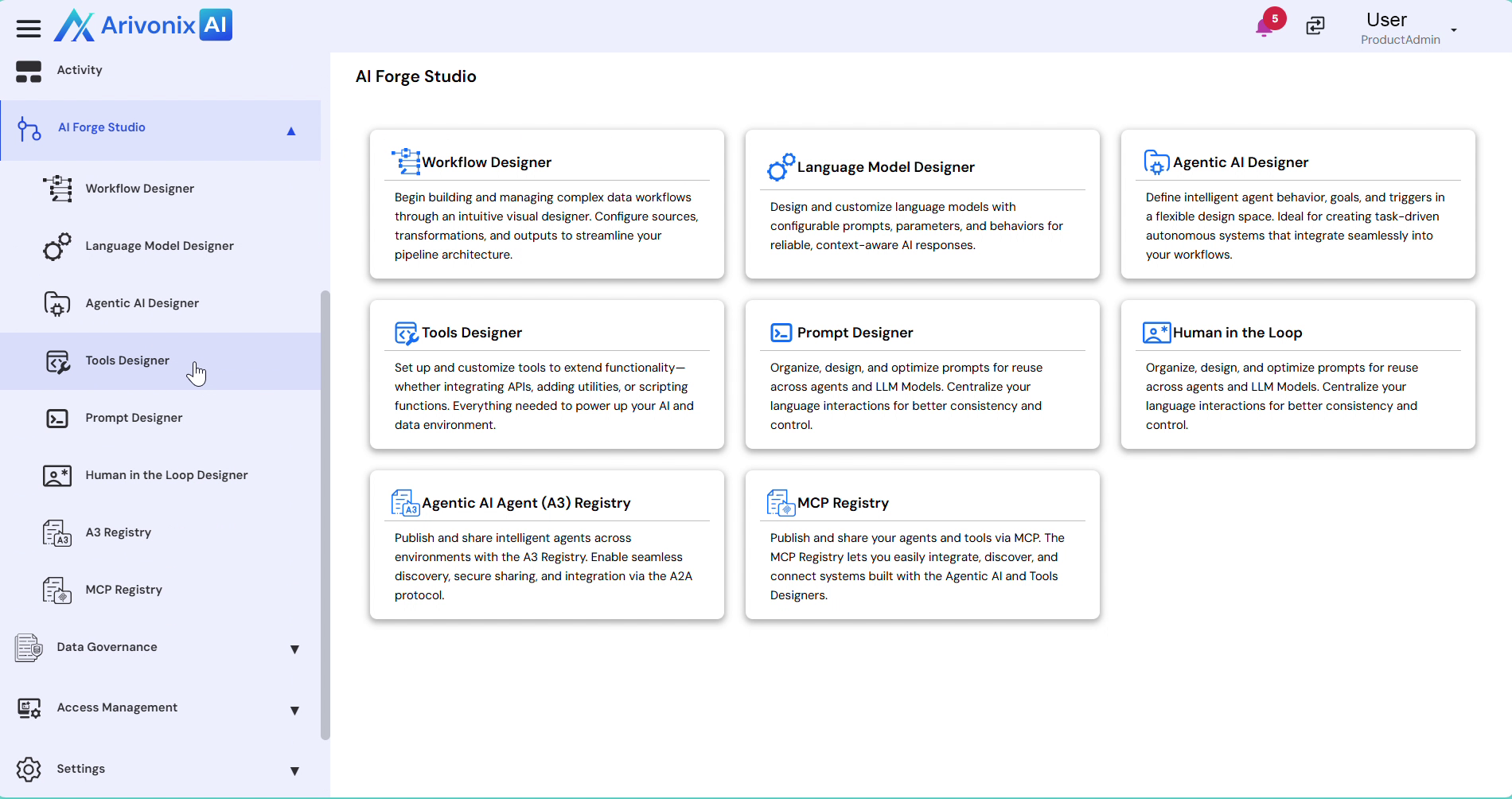
From the left-hand navigation menu, expand AI Forge Studio, and select Tools Designer.
Tools Organization
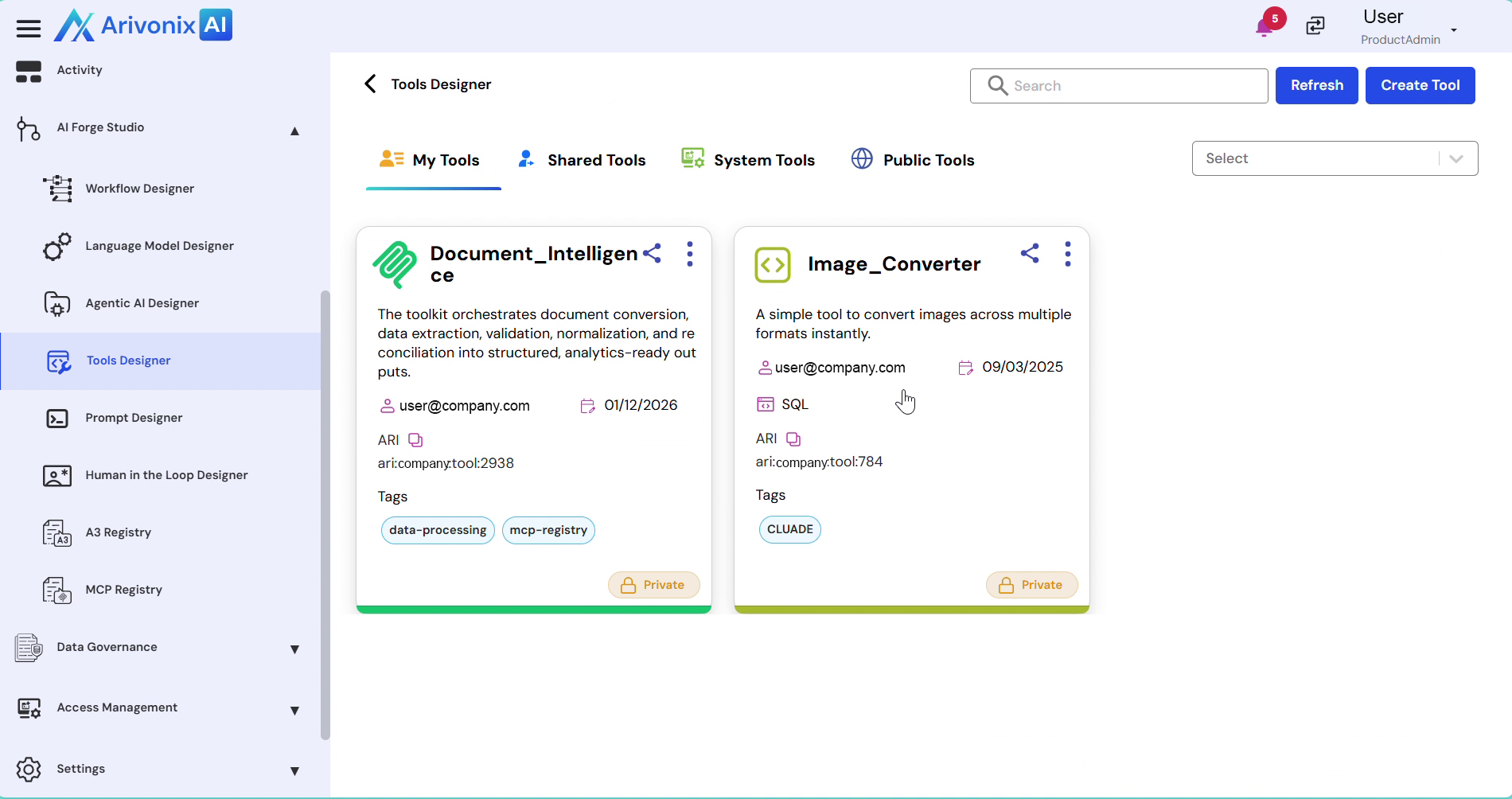
The Tools Designer interface organizes tools into the following categories:
- My Tools
- Share Tools
- System Tools
- Public Tools
Creating a New Tool
To create a new tool:
-
- Click Create Tool in the top right corner
-
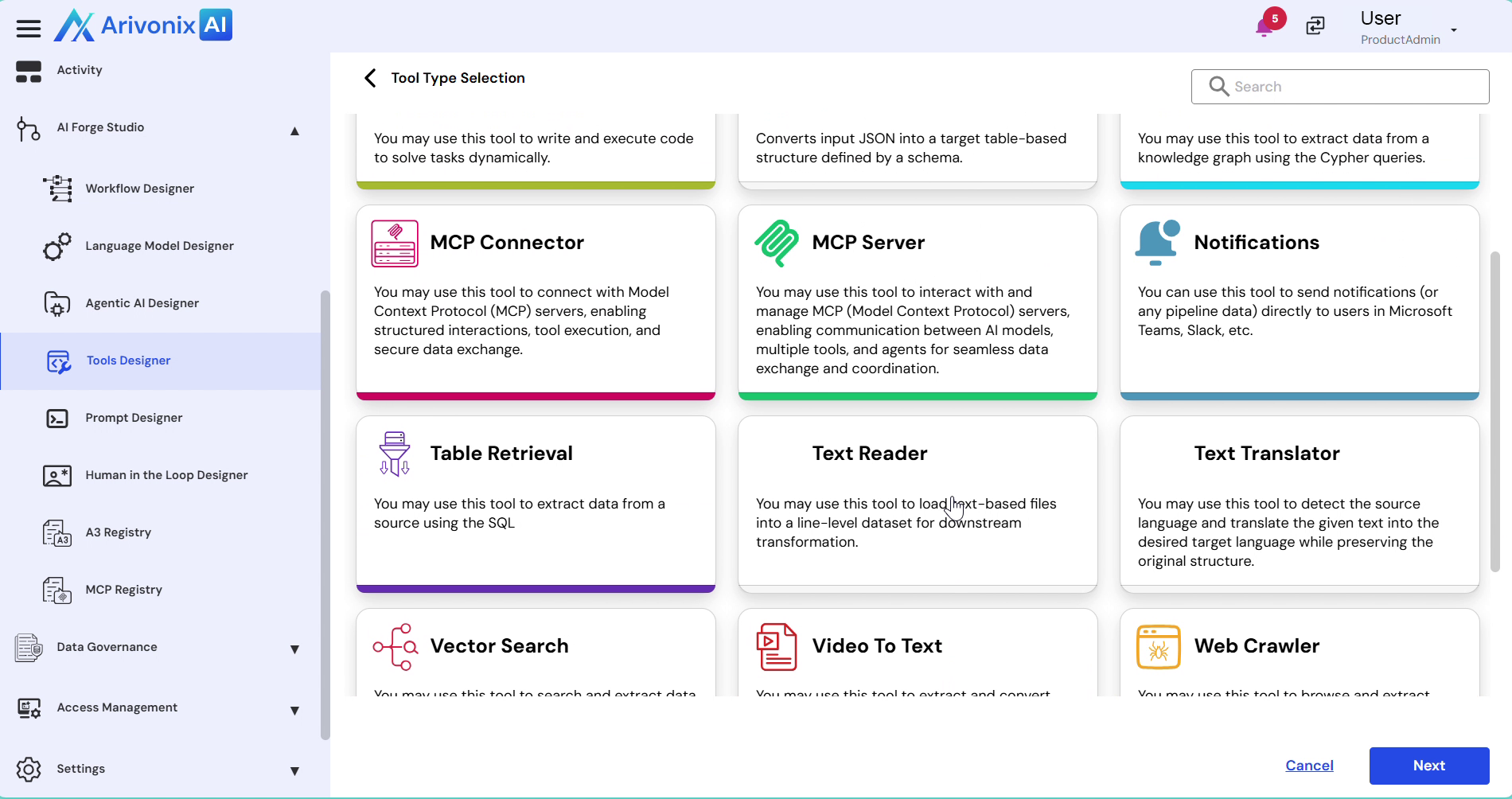
- Select the appropriate tool type from the available options:
- JSON to Struct
- Knowledge Graph Retriever
- Table Retriever
- Text Reader
- Text Translator
- Video to Text
- Web Search
- Web Crawler
- Click Next
- Select the appropriate tool type from the available options:
-
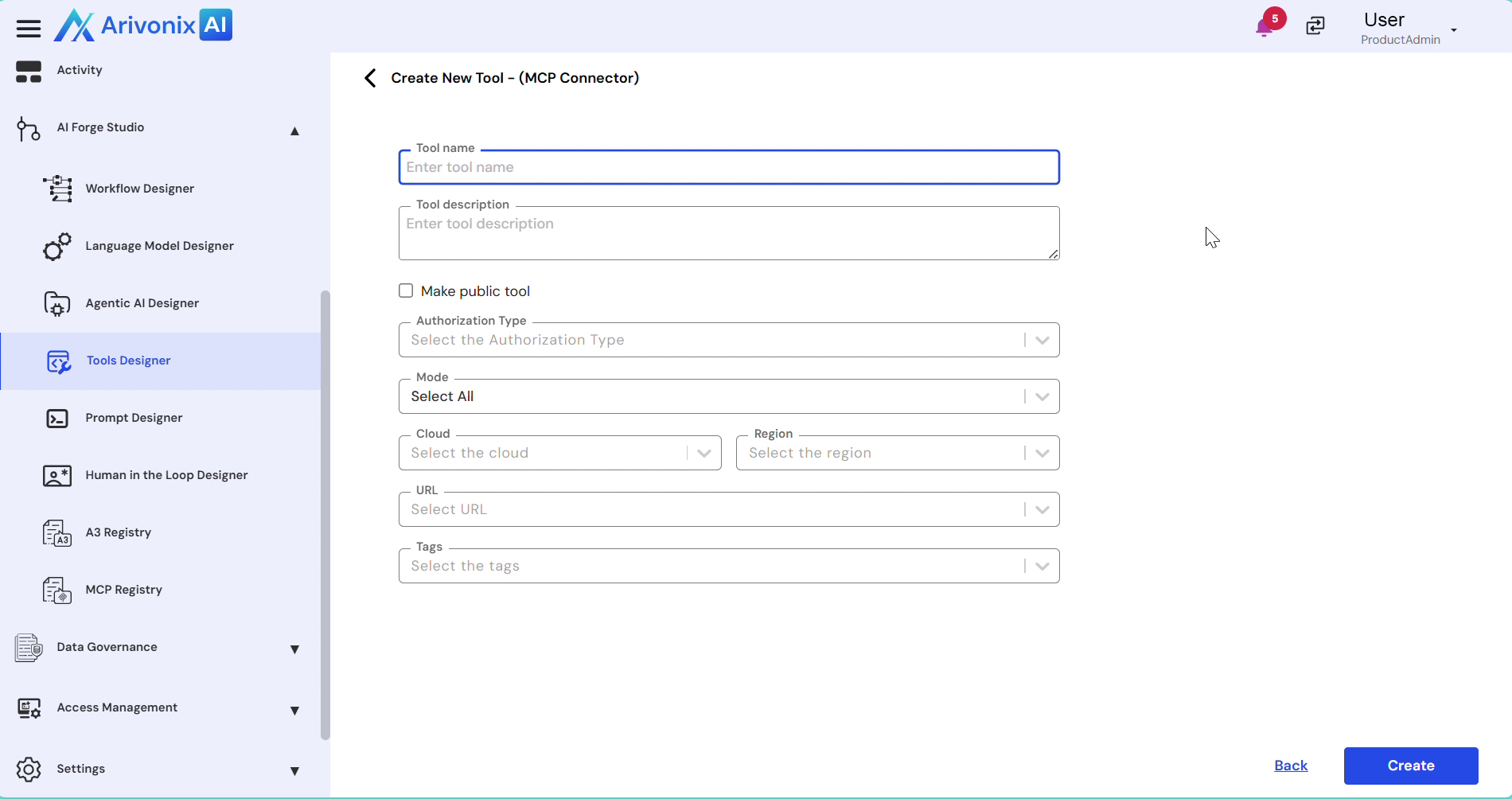
- Configure the tool settings:
- Tool Name
- Description
- Authorization Type
- Click Create
- Configure the tool settings:
Using Custom Tools for Agents
To implement a custom tool in an agent:
- Navigate to AI forge Studio
- Open Agentic AI Designer
- Open an existing agent or create a new one
- On the Agent Canvas, drag and drop the tool component
- In the configuration panel, select the created tool and map the required inputs
- Connect the tool component with other components based on your workflow logic
- Save and publish the agent
The agent can now utilize the custom tool to execute defined tasks within its workflow.