

Sharing Knowledge Graph
On this page
Sharing Knowledge Graph
Share knowledge graphs with other users and teams while managing their access permissions.
- On the Knowledge Graph tab, locate and click the Share icon
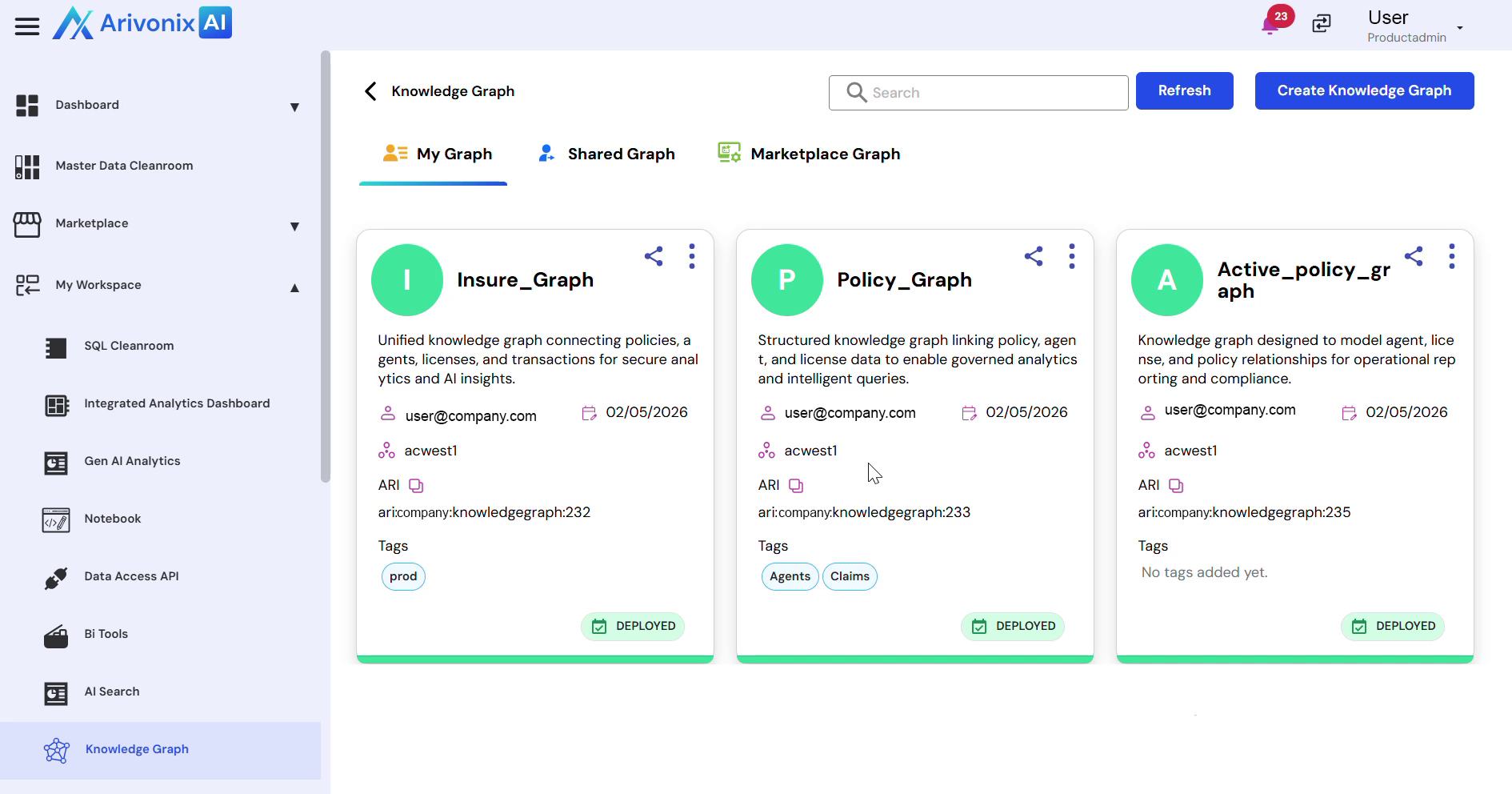
- Select the users to grant access to. Multiple users can be selected simultaneously.
- Configure access control settings:
- Choose to grant or deny access
- Set appropriate Read Access or Write Access permissions based on requirements
- Click Share Access to apply the permissions
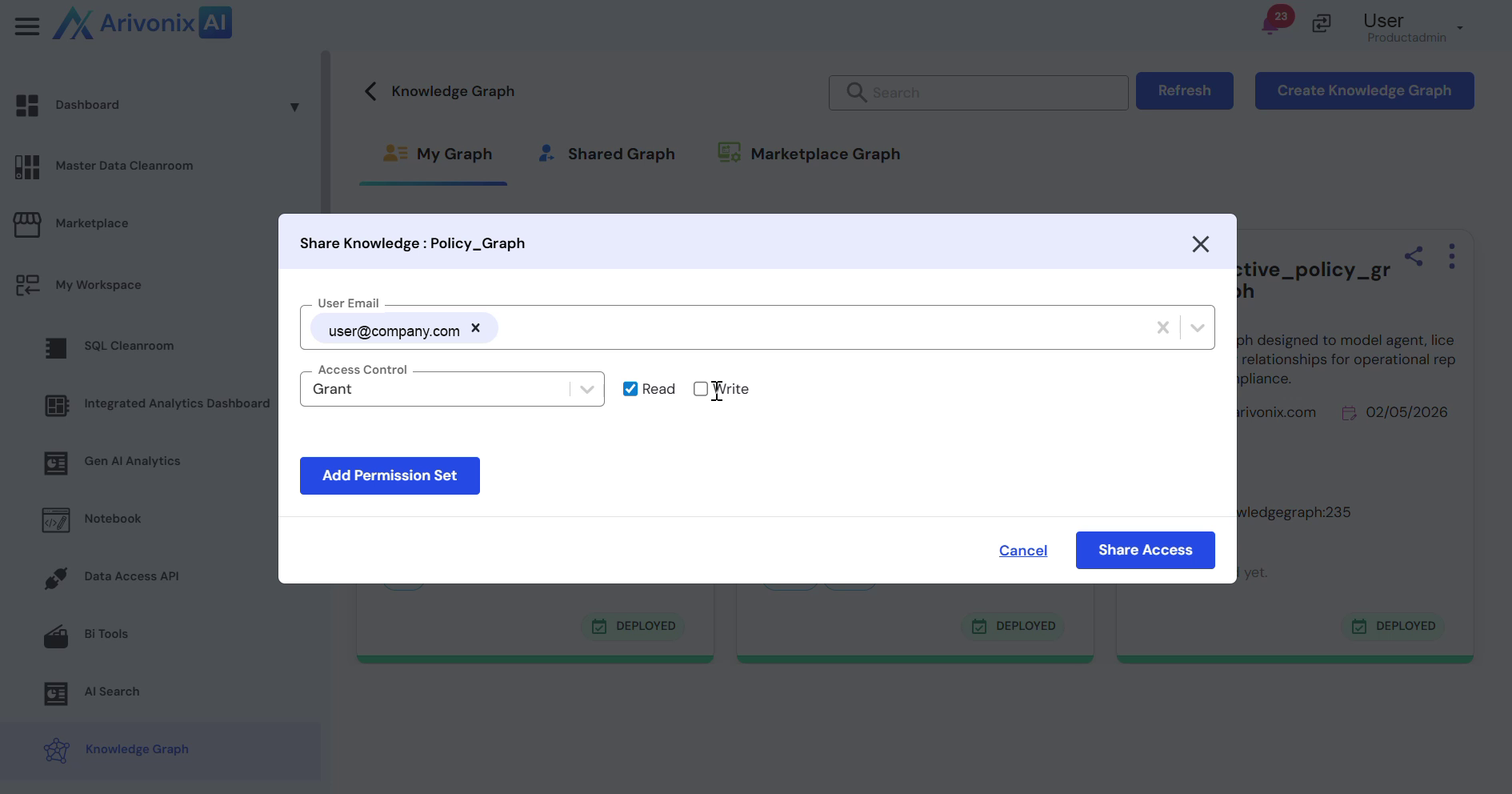
Upon completion, the knowledge graph is successfully shared with the selected users.