Skip to content Skip to main content

Arivonix

Introducing Agent Arivon. Your AI Data Engineer.

Data Rules

Deleting a Data Rule

Hari 1 min read Last updated: February 24, 2026
On this page

Deleting a Data Rule

Remove existing data rules from the system when they are no longer needed.

  1. Click the Action Menu to access deletion options. Relevant visual
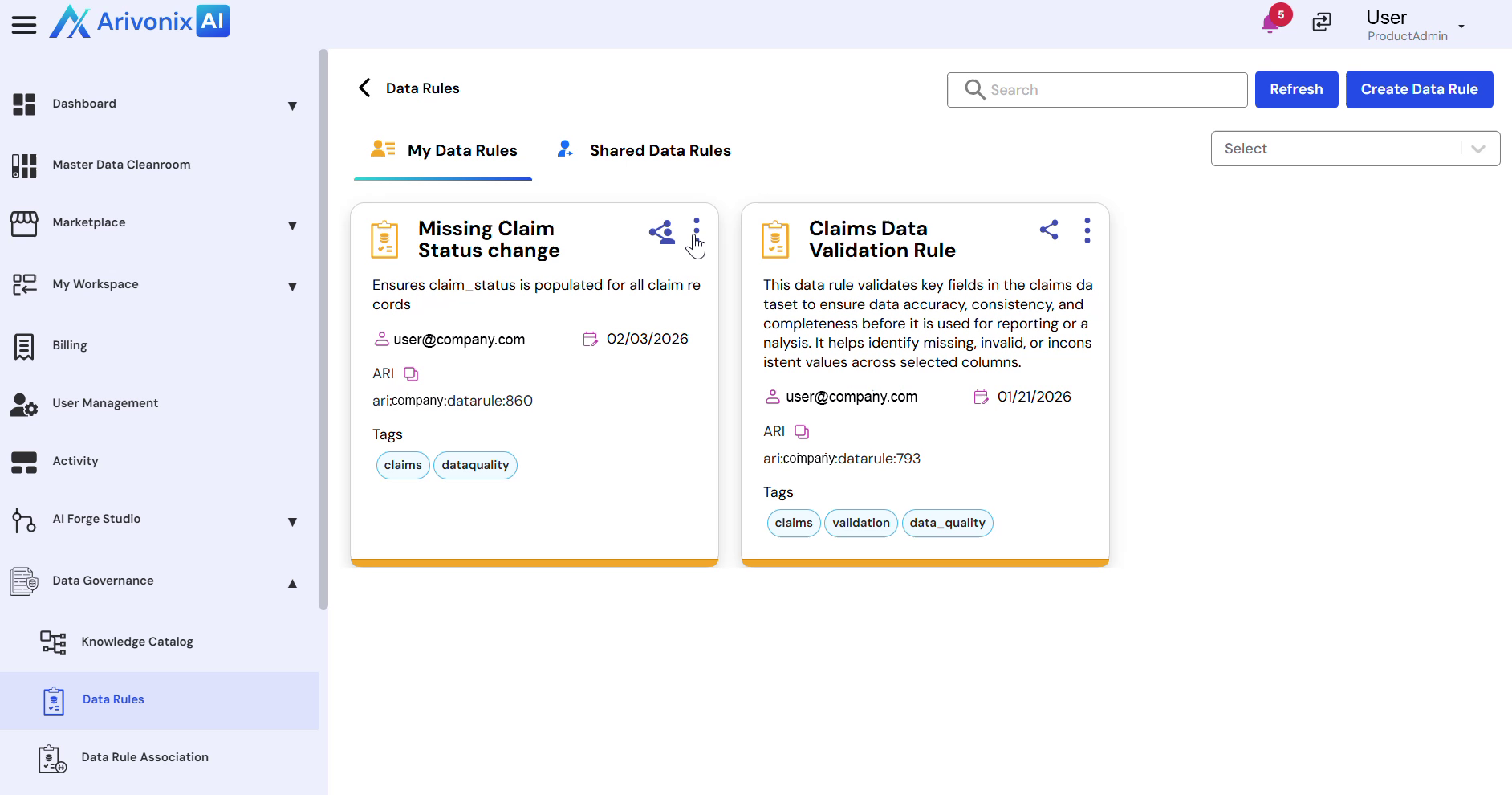
  2. Select Delete from the menu options.
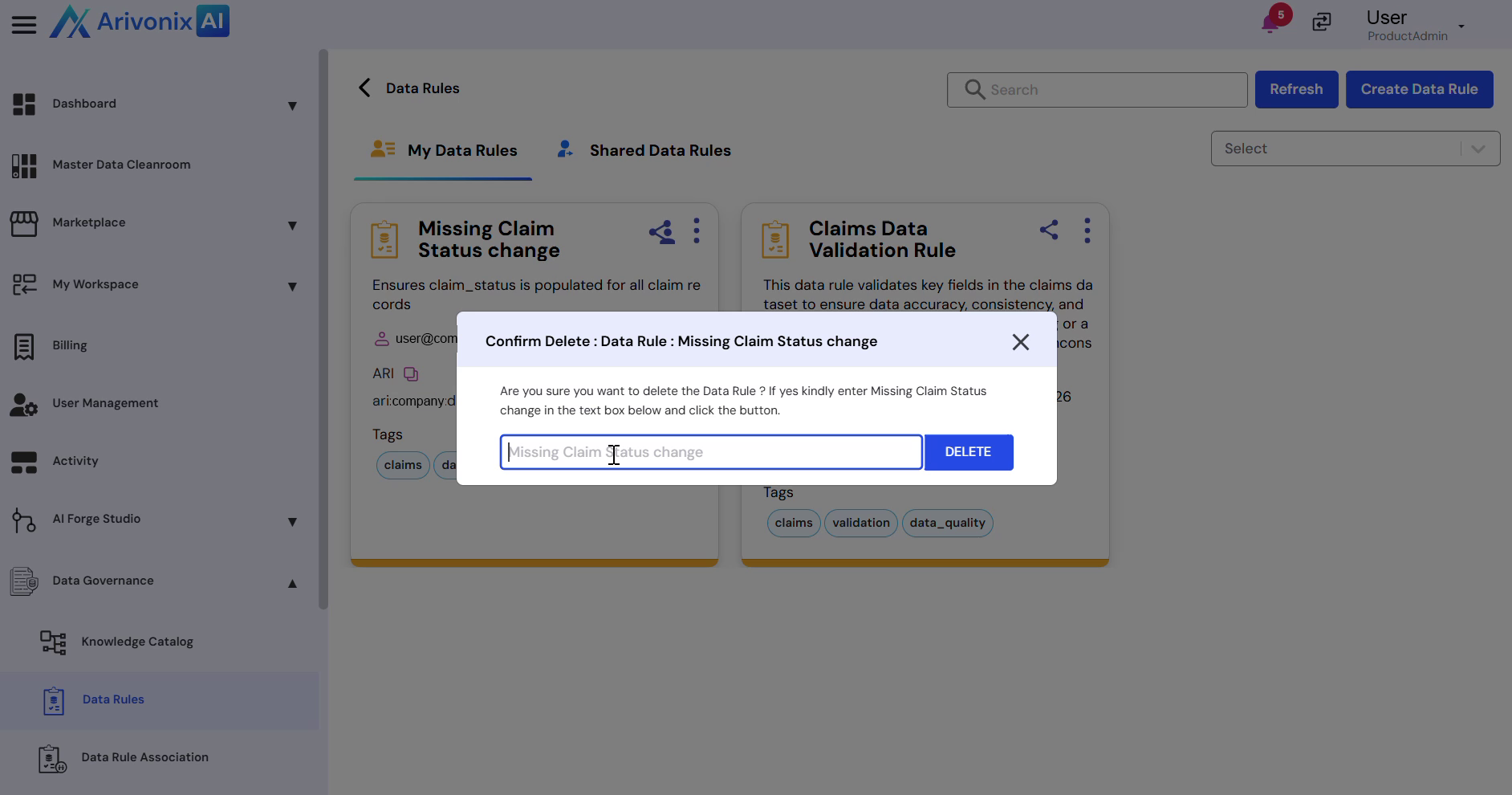
  3. Enter the Data Rule Name to confirm deletion.
  4. Click the Delete button to proceed. Relevant visual

Upon successful completion, the system will confirm that the data rule has been deleted.

Was this helpful?
START YOUR FREE TRIAL

Try our Agentic AI Platform and build your Agentic AI workflows in less than a day to unlock your data insights.

Start Free Trial
No credit card required