

Add Tools
On this page
Adding Tools to Transformation
Enhance data transformations by incorporating specific tools that support various data processing requirements within Arivonix.
To add a tool to your transformation:
- Locate and click the Plus icon to initiate tool addition.
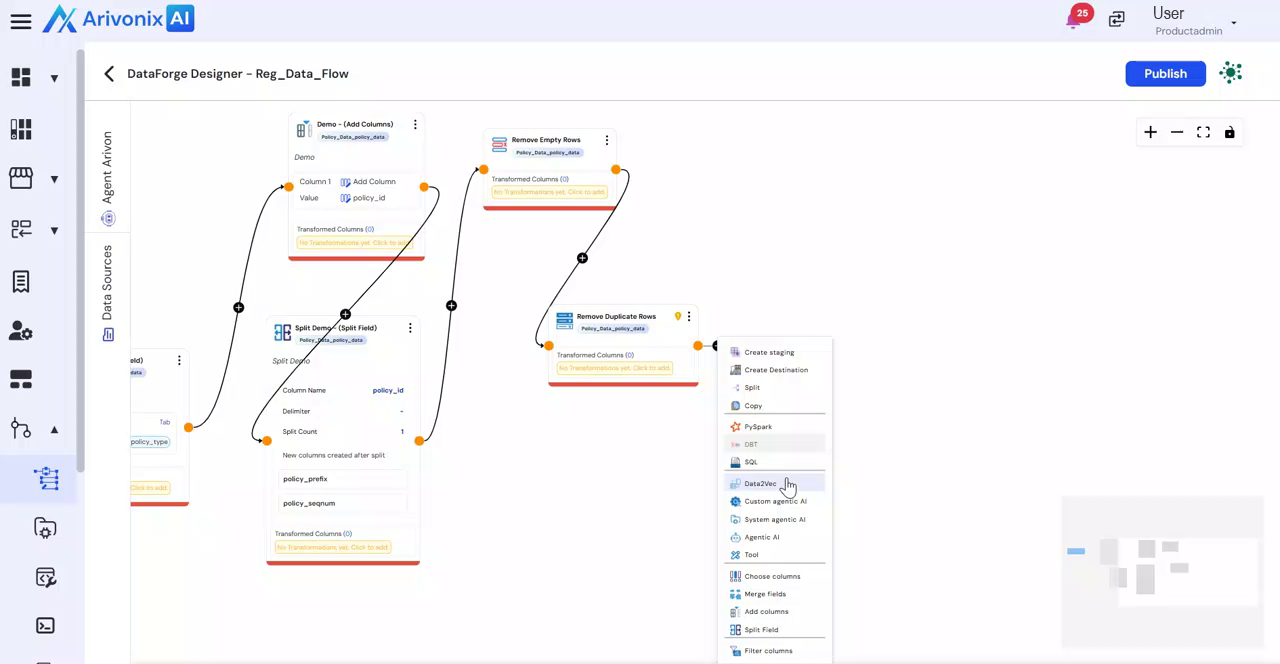
- Select Tool from the available options.
- Configure the tool settings:
- Enter a Transformation Name
- Provide a Description
- Select the desired tool from the available options
- Choose from the extensive range of supported tools in Arivonix:
- Pipeline
- MCP
- Flattened Data
- SQL Validator
- Validate JSON
- Load Query etc.
- Click Save to confirm the tool configuration.
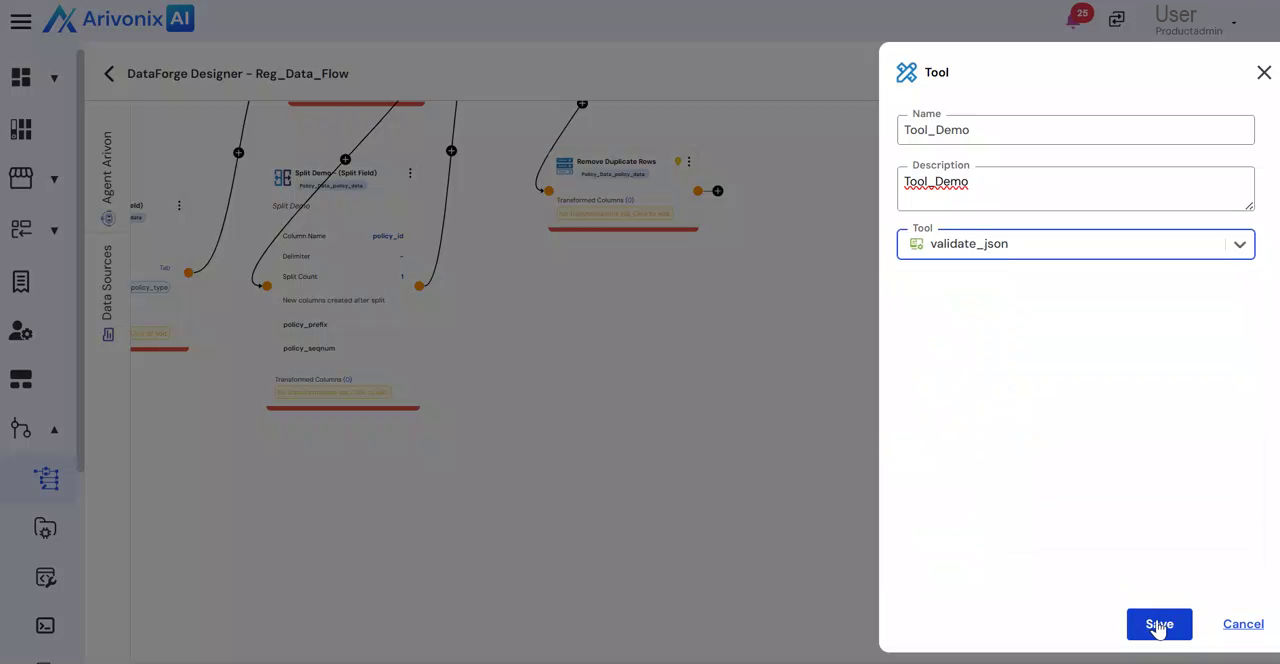
Upon completion, the tool will be successfully integrated into your workflow.