

Add System Agent AI
On this page
Adding System Agent AI to Transformations
Configure System Agent AI capabilities to enhance data transformations with intelligent processing features.
To add a System Agent AI transformation:
- Click the System Agent AI icon
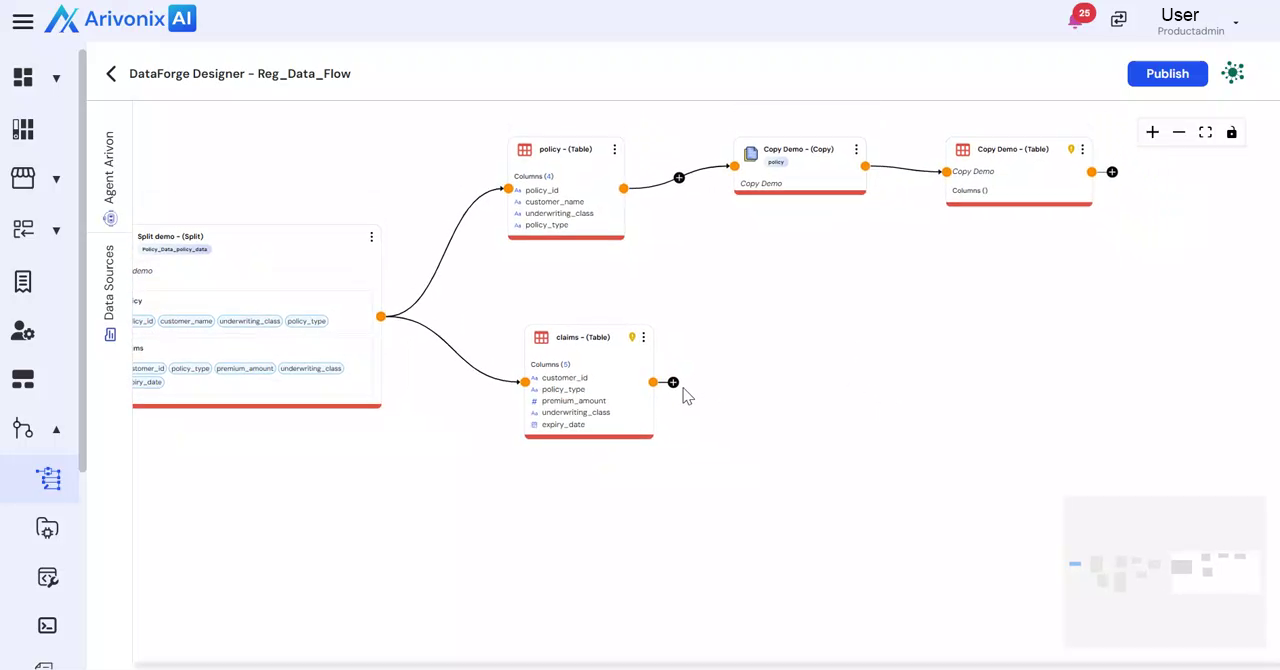
- Enter a Transformation Name for the new agent configuration.
- Select the desired System Agent type from the available options. Arivonix supports multiple agent types including:
- Document to Table
- Data to Vec
- Vector Retrieval
- Table Retriever etc.
- Choose the appropriate LLM Model for the transformation.
- Provide a Description for the transformation.
- Click Save to complete the configuration
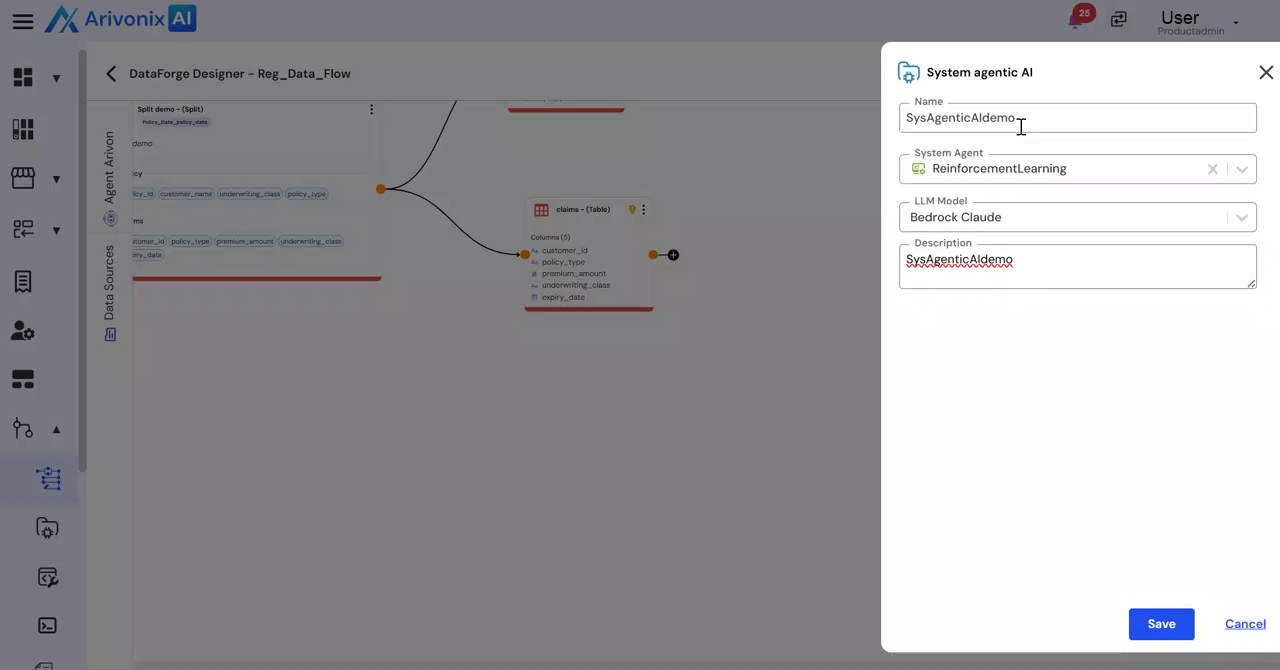
The system will process and apply the transformation according to the specified configuration.