

Prompt Designer Playground
On this page
Prompt Designer Playground
The Prompt Designer Playground provides a comprehensive environment for testing, iterating, and optimizing prompts before deployment.
Playground Interface
Access the Playground by selecting Playground from the Action menu of the prompt. 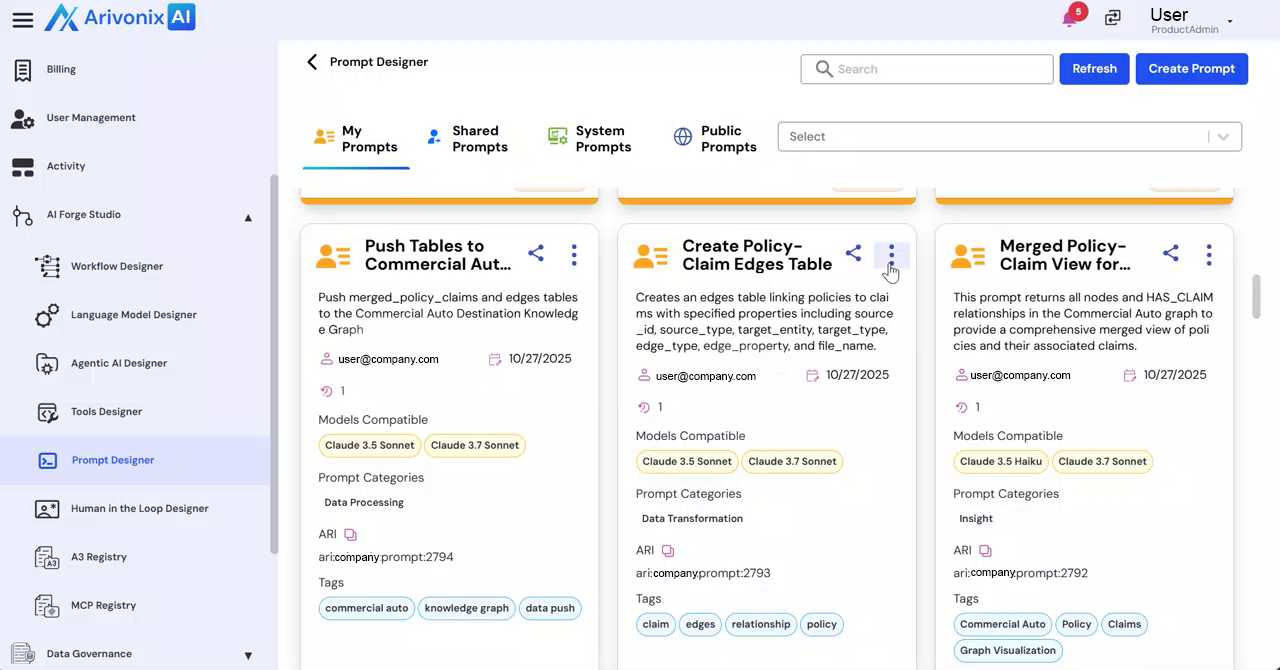
Configuration Options
At the top of the interface, users can configure:
- LLM Selection
- Cloud Provider
- Region
- Version Management for testing different prompt iterations
Playground Sections
Parameters
The left panel contains two primary tabs:
- User Tab: Configure input messages and parameters that simulate end-user interactions. Add supporting context or configuration inputs as needed.
- System Tab: Define system-level instructions that control model behavior, tone constraints, and output expectations.
Response Structure
This section enables:
- Definition of structured outputs
- Generation of JSON schemas through prompts
- Enforcement of structured responses for data extraction and automation
Checkpoints
Manage saved versions of prompt experiments for future reference and iteration.
Settings
Configure inference parameters including:
- Max Tokens: Control response length
- Stop Sequences: Define response termination points
- Top A and Top P: Adjust token sampling behavior
- Temperature: Fine-tune randomness and creativity
Generating Responses
After configuring the desired settings, enter the prompt and click Enter to generate the response. 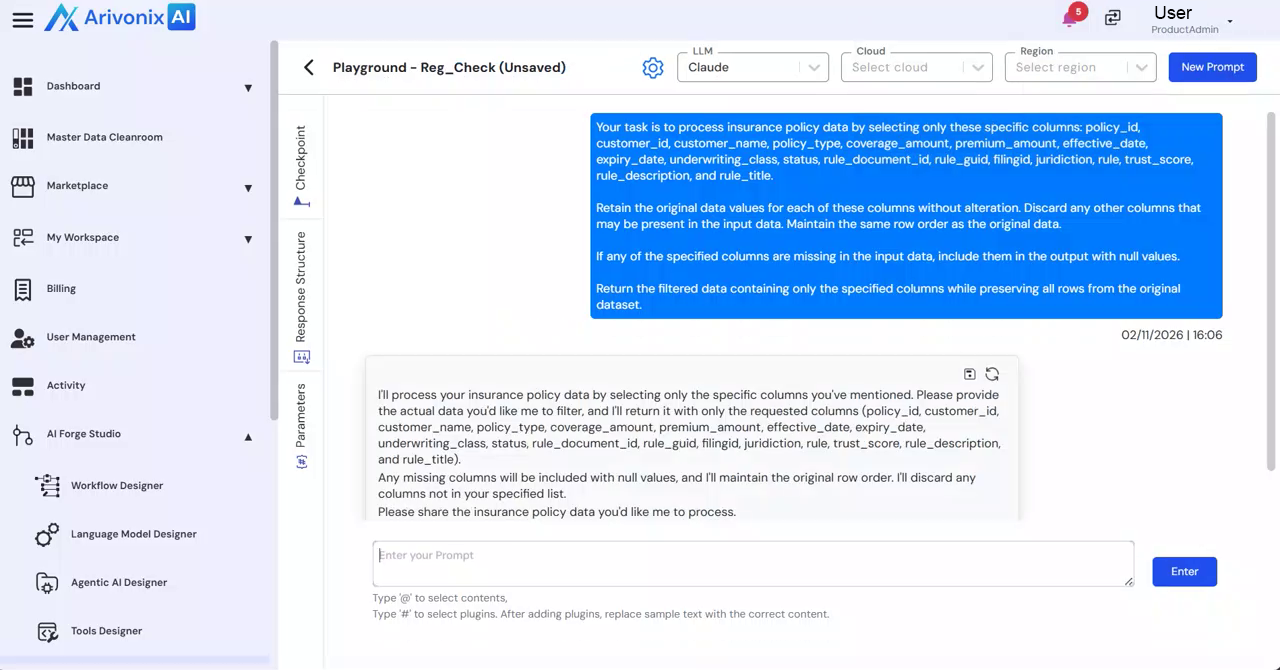 The output appears on the left side for review.
The Playground facilitates structured experimentation for refining instructions, adjusting inference behavior, validating structured outputs, and optimizing prompts before deployment in workflows or applications.